159
TTYYPPIICCAALL
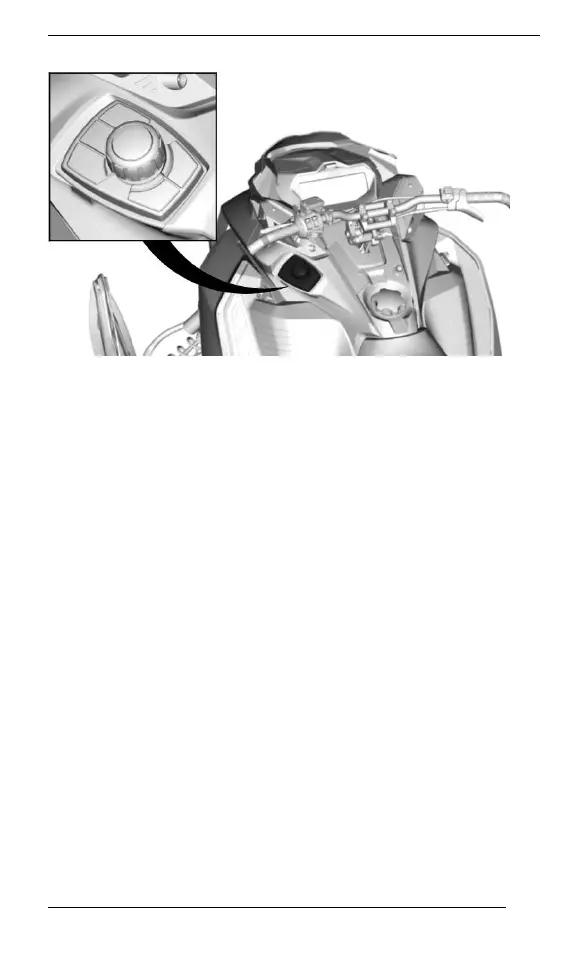
It is used to navigate into the LCD display and control the audio
system.
– Seek/Play/Pause buttons allow to control volume and music lis-
tened in the helmet audio system.
– The center knob can be used to navigate inside menu or select
and set settings.
– Specific vehicle data button allow to see engine temperature, and
battery voltage. It will also shown air suspension adjustment (if
equipped)
– BRP Connect button: quick access to already downloaded APPS.
SECONDARY CONTROLS



 To Next Page