160
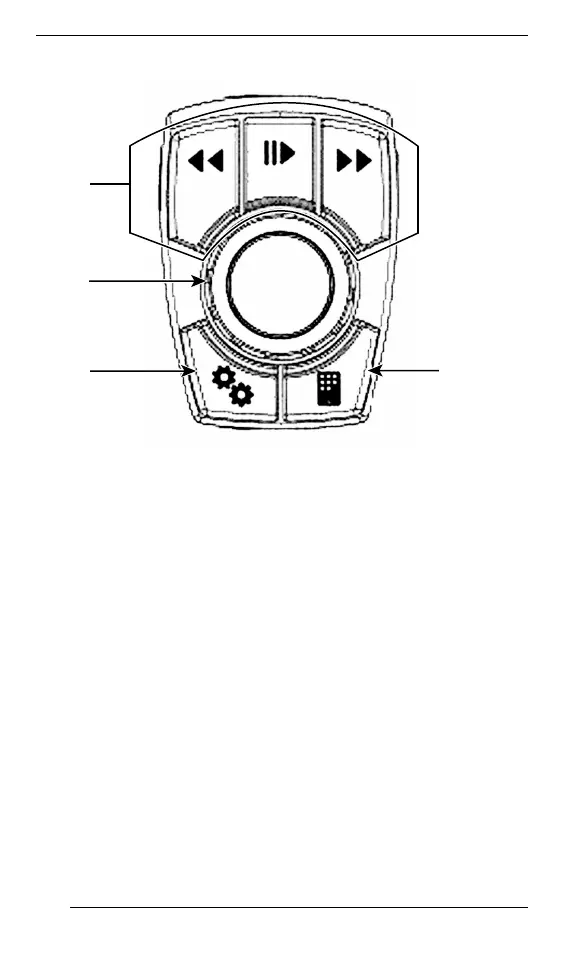
1. Audio control
2. Center knob
3. Vehicle data button
4. BRP Connect
When audio source is selected, the Preset/Seek buttons work as
follow:
– Short press: Previous or Next Preset
– Long press: Seek - up or down
When Bluetooth audio source is selected, the Preset/Seek buttons
work as follow:
– Left: Previous song
– Right: Next song
GGeeaarrsshhiifftt LLeevveerr
MMooddeell eeqquuiippppeedd wwiitthh HHii//LLoo GGeeaarrbbooxx
SECONDARY CONTROLS




 To Next Page