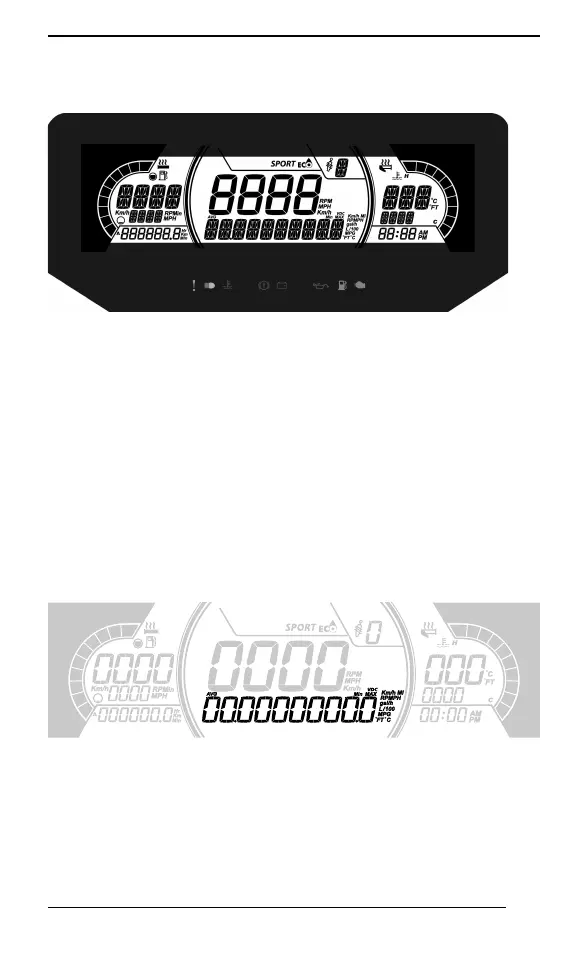
211
GGAAUUGGEE –– 77..22”” DDIIGGIITTAALL DDIISSPPLLAAYY
MMuullttiiffuunnccttiioonn DDiissppllaayy
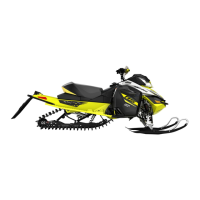
1. Select the upper or center display by using the MENU (M) button
on the multifunction switch. Refer to
Secondary Controls
for Menu/
Set button location.
2. While the desired display is flashing, navigate through the display,
by using the SET (S) button on the multifunction switch.
Once the desired information is displayed, press the MENU (M)
button or wait 5 seconds to confirm.
To reset
– Average speed
– Top speed
– Total fuel consumption
Press and hold the SET (S) button while display is flashing.
LLoowweerr DDiissppllaayy
May display the following:
– Settings
– Messages
The SPEED display shows the Maximum and the averaged speed.
Hold MENU button for 3 seconds to reset.




 To Next Page