37
Reset to factory settings
1. Keep pressing the Lungo coffee button and in the same time
connect the appliance to the power supply.
2. The indication lights of the functions buttons will blink twice
indicating that the appliance is set to the factory default
settings.
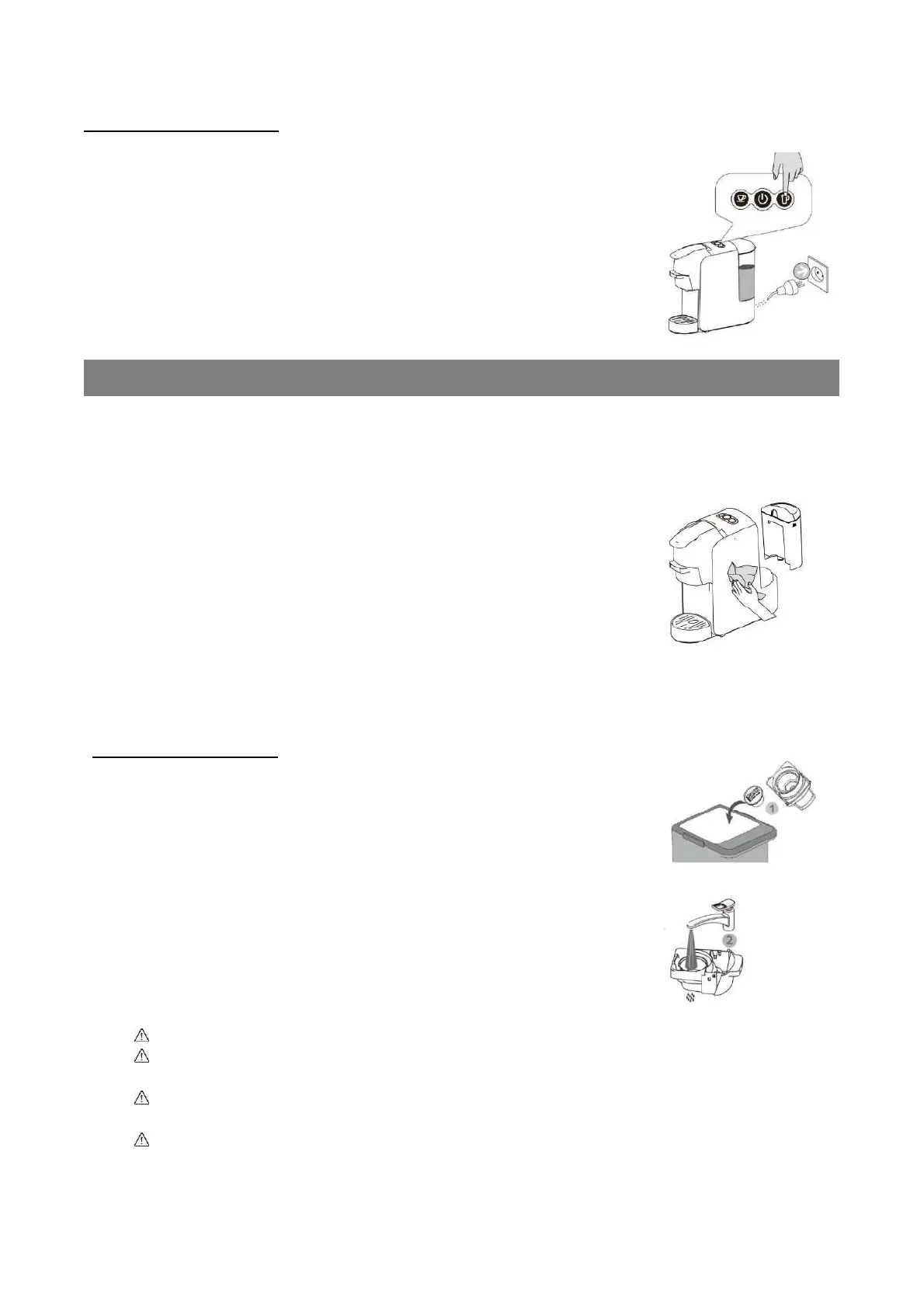
• Clean the appliance regularly and after each use.
• Always power off and remove the plug from the mains supply. Allow the appliance to
cool down completely before cleaning.
• Clean the external surface of the appliance with a soft, damp
cloth.
• Clean all the detachable parts of the appliance (water tank lid, water tank, adapters,
drip grid, grip tray) with warm soapy water using a soft sponge.
• Rinse carefully to remove any soap residue.
Cleaning the adapters
• Remove the capsule or ground coffee after each use.
• Clear the adapters with warm soapy water and rinse carefully
to remove any soap residue. Wipe and dry thoroughly with a
soft cloth.
• The stainless steel filter of the ground coffee adapter may
sometimes clog from the grains of coffee. Use a pin or needle
to clean it.
Never immerse the appliance in water or any other liquid
Never place the appliance or any part of the appliance in a dishwasher or
disinfector machine.
Never use hard brushed, scouring pads, highly corrosive, abrasive or alcohol-
based cleaning agents.
Make sure all parts are completely dry before reassembling or storing the
appliance.


 To Next Page
 Loading...