3
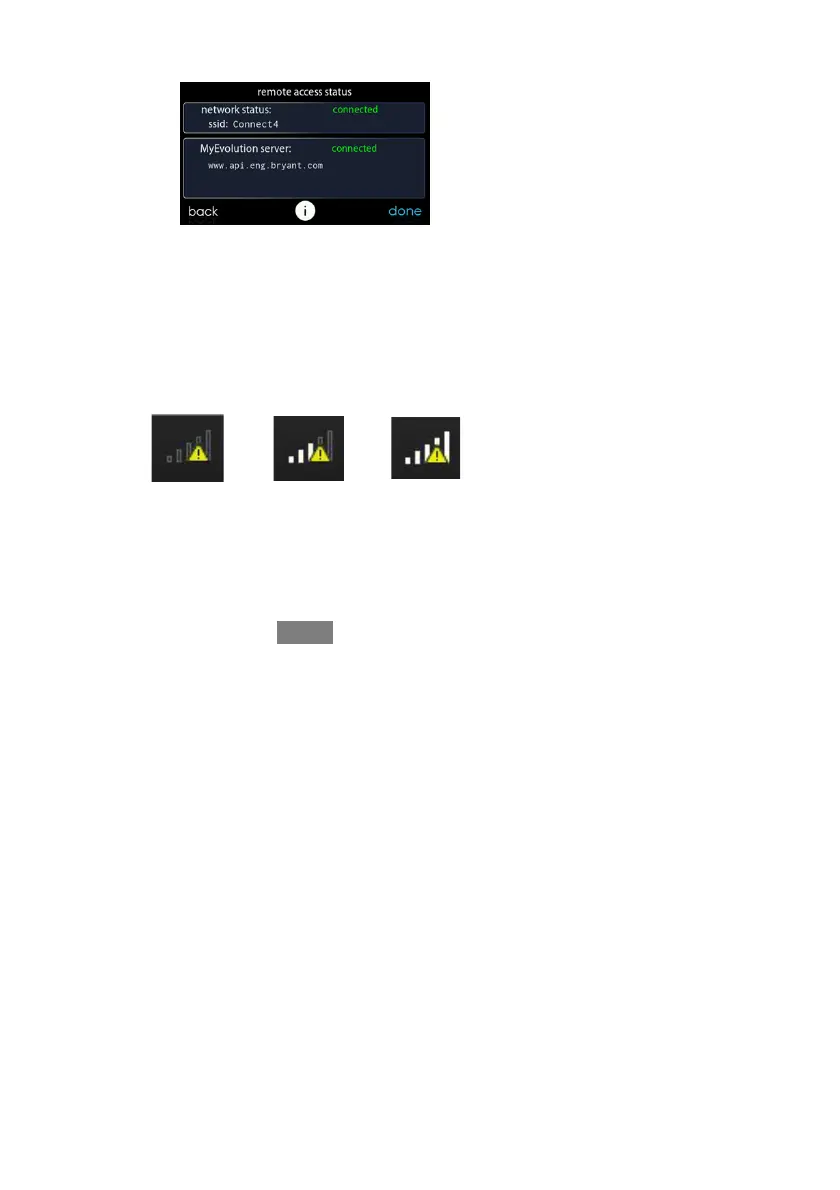
S Pressing on the Connectivity Status bars from the Home Screen will
allow you to view the Remote Access Status screen.
A13260B
S NOTE: If the Evolution Connex control is not connected to the home
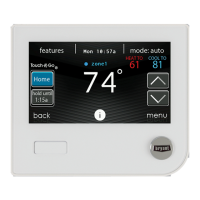
network, a red “X” will appear over the strength bars. If the Evolution
Connex control is connected to the home Wi--Fi network but loses con-
nection to the MyEvolution Server, a triangle will appear over the
strength bars as depicted in the image below. Connection strength to the
home Wi--Fi network will continue to be displayed by the number of
solid bars. If this problem persists, please contact 1--800--428--4326 for
assistance.
A170247


 To Next Page