2
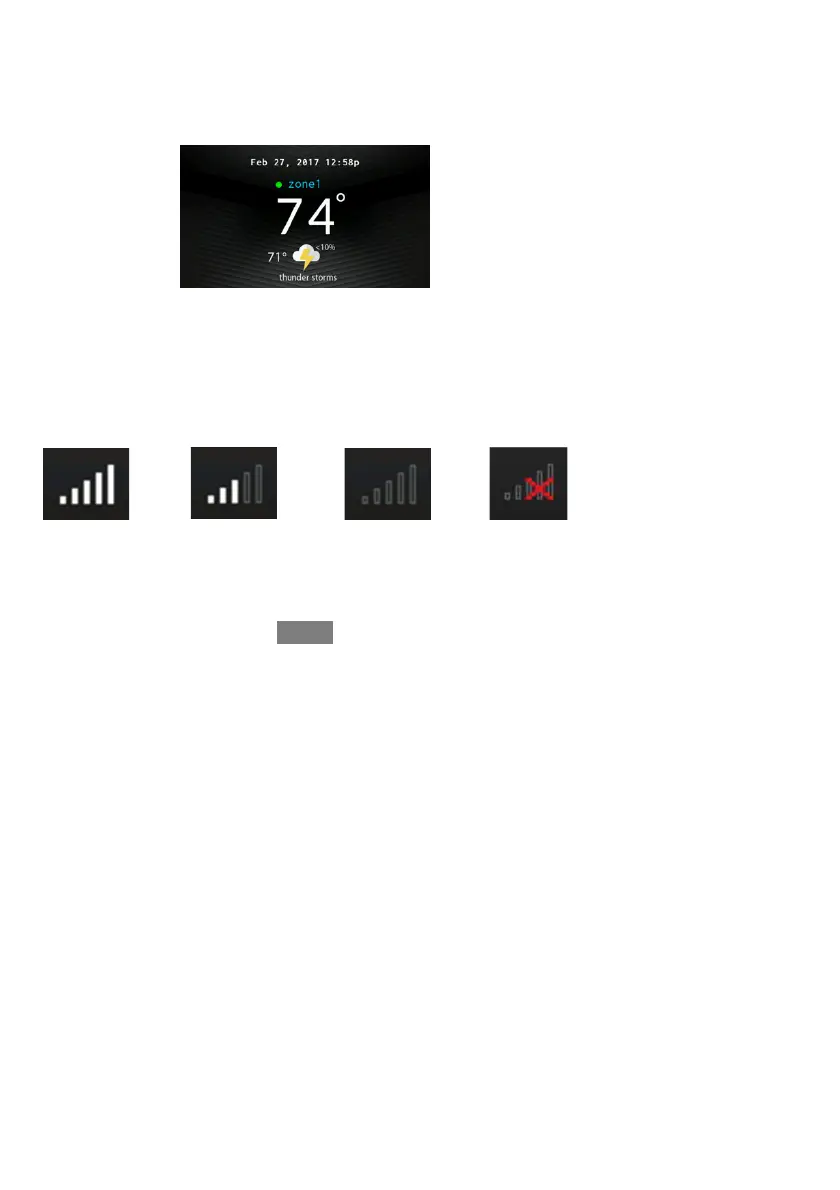
When movement is detected, but the system hasn’t yet determined that the space is
occupied (example, someone is just walking through the room), Occupancy Status
indicator turns BLUE. When the system determines that the space is occupied,
Occupancy Status indicator turns GREEN.
Wi--Fir Connectivity Status
A13258B
Connectivity status to the home Wi--Fi network and MyEvolution Server is
displayed in the top right hand corner of the Home Screen.
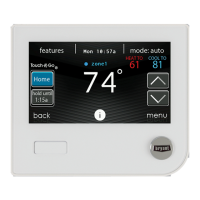
When the Evolution Connex control is connected to the home Wi--Fi network and
the MyEvolution Server, the signal strength bars will be displayed in white as
depicted in the image above. Connection strength to the home Wi--Fi network will
be indicated by the number of solid white bars displayed.
Strong Connection
Limited Connection Poor Connection
No Connection
A170246


 To Next Page