
 Need help?
Do you have a question about the Bryant SYSTXBBECN01-A Evolution Connex and is the answer not in the manual?
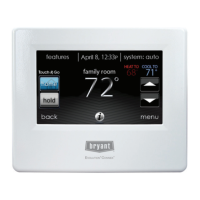
Displays current time, temperature, weather, and Wi-Fi status when inactive.
Explains how Wi-Fi network and MyEvolution Server status is displayed and indicated by signal strength bars.
Using information icons to display text boxes with available screen interactions.
How to choose between AUTO, HEAT, COOL, FAN ONLY, and OFF modes.
Manually adjusting or synchronizing the control's time and date.
Temporarily override programmed temperature settings for immediate comfort needs.
Permanently override programmed temperature settings at any time.
Modifying fan speed settings for continuous fan operation.
Accessing the FEATURES menu to view the current humidity level.
Accessing the menu screen for more features and control via the menu button.
Setting heating, cooling, and fan settings for each activity (HOME, AWAY, SLEEP, WAKE).
Setting humidity and fresh air levels for HOME, AWAY, and VACATION profiles.
Programming heating/cooling schedules via guided setup, editing, or USB upload.
Setting up a prolonged vacation schedule with specific temperature and fan settings.
Selecting temperature units (°F/°C) and programming backlight levels for comfort profiles.
Configuring buzzer sound settings and enabling/disabling photo screen savers.
Performing calibration to ensure accurate touch position accuracy on the screen.
Manually setting time/date or synchronizing with the web server for Wi-Fi units.
Configuring daylight saving time adjustments and selecting the correct time zone.
Accessing service contact info, setting service reminders, and viewing system status.
Instructions for updating software using USB drives or Wi-Fi connections.
Accessing model and serial numbers for the installed heating and cooling equipment.
Instructions for uploading a personal photo to be used as a screen saver.
Selecting the desired heat source (Gas, Heat Pump, Electric) for Hybrid Heat® systems.
Customizing zone names for better identification.
Establishing Wi-Fi connection for internet access and remote control.
Retrieving local weather forecasts based on postal code when connected to Wi-Fi.
Setting up participation in utility demand response or price response programs.
 General
| Product Type | Thermostat |
|---|---|
| Connectivity | Wi-Fi |
| Display | Touchscreen |
| Energy Saving | Yes |
| Type | Remote Control |
| Series | Evolution |
| Compatibility | Bryant Evolution System |
| Control | Temperature |
| Power Source | Battery |
| Remote Access | Yes |
| Programming Features | 7-Day Programming |
| Alerts | System Alerts |

 To Next Page