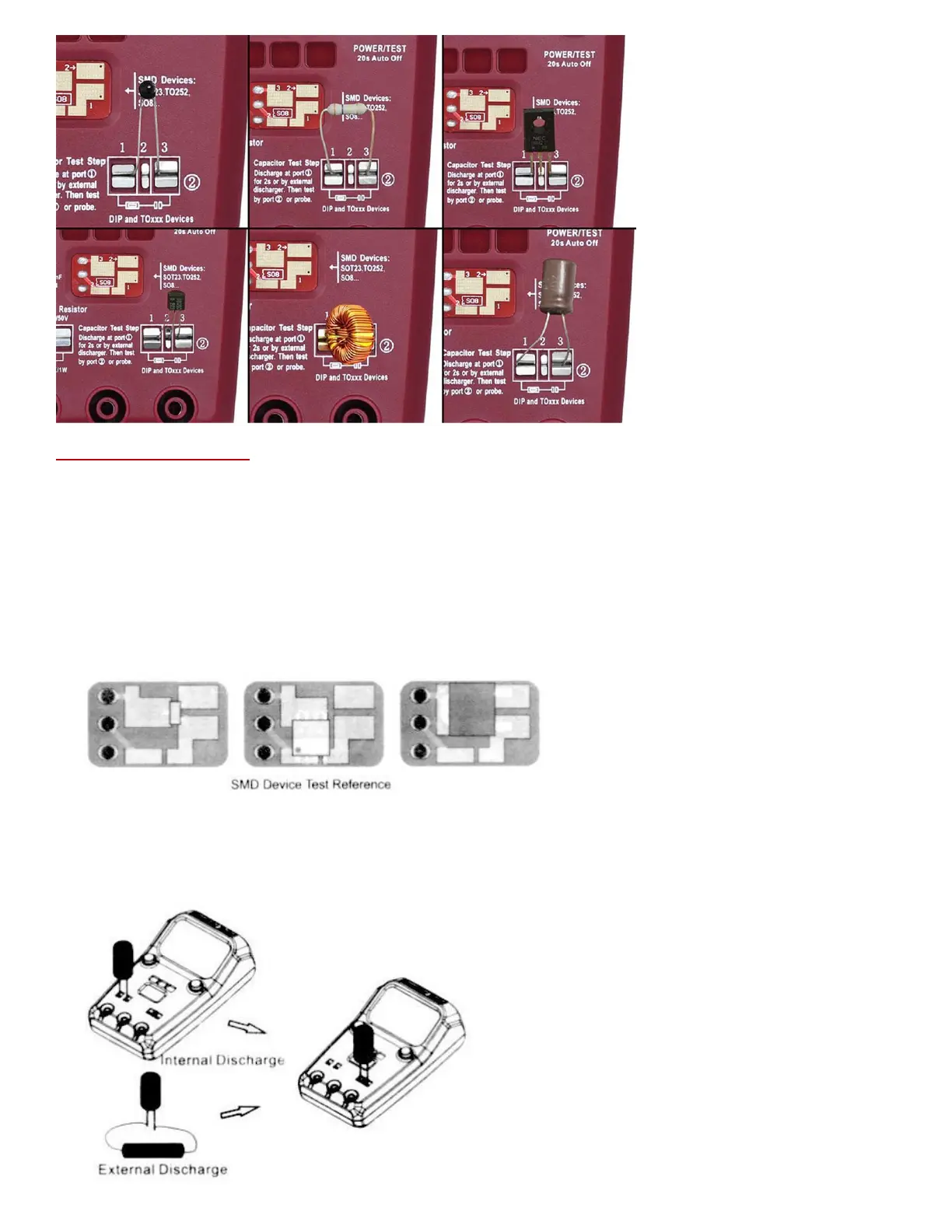
Usage Instructions:
a. Power ON: Press “POWER/TEST” button before using.
b. Test: Press “POWER/TEST” button to start a test. Regardless of the pin sequence, this meter will
recognize the pin’s function and layout on the screen.
c. Power OFF: Automatically power down if no button operation in 20 seconds.
d. Test Socket: With 3 test sockets, SMD socket, Plug-in devices socket and Probe socket. The port 1,
2, 3 of each socket are the same, they are connected internal.
e. SMD Device Test: Test via SMD socket or probe. While using SMD socket, put some pressure on
device for better connection.
f. Electrolytic Capacitor Discharge Support max 2000uF/50V capacitor discharge with the internal
1K/1W resistor, and discharge of 2 seconds at least.
Use external discharger while the capacity is higher.
Discharge is standalone function, no need to power on or press button.


 To Next Page