EasyManua.ls Logo

Bside ESR02 pro - User Manual

Bside ESR02 pro
4 pages
Print Icon
To Next Page IconTo Next Page
Loading...
Digital Component ESR Meter Multi-function Tester
Model: ESR02 pro
User Manual
Product Details:
Question and Answer IconNeed help?

Do you have a question about the Bside ESR02 pro and is the answer not in the manual?

Summary

Product Details

Instrument Overview

Details the main components and physical layout of the ESR meter including buttons, ports, and display.

Key Features and Specifications

Highlights essential features like the LED display, test stands, and technical specifications for various measurements.

Function Testing

SMD Device Testing

Instructions for testing Surface Mount Devices using the dedicated test stand, emphasizing connection pressure.

DIP and TOxxx Device Testing

Guidance on testing through-hole components using the plug-in test seat, including capacitor discharge.

Usage Instructions

Basic Operation

Covers powering on, initiating tests, automatic power-off, and the function of test sockets.

Capacitor Discharge

Explains the process and support for discharging electrolytic capacitors, both internally and externally.

Advanced Functions and Calibration

Selection Menu Functions

Details on accessing and using advanced features like f-Generator, PWM, Self-test, and Contrast settings.

Important Precautions

Critical safety notes regarding capacitor discharge, powering down, and battery status.

Calibration Procedure

Step-by-step guide for performing self-calibration of the ESR meter.

Summary

Product Details

Instrument Overview

Details the main components and physical layout of the ESR meter including buttons, ports, and display.

Key Features and Specifications

Highlights essential features like the LED display, test stands, and technical specifications for various measurements.

Function Testing

SMD Device Testing

Instructions for testing Surface Mount Devices using the dedicated test stand, emphasizing connection pressure.

DIP and TOxxx Device Testing

Guidance on testing through-hole components using the plug-in test seat, including capacitor discharge.

Usage Instructions

Basic Operation

Covers powering on, initiating tests, automatic power-off, and the function of test sockets.

Capacitor Discharge

Explains the process and support for discharging electrolytic capacitors, both internally and externally.

Advanced Functions and Calibration

Selection Menu Functions

Details on accessing and using advanced features like f-Generator, PWM, Self-test, and Contrast settings.

Important Precautions

Critical safety notes regarding capacitor discharge, powering down, and battery status.

Calibration Procedure

Step-by-step guide for performing self-calibration of the ESR meter.

Overview

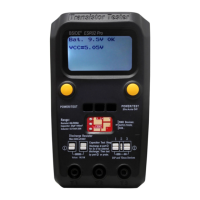
The BSIDE® ESR02 Pro is a digital component ESR meter and multi-function tester designed for various electronic component measurements. It features a compact design with a protective cover and an intuitive user interface, making it suitable for both professional and hobbyist use.

Function Description

The device primarily functions as a component tester capable of identifying and measuring various electronic components. Its core capabilities include:

  • Transistor Testing: It can identify NPN/PNP transistors, their pin layout (EBC), and provide basic parameters like capacitance and voltage. It can detect unknown or damaged parts.
  • Resistor Measurement: Measures resistance in the range of 0Ω to 50MΩ.
  • Capacitor Measurement: Measures capacitance from 25pF to 100mF. It also supports ESR (Equivalent Series Resistance) measurement for electrolytic capacitors, which is crucial for assessing capacitor health.
  • Inductor Measurement: Measures inductance from 0.01mH to 20H.
  • Diode Testing: Can test diodes and identify their characteristics.
  • Capacitor Discharge Function: Includes an internal 1K/1W resistor for discharging capacitors up to 2000µF/50V. This is a standalone function that does not require the device to be powered on or a button press. For higher capacities, an external discharger is recommended.

Important Technical Specifications

  • Measurement Ranges:
    • Resistor: 0Ω - 50MΩ
    • Capacitor: 25pF - 100mF
    • Inductor: 0.01mH - 20H
  • Display: Features an LED display for showing measurement results and menu options.
  • Power Supply:
    • Battery: Operates with a 9V (6LR61) battery.
    • DC Power Interface: Accepts a DC input voltage range of 9V - 12V.
  • Automatic Power Off: The device automatically powers down after 20 seconds of no button operation to conserve battery. In selection mode, it powers off after 8 minutes of inactivity.
  • Capacitor Discharge: Internal discharge resistor: 1K/1W, maximum discharge capacity: 2000µF/50V.

Usage Features

The ESR02 Pro offers several user-friendly features:

  • Power ON/OFF: Press the "POWER/TEST" button to turn on the device. It automatically powers off after 20 seconds of inactivity. A long press (>0.5s) in the selection menu can also power it off immediately.
  • Testing: Press "POWER/TEST" to initiate a test. The meter automatically recognizes the component's function and pin layout, displaying it on the screen.
  • Test Sockets:
    • SMD Device Test Stand: Designed for testing Surface Mount Devices (SMD). Applying slight pressure on the device in the socket ensures better connection.
    • Plug-in Device Test Seat: For through-hole components.
    • Probe Socket: For testing components with probes.
    • All test ports (1, 2, 3) within each socket are internally connected.
  • Selection Menu: A long press (>0.5s) on the "POWER/TEST" button accesses additional functions. Short presses navigate through functions, and long presses enter submenus. Functions include:
    • Switch off: Powers off the device.
    • Transistor: Returns to transistor test mode.
    • f-Generator: Outputs different frequencies (1Hz to 2MHz, 5V amplitude) from Test Port 2, with T1 and T3 as reference ground.
    • 10-bit PWM: Generates a 7.8KHz PWM signal at Test Port 2. Pulse width can be adjusted by 1% (short press) or 10% (long press).
    • C+EST@TP1:3: Standalone capacitance and ESR measurement at test pins T1 and T3.
    • Self-test: Performs a full self-test with calibration.
    • Contrast: Adjusts the display contrast (values from 33 to 55).
  • External Pen Holder: Conveniently stores test probes.
  • Display Screen: Provides clear readings and component identification.

Maintenance Features

  • Battery Replacement: When the battery voltage drops below 6V, it's recommended to replace the 9V battery.
  • DC Power Input: For continuous use, a DC 9V-12V adapter can be used.
  • Capacitor Discharge Safety: Always discharge capacitors before connecting them to the tester to prevent damage to the instrument. The internal discharge function helps with this. For high-capacity capacitors, an external discharger is advised.
  • Calibration: The device supports self-calibration:
    1. Short T1, T2, T3 together, then press the button.
    2. If the LCD shows "Selftest mode.. ?", press the button within 2 seconds to enter calibration mode.
    3. The tester will automatically calibrate until the LCD shows "isolate Probes!".
    4. Separate T1, T2, and T3.
    5. Wait for "Test End" to appear on the LCD.
  • Circuit Testing Precaution: Power down any equipment if testing components mounted in a circuit to avoid damage.

Bside ESR02 pro Specifications

General IconGeneral
BrandBside
ModelESR02 pro
CategoryTest Equipment
LanguageEnglish