12
If you experience any problems, please call the Helpline on 0800 218 2182* or email bt.helpdesk@vtecheurope.com
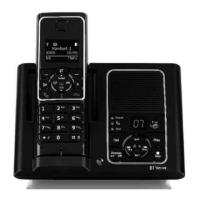
Handset display
Getting to know your phone
Display icons
Shows handset battery status.
Scrolls when the handset is charging.
Empty when filled in black.
On – displayed in standby mode to indicate
handset is in range of the base.
Flashing – to warn you are moving
out of range.
Off – out of range or cannot connect to the
base selected.
On – during a call.
Flashing incoming call.
On – handsfree speaker on.
On – missed call in the Calls list.*
On – answering machine on.
Off – answering machine off.
Flashing – new answering
machine messagse.
On – new text message received.
Flashing – mailbox is full.
Off – all messages have been read.
On – alarm is set.
Flash – alarm time has been reached.
Off – alarm off.
The keypad is locked.
Handset ringer is switched off.
* For this feature to work you must subscribe to your network provider’s Caller Display service. A quarterly fee may be payable.
Handset name/number
Time
Date


 To Next Page