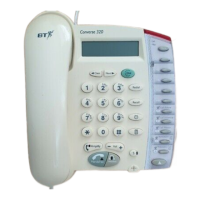
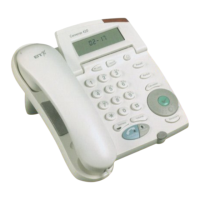
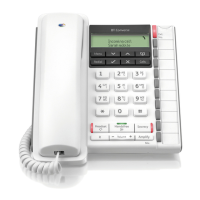
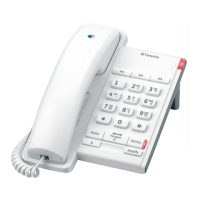
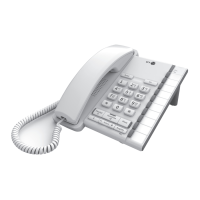
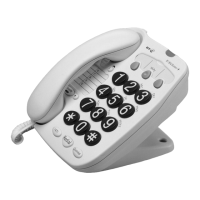
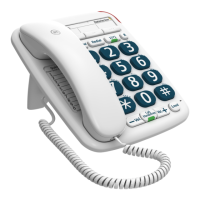
The BT Converse 180 is a corded telephone designed for home and office use, offering a range of features for communication and call management.
Function Description:
The Converse 180 provides basic telephone functionality, including making and receiving calls, along with advanced features such as memory storage for frequently dialled numbers, on-hook dialling, and integration with Network Services like Call Waiting, Call Diversion, Three Way Calling, and Reminder Call. It is designed to be user-friendly with clearly labelled buttons and indicators.
Important Technical Specifications:
- Ringer Equivalence Number (REN): 1. This indicates the electrical load the phone places on the telephone line. A standard line can typically support devices with a total REN of up to 4.
- Dialling Modes: Supports both Loop Disconnect (LD) and Multi-Frequency (MF) tone dialling.
- Recall Facilities: Includes Time Break Recall and Earth Loop Recall.
- Memory Storage: 10 quick dial memories, with 4 pre-programmed for Network Services (but can be overwritten).
- Last Number Redial: Allows redialling of the last engaged number.
- Incoming Call Indicator: An LED flashes when the phone is ringing.
- Power Source: Operates when plugged into a telephone socket. Stored numbers are held in memory for five minutes if unplugged; longer periods may result in data loss.
- Approval: Approved for connection to telecommunication systems as specified in the instructions for use, subject to conditions. Approval number: S/2981/3/R/503077.
Usage Features:
General Operation:
- Handset Hook: Allows the handset to be placed on the phone during a conversation, useful for wall-mounted setups.
- Secrecy: A dedicated button prevents the caller from hearing your conversation. The Secrecy/Ringer LED illuminates when secrecy is active and also flashes when the phone rings.
- Monitor Volume: Adjusts the volume for on-hook dialling.
- Pause Button: Used to program a short delay into memory, located under the number card.
- Calling Emergency Services: Dial 999.
Storing Numbers in Memory:
The phone can store up to 10 numbers.
- Pick up the handset or press MONITOR.
- Press STORE.
- Press one of the memory keys.
- Key in the desired phone number.
- Press STORE again.
- Replace the handset or press MONITOR.
- Write down the name of the person whose number is stored on the memory label.
Dialling Stored Numbers:
- Pick up the handset or press MONITOR.
- Press the memory key of the number to be dialled. The phone will automatically dial the number.
Using SAVE:
This feature allows storing a number just dialled or a number given by a caller during a call.
- To save a dialled number: Press the SAVE button after dialling.
- To save a number given by a caller: While on a call, press STORE, then SAVE, key in the number, and press STORE again.
- To recall a saved number: Lift the handset or press MONITOR, then press the SAVE button.
On-Hook Dialling:
- Press MONITOR. The red light will come on.
- When a dialling tone is heard, dial the number.
- If the call is answered, pick up the handset. The light will go out.
- Replace the handset when finished.
Ringer Settings:
- Ringer Volume Switch: Choose between HI (loud), LOW (quiet), or OFF (silent).
- Ringer Tone: Select from 3 alternative incoming ringing sounds (R1, R2, R3).
Important Exchange Switch (MODE):
This switch (P, T, TB) may need adjustment depending on your telephone exchange.
- At home: Set to TB for modern exchanges; if not, try P.
- On a switchboard: T for Earth Recall, TB for Timed Break Recall.
Network Services (requires activation and charges from BT):
These services are pre-set with codes for easy use on a modern digital exchange.
- Call Waiting:
- Activation: *43#.
- Usage: A discreet bleep every 5 seconds indicates a waiting call. Press the Call Waiting button to switch between callers.
- Ending current call to talk to waiting caller: Hang up and wait for the phone to ring.
- Call Diversion:
- Set up: Pick up handset/MONITOR, press Call Diversion button, key in the diversion number, press #.
- Cancel: Pick up handset/MONITOR, press Call Diversion button.
- Three Way Calling:
- Usage: While on a call, inform the first person, press Three Way Calling button, dial the second person, and once connected, press Three Way Calling button again.
- Reminder Call:
- Set up: Pick up handset/MONITOR, press Reminder Call button, enter time (24-hour clock), press #.
- Cancel: Pick up handset/MONITOR, press #55#.
- Returning a memory store to a Network Services key: Pick up handset/MONITOR, press STORE, press the relevant memory store key twice, press STORE.
Maintenance Features:
Troubleshooting (Help!):
- Basic Checks:
- Ensure handset is on properly.
- Check if the phone is plugged in correctly.
- Verify the exchange switch is in the correct position.
- Confirm ringer volume is not set to OFF.
- Socket/Line Problem:
- If another phone works in a different extension, plug the Converse 180 there. If it works, the original socket is faulty.
- If the phone still doesn't work, the Converse 180 may be faulty.
- Contacting Support:
- Rented phone: Contact local BT fault service (0800 800 151 for personal, 0800 800 154 for business).
- Bought phone (within 2 years): Refer to guarantee details for repair/replacement.
- Bought phone (over 2 years): Call 0672 64444 or visit a BT shop.
Guarantee:
- Two-year guarantee provided the product has been used for its intended purpose, not misused or damaged, and not tampered with or repaired by unauthorised personnel.
- If a fault occurs within the period, return it with the receipt for free repair or replacement.
- Statutory rights are not affected.
Wall Mounting:
- Unclip the base wedge from the unit.
- Use the two '+' signs to mark screw positions (72mm apart).
- Drill 8mm holes and insert wall plugs.
- Insert screws, leaving about 5mm clearance.
- Turn the handset clip around to secure the handset in place when wall-mounted.

 Need help?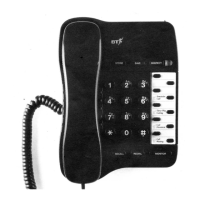

 To Next Page
 General