3
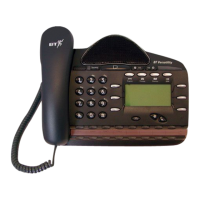
BT Versatility
Quick reference user guide
Divert calls when your Extension does not answer (after four rings)
Press the Scroll Down Key until ‘Divert’ is displayed.
Select ➧
Select ➧
Key the target Extension number, or
Key 9 and the target external number, (for incoming external
calls only).
Or press ‘Divert to voicemail’.
Cancel divert a call on no answer
Press the Scroll Down Key until ‘Divert’ is displayed.
Select ➧
Select ➧ and the diversion is cancelled.
Voicemail
Note: Voicemail services require the Voicemail Module to be installed.
Enter a personal greeting
Press , and
Select ➧
Enter your Extension number or select Extension from the menu
Then enter your Voice Mailbox Password followed by .
Select ➧
Follow the text and voice prompts to enter and check your greeting.
Turn on your voicemail
Divert on ‘no answer’ to the Voicemail is automatically set when a
voice mailbox is allocated to your extension.
You may also select the other Divert options as required.
Press the Scroll Down Key until ‘Divert’ is displayed.
Select ➧
Select ➧ or
Select ➧
Select ‘Divert to voicemail’.
Divert all calls
Divert when busy
Divert
Greetings
Voice messaging
Divert on no answer
Divert
Divert on no answer
Divert


 To Next Page