Need help?
Do you have a question about the Bticino 344652 and is the answer not in the manual?
Lists related accessories for the unit, such as a tabletop support.
Provides electrical specifications like power supply, absorption, and cable section.
Specifies the physical dimensions of the internal unit in millimeters.
Explains the components and functions indicated in the front view diagram.
Details the components and connections visible on the rear of the unit.
Explains physical configuration using microswitches for numbering and panel association.
Details specific functions for each operating mode (M=00 to M=07) involving EP activation or intercom.
Explains navigation and selection within menus using the device's joystick.
Defines symbols and associated actions for controlling the device via joystick.
Instructions on activating the display from standby to access the adjustments menu.
Steps to navigate and adjust the ringtone volume within the adjustments menu.
Procedure for exiting the current adjustments menu.
Guide on selecting the desired ringtone volume level from 1 to 8.
How to confirm the set volume level or let it time out.
Explanation of minimum level corresponding to ringtone exclusion and red LED.
Lists adjustable parameters: speaker volume, image brightness, contrast, and colour.
Detailed steps for modifying audio and video parameters using the joystick.
Method to access the settings menu by pressing and holding the joystick.
Function to enable or disable the audible feedback for key presses.
How to associate specific ringtones with different call events.
Procedure for exiting the settings menu.
Steps to enable or disable the audible feedback for key presses.
How to select and assign ringtones for different types of calls.
Procedure for selecting ringtones associated with different call types.
Notification of door lock status via LED indication.
Enabling a function that prevents door lock opening when the unit is in standby.
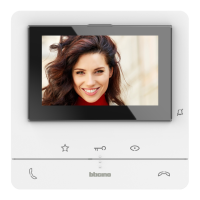
The Bticino Classe 100 V16B is a hands-free video internal unit designed for door entry systems, featuring a 5-inch color LCD display. This device serves as a central interface for managing access and communication within a building or apartment.
The primary function of the Classe 100 V16B is to provide hands-free video communication with visitors at the entrance panel. It includes two physical keys for essential video door entry functions: answering and ending calls. Additionally, it features three capacitive keys for common actions such as door lock release, activating/scrolling through entrance panels, and customizing frequently used quick actions. These quick actions can include controlling staircase lights, initiating intercom calls, activating additional door locks, or other generic activations.
The device incorporates a side joystick for adjusting various display and audio parameters, including color, brightness, display contrast, audio volume, and call tone volume. A dedicated LED provides notification for call exclusion.
For installation, the unit can be wall-mounted using the supplied bracket or placed on a tabletop with an optional support (item 344692).
The Classe 100 V16B is physically configured using configurators connected to specific sockets on the rear of the device:
The device's keys light up and emit a "beep" when pressed (this can be deactivated).
The side joystick is used for navigation and selection within the device's menus.
 General
| Brand | Bticino |
|---|---|
| Model | 344652 |
| Category | Control Panel |
| Language | English |

 To Next Page