EasyManua.ls Logo

Bticino AM4411C - User Manual

Bticino AM4411C
4 pages
Print Icon
To Next Page IconTo Next Page
Loading...
AM4411C
LE12489AA
04/21-01 PCBTicino SpA – Viale Borri, 231 – 21100 Varese – Italy – www.bticino.com
1. Control
pushbutton
2. Notification LED
3. Connection clamps
1. Кнопка управления
2. Сигнальный
светодиод
3. Соединительные
клеммы
1. Pulsante di comando
2. Led segnalazione
3. Morsetti di
collegamento
1. Botão de controle
2. LED de sinalização
3. Bornes de conexão
1. Steuertaste
2. Meldeleuchte
3. Anschlussklemmen
1. Pulsador de mando
2. LED de señal
3. Bornes de
conexión
1
2
• Montaggio • Mounting • Montage • Montage • Montaje • Montage • Montagem • Монтаж

1. Bouton de
commande
2. Voyant LED
3. Bornes de
branchement
1. Bedieningsknop
2. Signalering met led
3. Aansluitklemmen
1
2
3
• Descrizione • Description • Description • Beschreibung • Descripción • Beschrijving • Descrição • Описание

3
• Configurazione • Configuration • Configuration • Konfiguration • Configuración • Configuratie • Configuração Конфигурация

Per eseguire la prima installazione, la sostituzione e/o rimozione di un dispositivo e per qualsiasi altra informazione, fare riferimento alla App od al manuale del gateway scaricabile dal sito:
For the rst installation and/or replacement, and/or removal of the device, or any other information, refer to the App or to the gateway manual, which can be downloaded from the website:
Pour eectuer la première installation, le changement et/ou le retrait d’un dispositif et pour toute autre information, faire référence à l’appli ou au manuel de la passerelle téléchargeable en se rendant sur le site :
Um ein Gerät zum ersten Mal zu installieren und/oder auszutauschen und/oder zu entfernen, sowie für weitere Informationen, beziehen Sie sich bitte auf die App oder das Handbuch oder des Gateways, das von der
Website heruntergeladen werden kann:
Para efectuar la primera instalación, la sustitución y/o el desmontaje de un equipo y para otra información, se ha de consultar la App o el manual del gateway, que puede descargarse en el sitio:
Raadpleeg de App of de handleiding van de gateway, door deze de website te downloaden, voor de eerste installatie, de vervanging en/of de verwijdering van een apparaat en andere informatie:
Para executar a primeira instalação, a substituição e/ou a remoção de um dispositivo e para qualquer outra informação, roga-se consultar a APP ou manual do gateway que pode ser baixado do site:
Для выполнения первой установки, замены и/или удаления устройства или для получения любой другой информации обращаться к приложению или к руководству шлюза, которое можно скачать на сайте:
gateway


www.homesystems-legrandgroup.com
- ANDROID: Richiede Android 5.0 e successivo con accesso a Google Play
- ANDROID: requires Android 5.0 and higher with access to Google Play
- ANDROID : nécessite Android 5.0 ou suivant avec accès à Google Play
- ANDROID: erfordert Android 5.0 und höher mit Zugriff auf Google Play
- ANDROID: requiere Android 5.0 y sucesivo con acceso a Google Play
- ANDROID: vereist Android 5.0 en hoger met toegang tot Google Play
- ANDROID: requer Android 5.0 e posterior com acesso a Google Play
- ANDROID: Требует Android 5.0 или следующей версии с доступом к Google Play
ANDROID
- iOS: Richiede un iPhone, iPad, o iPod touch con iOS 12.0 o successivo.
- iOS: requires an iPhone, iPad, or iPod touch with iOS 12,0 or later
- iOS : nécessite un iPhone, un iPad ou un iPod touch avec iOS 12.0 ou suivant
- iOS: erfordert ein iPhone, iPad oder iPod touch mit iOS 12.0 oder höher
- iOS: requiere el uso de un iPhone, iPad, o iPod touch con iOS 12.0 o sucesivo
- iOS: vereist een iPhone, iPad, of iPod touch met iOS 12.0 of hoger
- iOS: requer um iPhone, iPad, ou iPod touch com iOS 12.0 ou posterior
- iOS: Требует использования iPhone, iPad или iPod touch с iOS 12.0 или следующей версией
iOS
www.homesystems-legrandgroup.com
App Home + Control
• Schemi elettrici
• Electric diagrams
• Schémas électriques
• Schaltpläne
• Esquemas eléctricos
• Elektrische schema’s
• Esquemas elétricos
• Электрические схемы

Togliere l’alimentazione prima di ogni intervento sull’impianto. L’azionamento da remoto può causare danni a persone o cose.
Switch the power supply OFF before any work on the system. Remote operation may cause damage to people or property.
Couper l’alimentation avant toute intervention sur l’installation. L’actionnement à distance peut causer des
dommages corporels ou matériels.
Die Stromversorgung abtrennen, bevor an der Anlage gearbeitet wird. Die Betätigung von fern kann Personen- oder
Sachschäden verursachen.
Corte la alimentación antes de intervenir en el sistema. El accionamiento a distancia puede causar daños a personas
o cosas.
Verwijder de spanning alvorens werkzaamheden aan de installatie te verrichten. De aansturing op afstand kan
persoonlijk letsel of materiële schade veroorzaken.
Tirar a alimentação elétrica antes de qualquer intervenção sobre a instalação. O acionamento à distância pode causar
danos às pessoas ou aos bens.
Отключить питание перед выполнением каких-либо операций с системой. Дистанционный пуск может
причинить ущерб людям или предметам.


L
N
L
N
AM4411C
• Schema base
• Basic diagram
• Schéma de base
• Grundschema
• Esquema de base
• Standaardscherma
• Esquema básico
• Базовая схема

• Schema con i pulsanti di comando remoti
• Diagram with remote control pushbuttons
• Schéma avec les boutons de commande à distance
• Schema mit ferngeschalteten Steuertasten
• Esquema con los botones de accionamiento a distancia
• Schema met bedieningen op afstand
• Esquema com os botões de comando remotos
• Схема с кнопками дистанционного управления

N
L
NP
AM5005
AM4411C
L
1
100 m max.
100 m max.
100 m max.
100 m max.
100 m max.
100 m max.
100 m máx.
100 м макс.

1
2
Da acquistare
separatamente
To be purchased
separately
À acheter
séparément
Getrennt zu
erwerben
Comprar por
separado
Apart kopen
A adquirir
separadamente
Приобретается
отдельно



Question and Answer IconNeed help?

Do you have a question about the Bticino AM4411C and is the answer not in the manual?

Overview

This document describes the AM4411C device, a dimmer module designed for controlling lighting.

Function Description

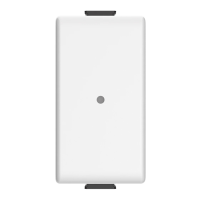
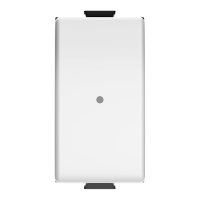
The AM4411C is a dimmer module that allows for the adjustment of light intensity. It features a push-button for control, along with a red LED indicator. The device is designed to be integrated into a wall-mounted electrical system.

The module includes:

  • A push-button for control
  • A red LED indicator
  • Terminals for electrical connections

The push-button serves multiple functions:

  • Turning on/off: A short, accidental press of the push-button turns the device on or off.
  • Dimming: A long press of the push-button, when the device is on, allows for continuous dimming. Releasing the button at the desired intensity sets the light level.
  • Resetting: To reset the device to its factory settings, press and hold the push-button for at least 10 seconds. The red LED will blink rapidly to confirm the reset.

The red LED indicator provides visual feedback:

  • On/Off status: The LED illuminates when the device is on and turns off when the device is off.
  • Dimming feedback: The LED may blink or change intensity during dimming operations.
  • Reset confirmation: Rapid blinking of the LED confirms a successful reset to factory settings.

The device is compatible with various types of lamps, including incandescent, dimmable LED, fluorescent compact, electronic transformer, and ferromagntic transformer loads. It operates on a 50/60 Hz frequency and supports a voltage range of 110-230 Vac.

Important Technical Specifications

The AM4411C dimmer module has the following technical characteristics:

General Specifications:

  • Operating Frequency: 50/60 Hz
  • Radio Frequency: 2.4 GHz (radio meshed network)
  • Power Level: < 100 mW
  • Band Frequency: from 2.4 to 2.4835 GHz
  • Dimensions: 22.3 x 22.3 mm (module size), 2.5 x 8 mm (terminal size)
  • Operating Temperature: -5°C to +45°C

Load Compatibility and Power Ratings:

Load Type Max. Power (230 Vac) Min. Power (230 Vac) Max. Power (110 Vac) Min. Power (110 Vac)
Incandescent Lamp 300 W 7 W 300 W 7 W
Dimmable LED Lamp 60 W 5 W 60 W 5 W
Fluorescent Compact 60 W 9 W 60 W 9 W
Electronic Transformer 300 VA 10 VA 300 VA 10 VA
Ferromagnetic Transformer 300 VA 15 VA 300 VA 15 VA

Specific Notes on Load Compatibility:

  • Incandescent Lamp: For a good comfort level, it is recommended to use a dimmer with a power rating of at least 60% of the lamp's nominal power.
  • Dimmable LED Lamp: The dimmer is suitable for dimmable LED lamps.
  • Fluorescent Compact: For a good comfort level, it is recommended to use a dimmer with a power rating of at least 60% of the lamp's nominal power.
  • Electronic Transformer: For electronic transformers, it is recommended to use a dimmer with a power rating of at least 60% of the transformer's nominal power.
  • Ferromagnetic Transformer: For ferromagnetic transformers, it is recommended to use a dimmer with a power rating of at least 60% of the transformer's nominal power.

Important Considerations for Load Types:

  • LED Dimmers: These dimmers are designed to work with dimmable LED lamps. Non-dimmable LEDs may not function correctly or may be damaged.
  • Electronic and Ferromagnetic Transformers: The power ratings for these transformers are given in VA (Volt-Ampere), which is relevant for inductive loads.
  • Minimum Power: The minimum power ratings are crucial for stable operation. If the load falls below the minimum, flickering or improper dimming may occur.
  • Maximum Power: Exceeding the maximum power rating can damage the dimmer or the connected load.

Usage Features

Installation: The AM4411C module is designed for flush-mounted installation within a standard electrical box. It requires connection to the main power supply (L and N) and to the lamp.

Wiring Diagram: The manual provides a detailed wiring diagram. Key connections include:

  • L (Phase): Connects to the live wire of the main power supply.
  • N (Neutral): Connects to the neutral wire of the main power supply.
  • Output to Lamp: Connects to the lamp to be controlled.

Initial Setup and Pairing: For the first installation, or if the device has been reset, it may be necessary to pair the dimmer with a control unit or gateway. The manual suggests referring to the gateway or control unit manual for specific pairing instructions. Generally, this involves:

  1. Activating pairing mode on the gateway/control unit.
  2. Pressing the push-button on the AM4411C module for a short duration (e.g., 1-3 seconds) to initiate pairing. The red LED may provide feedback during this process.

Operation:

  • On/Off: A brief press of the push-button toggles the light on or off.
  • Dimming: A sustained press of the push-button, when the light is on, will continuously adjust the brightness. Release the button when the desired brightness is reached.
  • Memory Function: The dimmer typically remembers the last set brightness level when turned off and restores it when turned back on.

Compatibility with Smart Home Systems: The AM4411C is designed to integrate with smart home systems, likely through a gateway. This allows for remote control, scheduling, and scene creation via a smartphone app or other smart devices. The manual mentions compatibility with Android and iOS devices, suggesting app-based control.

Troubleshooting:

  • No light/flickering: Check wiring, ensure the lamp is functional, and verify that the load power is within the specified min/max range.
  • No response to button press: Check power supply, ensure the device is paired, and try a factory reset.
  • Inconsistent dimming: Ensure the lamp is dimmable and compatible with the dimmer.

Maintenance Features

Cleaning:

  • The device should be cleaned with a dry cloth.
  • Do not use abrasive cleaners or solvents, as these can damage the surface.

Firmware Updates: As a smart device, the AM4411C may receive firmware updates through its connected gateway. These updates can improve performance, add new features, or address bugs. Users should refer to their gateway's manual or app for instructions on managing firmware updates.

Factory Reset:

  • A factory reset can resolve various issues, such as pairing problems or erratic behavior.
  • To perform a factory reset, press and hold the push-button for at least 10 seconds until the red LED blinks rapidly. This will erase all settings and return the device to its default state, requiring re-pairing.

Professional Installation/Repair:

  • Installation and any major repairs should be performed by qualified personnel to ensure safety and proper functioning.
  • Do not attempt to open or modify the device yourself, as this may void the warranty and pose electrical hazards.

Environmental Considerations:

  • The device should be disposed of according to local regulations for electronic waste.
  • Do not dispose of it with general household waste.

Declaration of Conformity: The manufacturer, BTicino SpA, declares that the radio equipment type Dimmer switch AM4411C is in compliance with Directive 2014/53/EU. The full text of the EU declaration of conformity is available at the manufacturer's internet address.

Bticino AM4411C Specifications

General IconGeneral
BrandBticino
ModelAM4411C
CategoryCircuit breakers
LanguageEnglish

Related product manuals