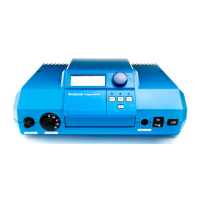
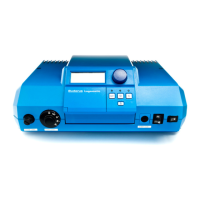
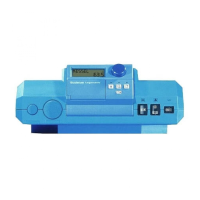
Moving around the Main Menus
• The key code allows access to the main menus.
• To access different menus, turn the dial.
• To access a submenu, press and release the button from
the main menu.
• To move about that specific submenu and re v i ew the specific
entries, turn the dial. Each entry in that specific submenu
appears now in the display as the dial is turned.
• To change the value of a specific entry in the submenu, first get
that entry in the display by turning the dial, then push and
hold the button. The display shows the specific entry
blinking with its current value. Turn the dial to select the
d e s i red value. Release the button. This will save the new
va l u e .
• To move to the next entry in this specific submenu, turn the d i a l .
• To move back to the main menu, press and release the RETURN
b u t t o n .
• To return to the standard display, press and release the AUT button.
Note : The HS2105 control automatically goes back to the standard display if
no entries are made within five minutes.
Program Overview 5
+
+
AMERICAN
PERIM-HTG
PERIM -HTG
REF TEMP
REMOTE 1
BLR TEMP
CIRCUIT1
CIRCUIT 1
CIRCUIT1
The Installation level consists of a maximum of 12 main menus. Each main menu addresses a specific set of features
of a certain component of the heating system. These features are contained in submenus. Most values are changed at the
submenu level, not at the main menu level.
No t i c e :A number of entries will only appear when their corresponding modules are inserted in the control.
These modules and their functions are :
Module FM241: Mixing va l ve control module.
Module FM242: Two stage firing control module.
Module KM271: Communications module. Cu r r ently not available in the U.S.A.
When any of these modules are installed, the HS2105 control automatically re c o gn i z es them and releases access to the
c o r r esponding menus, submenus and their entries.
9
Key Code
The access to the installation level of the HS2105 control
is protected against unauthorized use by a special key
code. Entry in this level allows you to change settings
described in this manual.
This installation level should only be accessed by a heating
contractor or a trained operator. Entries at this level
identify to the control the different components of the
heating system, specify how these components are to be
operated and set up the proper heating curve(s). These
entries in general do not require any adjustment. Any
adjustments must be performed by a heating contractor
or a trained operator.
4 Key Code
Key Code Access Procedure for access to the
Installation Level
• Press and hold the lower left hand ENTER
button.
• Insert a pointed object into the hole directly
to the right of the ENTER button.
• Release both buttons. The display reads
“DEUTSCH” (GERMAN).
DEUTSCH
To change the language selection:
• Enter the key code. The word “DEUTSCH”
(GERMAN) appears in the display.
• Press and hold the button.
• Turn the dial to select the “AMERICAN”
language selection.
Returned to the Standard Display:
• Press the AUT button.
Note: The control resumes automatic operation if no
entries are made for a period of 5 minutes.
8
AMERICAN



 To Next Page
 Loading...