10 11
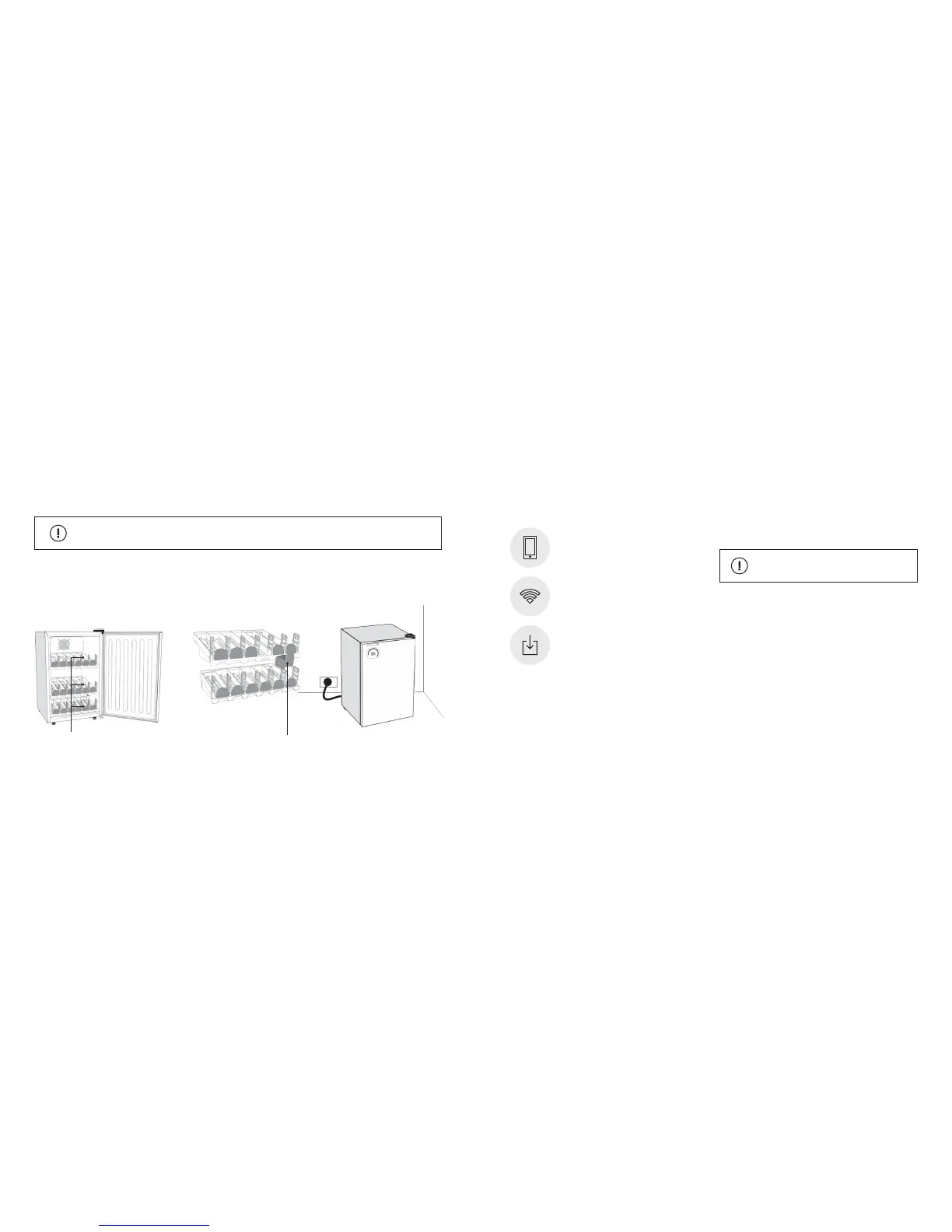
Remove the tape
off the rollers
Open refrigerator door and remove
all internal packaging and tape.
Check there is one ‘colour roller’ per
channel with silver magnetic feet
facing down as shown.
Plug the refrigerator into a 110V
power outlet.
1. 2. 3.
Colour roller x 18
• Make sure your phone is connected to the Wi-Fi network
you wish to connect your refrigerator to.
• For best Wi-Fi connection results turn your iPhone screen
to maximum brightness.
• For best Wi-Fi connection results do not place refrigerator
in direct sunlight during the connection process or where
there may be bright or ashing lights.
WARNING
An iOS or Android mobile device.
Download the Bud-e App and follow
on screen prompts to connect.
Wi-Fi router - 802.11b/g/n with broadband
internet connection.
GETTING STARTED CONNECTING TO WI-FI
Before connecting to Wi-Fi you will need
This product will not connect to any Wi-Fi networks
requiring secondary authentication.
Move packaged unit to approximate position of installation and allow unit to rest upright in the correct position
for 24 hours before plugging in. Failure to comply will void warranty.


 To Next Page