Open the ‘Printers’ folder. To do so, open the ‘Control Panel’ and then
open the ‘Printers’ folder. Double click on the ‘Add Printer’ icon. This
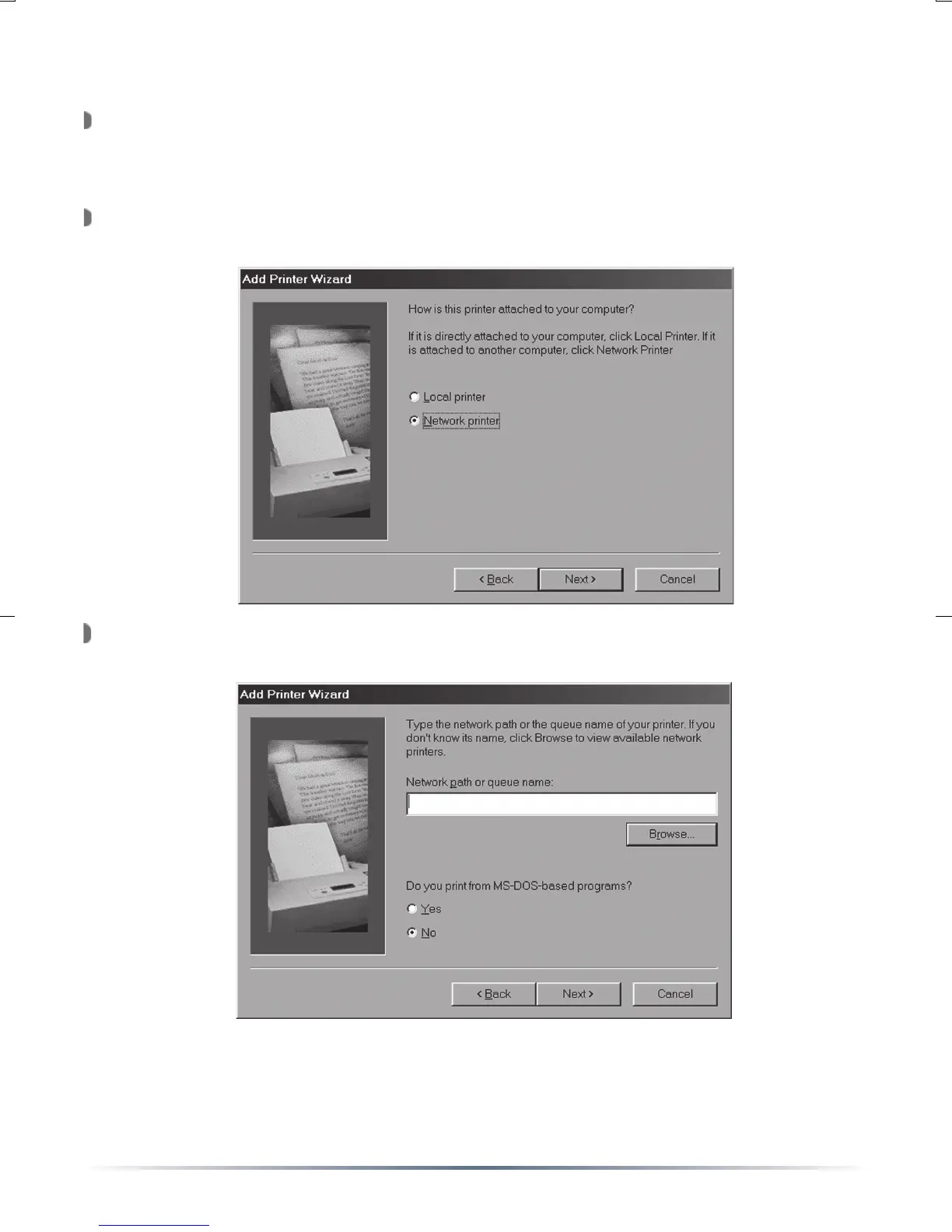
will open the ‘Add Printer Wizard’. Press the ‘Next’ button.
You will be prompted to select the type of printer to be installed. Select
‘Network printer’ and press the ‘Next’ button.
A prompt for the ‘Network path or queue name’ will appear. Press the
‘Browse’ button.
NOTE: You can enter the printer’s path if you wish. The format should
be \\PrintServer\PortName (where PrintServer and PortName are the
same as set on Page 5. Press the ‘Next’ button when finished.
Windows 98 & ME


 To Next Page