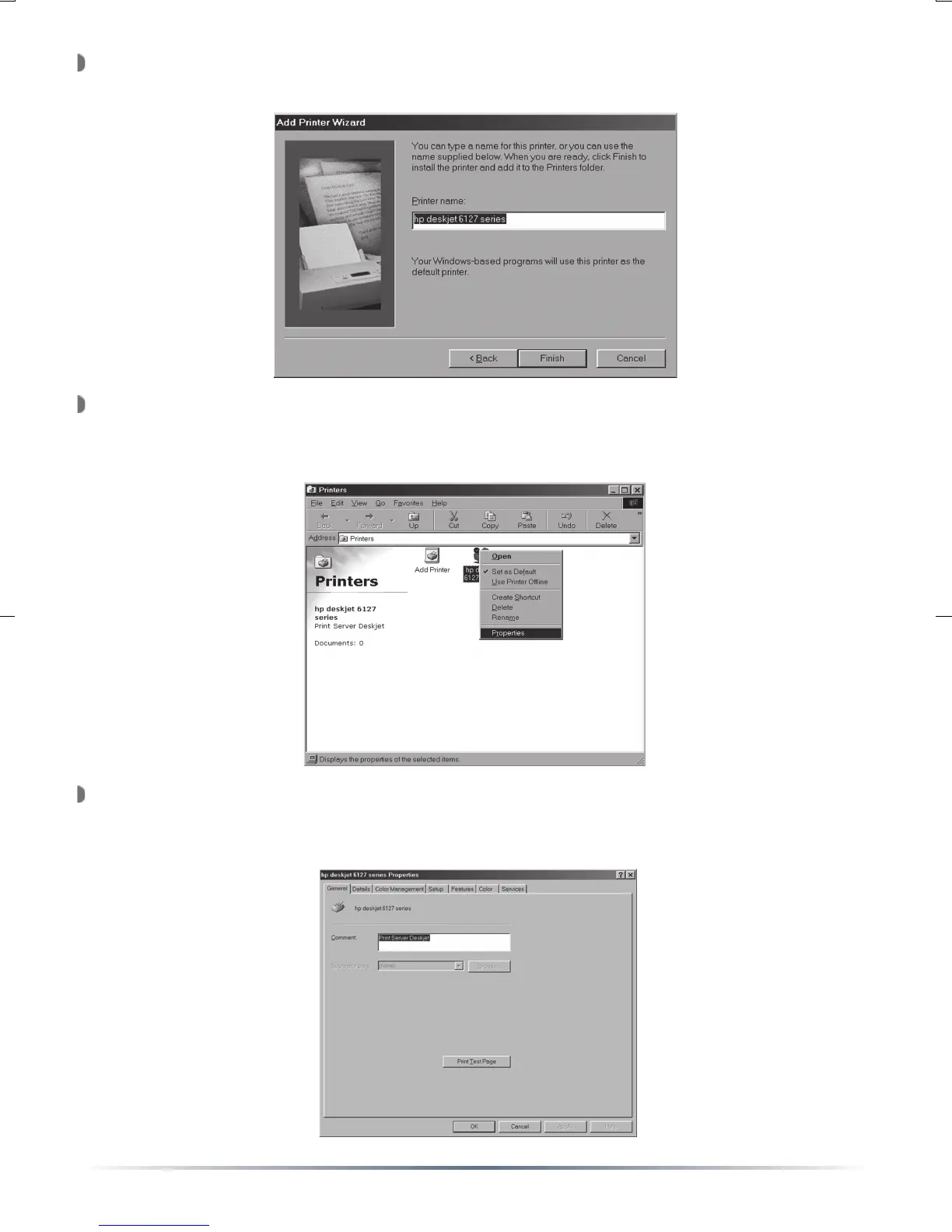
The ‘Printer Name’ window will appear. Enter an appropriate name for
the printer and press the ‘Finish’ button.
The USB Network Printer is now installed. A test print can verify that
the printer is installed correctly. Find the printer in the Printer’s folder,
right click on its icon and select ‘Properties’.
The ‘Printer Properties’ window will appear. Press the ‘Print Test
Page’ button to print a test page. If the test page prints, then your
printer is setup properly.


 To Next Page