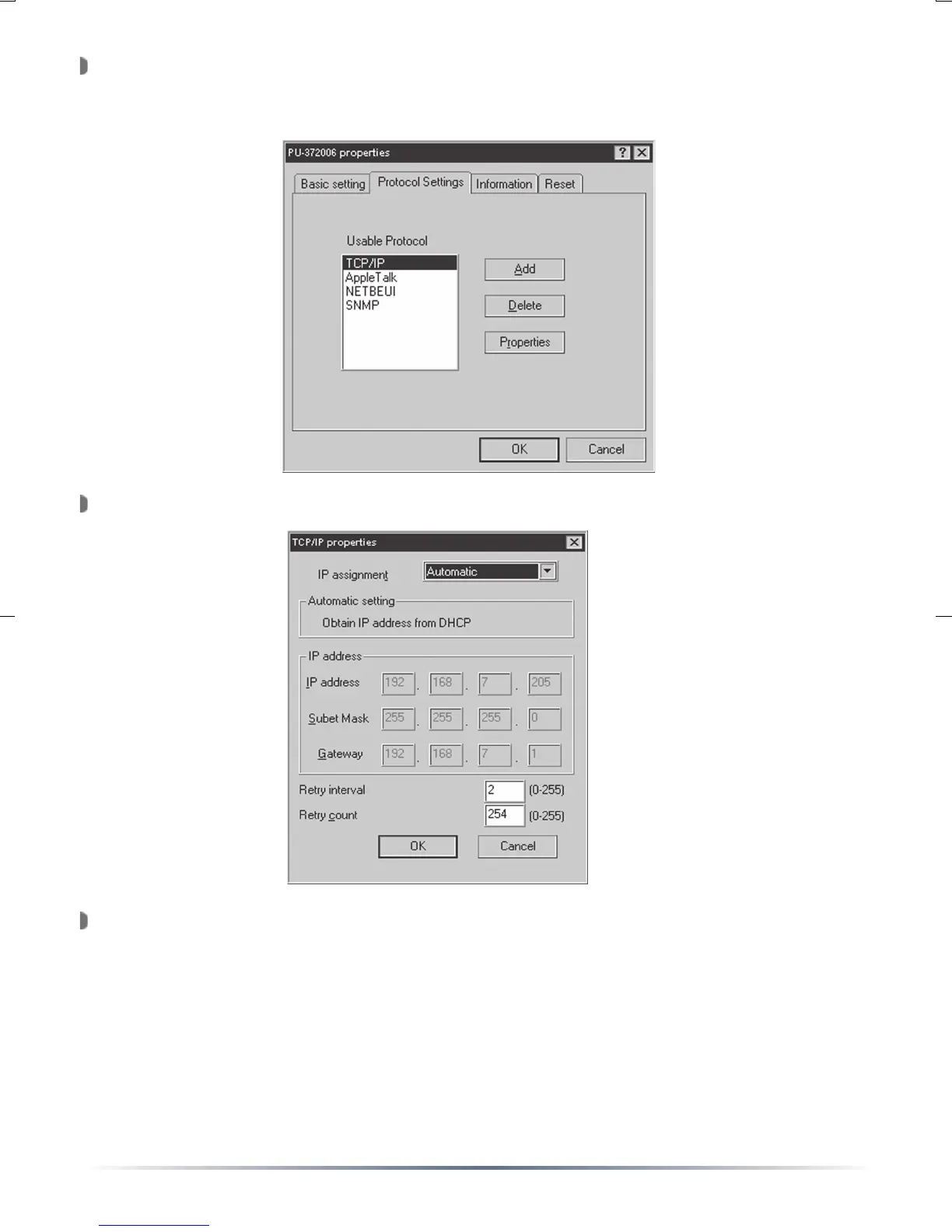
To configure the protocol settings press the ‘Protocol Settings’ tab.
The protocol options are TCP/IP, AppleTalk, NetBEUI, and SNMP. To
configure a protocol, select it and press the ‘Properties’ button.
TCP/IP Settings:
Select the ‘Manual Setting’ option from the drop-down menu if
a specific IP address is desired. Otherwise leave the setting on
Automatic. With Automatic used, the device will obtain its IP from
a DHCP server. Record the IP address of the printer. When the
selection is made, press the ‘OK’ button.
NOTE: If DHCP is used, it is recommended to exit out of the program,
reconnect to the Print Server through the Manager and record the new
‘discovered’ IP address. The IP address will be greyed out like above.


 To Next Page