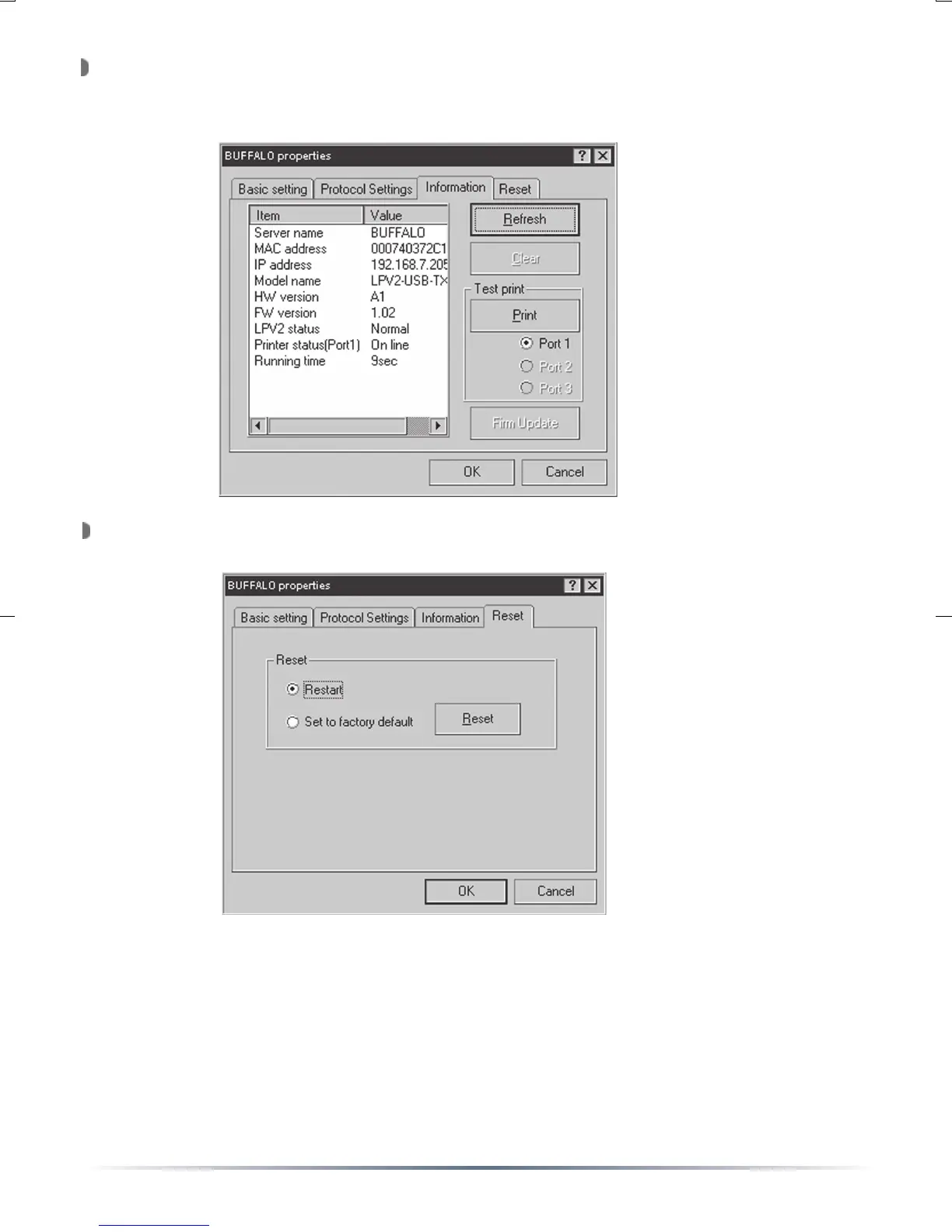
To view information about the USB Print Server, press the
‘Information’ tab. This tab will display the current information about
the USB Print Server.
To reset the device or to restore the factory default settings, press the
‘Reset’ tab.
Restart: Reboots the USB Print Server
Set to Factory Default: Restores the factory default settings.
Once all settings have been changed, press the ‘OK’ button.
NOTE: Future configuration can be done using your web browser.
Browse to http://xxx.xxx.xxx.xxx (where xxx.xxx.xxx.xxx is the configured
IP address of the Print Server.)


 To Next Page