Home
Buffalo
Network Card
User
Page 9 (Installation Complete)
Buffalo User - Installation Complete
42 pages
Manual
Save Page as PDF
To Next Page
To Next Page
To Previous Page
To Previous Page
Loading...
9
Client Manager
•
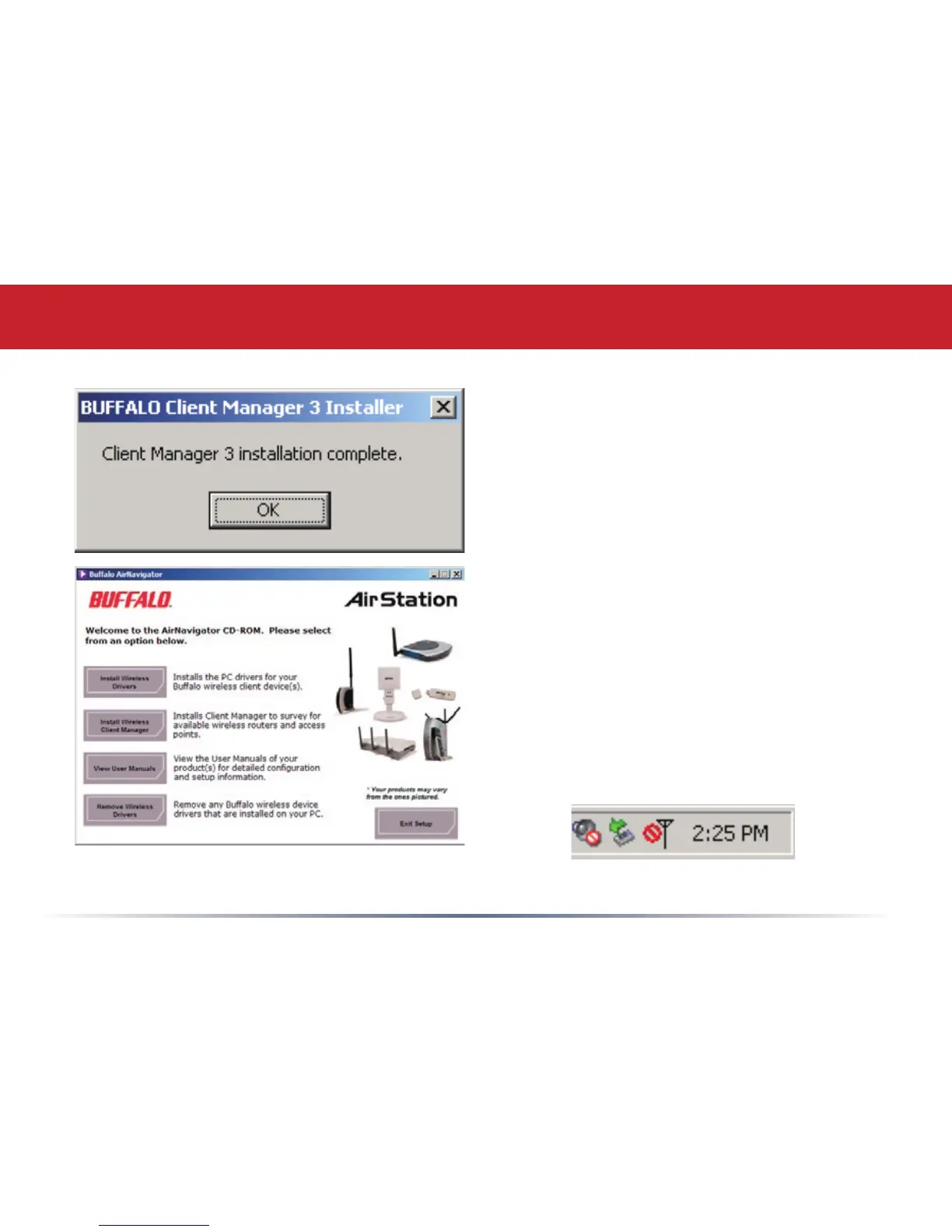
Click
OK
when Client Manager
installation is complete.
•
Press
Exit Setup
to exit AirNavigator.
•
Client Manager is now installed and
running. Right-click on its icon (the
black antenna) to use it.
8
10
Table of Contents
Main Page
Getting Started
2
Installing Drivers
3
Installing Wireless Drivers
5
Client Manager
7
Using Aoss
10
Client Manager Configuration
13
Wireless Zero Configuration
23
Antenna Information
24
Specifications
25
Troubleshooting (Faq)
26
Federal Communication Commission Interference Statement
34
Warranty Information
39
Contact Information
40


 To Next Page