EasyManua.ls Logo

Buffalo User - User Manual

Buffalo User
42 pages
Print Icon
To Next Page IconTo Next Page
Loading...
User Manual
AirStation
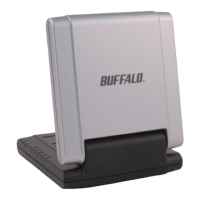
Draft-N Wireless USB Adapter
WLI-U2-G54HG
v1.1
Question and Answer IconNeed help?

Do you have a question about the Buffalo User and is the answer not in the manual?

Summary

Getting Started

Launching Setup Wizard

Instructions for launching the AirNavigator Setup Wizard from the CD-ROM.

Installing Wireless Drivers

Driver Installation Process

Steps for installing drivers, including license agreement and hardware connection.

Completing Driver Installation

Finalizing driver installation via hardware wizard and digital signature prompts.

Connecting Wireless Clients

Connection Methods Overview

Overview of AOSS, Client Manager, and Zero Configuration for client connection.

Client Manager Setup

Installing Client Manager

Guide to installing Client Manager software from the AirNavigator CD.

Client Manager Installation Steps

Accepting the license agreement and proceeding with the Client Manager installation.

Installation Complete

Confirming Client Manager installation completion and exiting the setup.

Using AOSS

AOSS Connection Procedure

Steps to initiate and complete AOSS connection using Client Manager and Access Point.

AOSS Completion Notes

Information on AOSS connection progress, archiving, and troubleshooting tips.

Client Manager Configuration

Status Page Details

Details and components of the Status page for connection information.

Scan Tab and Connect Dialog

Using Scan tab for access points and Connect dialog for encryption.

Profiles Management

Managing wireless network profiles: add, edit, connect, and delete.

New and Advanced Profile Settings

Configuring new and advanced settings for wireless network profiles.

Windows Zero Configuration

Zero Configuration Service Usage

Using Windows XP's built-in service for wireless client configuration.

Network Connection Properties

Configuring network connection details like SSID and encryption in Windows.

Service Management

Steps to enable or disable the Wireless Zero Configuration Service.

Antenna Information

Product Specifications

Troubleshooting and FAQ

Client Manager Issues

Resolving version conflicts and functionality problems with Client Manager.

Air Navigator CD Clarification

Information on whether multiple Air Navigator CDs are necessary.

Regulatory Compliance

FCC Interference Statement

FCC compliance and measures to correct radio interference.

Radiation Exposure Limits

FCC and IC radiation exposure statements and safety guidelines.

EU Declaration of Conformity

R&TTE Directive compliance, safety, and Taiwan SAR information.

Intended Use and Restrictions

Details on intended use and potential restrictions within EU countries.

Belgian and French Usage

Specific usage restrictions for Belgium and France, including channels.

Warranty Information

Contact and Support

North America Contact Details

Contact information for general inquiries and technical support in USA and Canada.

European Contact Details

Contact information for general inquiries and technical support in Europe.

Summary

Getting Started

Launching Setup Wizard

Instructions for launching the AirNavigator Setup Wizard from the CD-ROM.

Installing Wireless Drivers

Driver Installation Process

Steps for installing drivers, including license agreement and hardware connection.

Completing Driver Installation

Finalizing driver installation via hardware wizard and digital signature prompts.

Connecting Wireless Clients

Connection Methods Overview

Overview of AOSS, Client Manager, and Zero Configuration for client connection.

Client Manager Setup

Installing Client Manager

Guide to installing Client Manager software from the AirNavigator CD.

Client Manager Installation Steps

Accepting the license agreement and proceeding with the Client Manager installation.

Installation Complete

Confirming Client Manager installation completion and exiting the setup.

Using AOSS

AOSS Connection Procedure

Steps to initiate and complete AOSS connection using Client Manager and Access Point.

AOSS Completion Notes

Information on AOSS connection progress, archiving, and troubleshooting tips.

Client Manager Configuration

Status Page Details

Details and components of the Status page for connection information.

Scan Tab and Connect Dialog

Using Scan tab for access points and Connect dialog for encryption.

Profiles Management

Managing wireless network profiles: add, edit, connect, and delete.

New and Advanced Profile Settings

Configuring new and advanced settings for wireless network profiles.

Windows Zero Configuration

Zero Configuration Service Usage

Using Windows XP's built-in service for wireless client configuration.

Network Connection Properties

Configuring network connection details like SSID and encryption in Windows.

Service Management

Steps to enable or disable the Wireless Zero Configuration Service.

Antenna Information

Product Specifications

Troubleshooting and FAQ

Client Manager Issues

Resolving version conflicts and functionality problems with Client Manager.

Air Navigator CD Clarification

Information on whether multiple Air Navigator CDs are necessary.

Regulatory Compliance

FCC Interference Statement

FCC compliance and measures to correct radio interference.

Radiation Exposure Limits

FCC and IC radiation exposure statements and safety guidelines.

EU Declaration of Conformity

R&TTE Directive compliance, safety, and Taiwan SAR information.

Intended Use and Restrictions

Details on intended use and potential restrictions within EU countries.

Belgian and French Usage

Specific usage restrictions for Belgium and France, including channels.

Warranty Information

Contact and Support

North America Contact Details

Contact information for general inquiries and technical support in USA and Canada.

European Contact Details

Contact information for general inquiries and technical support in Europe.

Buffalo User Specifications

General IconGeneral
BrandBuffalo
ModelUser
CategoryNetwork Card
LanguageEnglish