17
Profiles Page
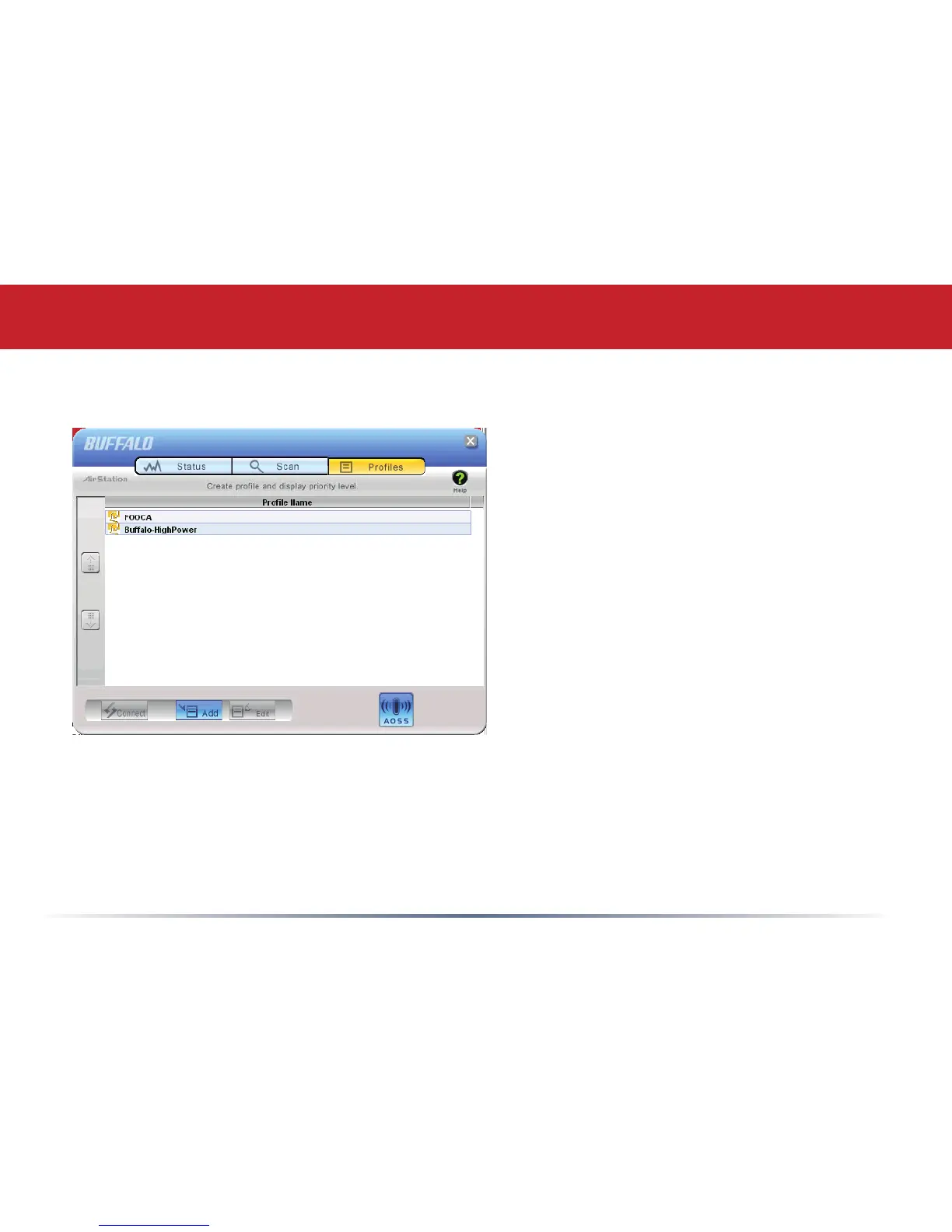
Click the Proles tab to open this page.
Use this page to access your proles.
Proles allow you to save the information
associated with a specic wireless
network so you can quickly and easily
connect to that network when you are in
that location. The Proles page allows you
to add, delete, and edit your proles, as
well as import and export data.
• Connect – Click the Connect button
to connect to the selected prole and
return to the Status page.
• Edit – Click the Edit button to edit the
selected prole’s settings. The Edit
button also allows you to delete proles
that are no longer used or required.
• Add – Click the Add button to add a prole manually. You will need important
information such as SSID, encryption settings, and network type.
Client Manager Configuration


 To Next Page