7
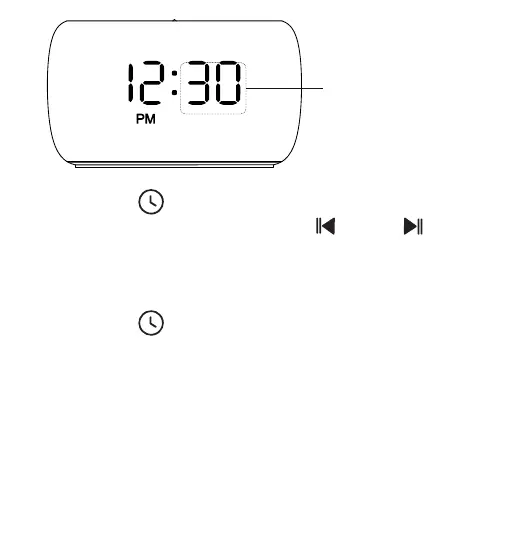
3. Press the “ ” button to confirm and enter time
format (12/24H) setting. Press “ ” or “ ”
button to select time format. When using the 12-hour
time format, AM/PM icon will appear on the display to
suggest morning/afternoon time.
4. Press the “ ” button to confirm and exit the
time setting mode.
MINUTE Flashes
Notice:
The clock will exit automatically from the TIME setup
mode if no action is taken within 5 seconds.
(Action refers to pressing the desired button for setup)


 To Next Page