
 Need help?
Do you have a question about the Buick 2017 Encore and is the answer not in the manual?
Identifies buttons and levers on the steering wheel and column.
Locates switches and features on the dashboard and console.
Explains common dashboard warning and status indicator symbols.
Details buttons for heated seats, infotainment, and climate controls.
Explains buttons for Park Assist, Lane Departure, and Traction Control.
Lists key safety reminders and warning light indicators.
How to unlock doors and liftgate using the remote transmitter.
Steps for locking doors and liftgate with the keyless entry system.
Procedure for adjusting the steering wheel position.
How to start the vehicle's engine remotely using the key fob.
How to start and stop the engine using the push-button system.
Explanation of the automatic engine stop/start fuel-saving feature.
Factors that prevent the engine from shutting off or cause it to restart.
Details on lumbar, 6-way adjustment, and memory seat functions.
Instructions for saving and retrieving preferred seat and mirror positions.
How to fold the front passenger seat flat for cargo or access.
Step-by-step guide to folding down the rear seatbacks.
Controls for activating front wipers and washer fluid spray.
How to use the rear wiper and spray washer fluid on the rear window.
Overview of information displayed on the instrument cluster's DIC.
Explains the MENU, scroll switch, and SET/CLR buttons.
How to navigate applications and access favorite lists on the display.
Description of buttons for Home, Seek, Power/Volume, and Back.
Connecting devices via Bluetooth or USB for audio and hands-free.
How to save radio stations, contacts, and destinations to favorites.
Using voice commands for phone calls, media, and system control.
Using USB and auxiliary ports for music playback devices.
Using steering wheel buttons to adjust volume and change audio sources.
Buttons for next/previous track, push-to-talk, and ending calls.
Step-by-step guide to connect a mobile phone using Bluetooth.
How to play music from a paired Bluetooth device.
Connecting and using smartphone integration features.
Activating and using the vehicle's built-in Wi-Fi hotspot.
How to adjust personalization options via the Settings menu.
Overview of automatic dual zone temperature and fan controls.
How to use the AUTO mode for climate control.
Using recirculation to control cabin air quality and temperature.
Instructions for activating and setting a desired speed.
How to resume, accelerate, coast, or cancel cruise control.
How the system alerts drivers when drifting out of lanes.
System alerts for potential forward collisions and gap settings.
Alerts for vehicles detected in the blind spot areas.
How these systems limit wheelspin and aid directional control.
Procedure for disabling traction control when stuck.
Using parking sensors to detect objects while parking.
Display of the rear view on the infotainment screen when reversing.
Alerts for approaching traffic when backing out.
How to manually select gears for sportier driving or engine braking.
Indicator for underinflated tires and checking tire pressure.
Instructions for removing and installing the cargo shade.
Phone numbers and services offered for roadside assistance.
Using OnStar to contact Roadside Assistance with GPS location.
Accessing vehicle information and services via mobile apps.
Using the Buick Owner Center for personalized info and services.
 General
| Brand | Buick |
|---|---|
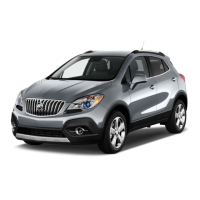
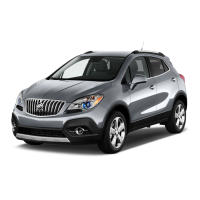
| Model | 2017 Encore |
| Category | Automobile |
| Language | English |








 To Next Page