38 Infotainment System
.
Press b / g and say “Play
Bluetooth Audio”
To play the tracks randomly, press
the Shuffle screen button. Press
again to stop shuffle.
Press Menu to bring up the
Bluetooth Audio menu screen.
Select Bluetooth Device List to
select or switch a paired device.
See “Pairing a New Bluetooth
Device” under Bluetooth on
page 79.
Some phones support sending
Bluetooth music information like
Artist and/or Song Title to display on
the radio.
When listening to Bluetooth audio,
the audio that will play through the
radio will be what is active or open
on the phone.
Rear Seat
Infotainment
Rear Seat Entertainment
(RSE) System
If equipped, the DVD RSE system
works with the vehicle’s audio
system. The DVD player is part of
the front radio. The RSE system
includes a radio with a DVD player,
a video display screen, audio/video
jacks, two wireless headphones,
and a remote control. See Overview
on page 5 for more information on
the vehicle's infotainment system.
Before Driving
The RSE is designed for rear seat
passengers only. The driver cannot
safely view the video screen while
driving and should not try to do so.
In severe or extreme weather
conditions, the RSE system might
not work until the temperature is
within the operating range of above
−20°C (−4°F) or below 60°C (140°F).
If the temperature of the vehicle is
outside of this range, heat or cool
the vehicle until the temperature is
within the proper operating range.
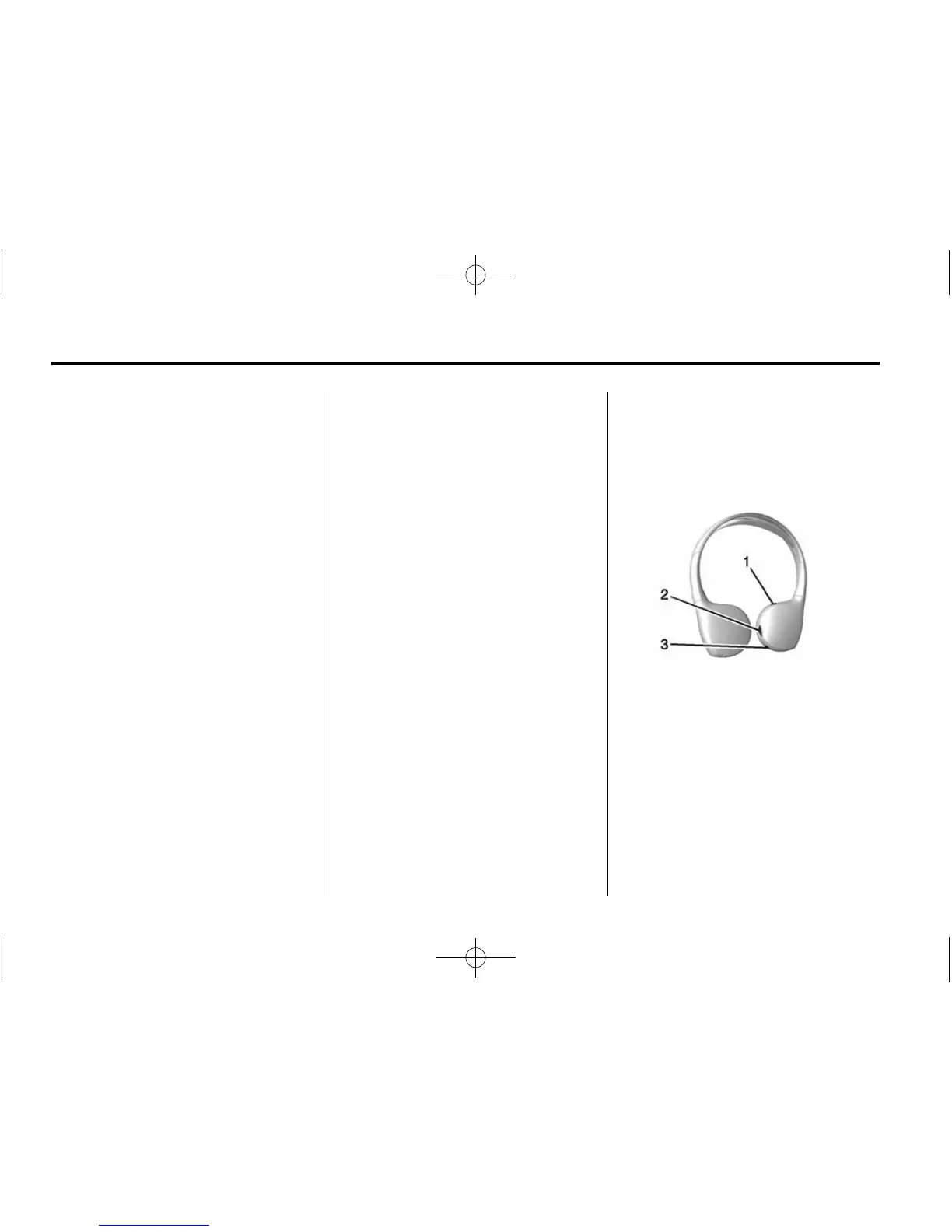
Headphones
1. Power Button
2. Volume Control
3. Channel 1 or 2 Switch
The RSE includes two 2-channel
wireless headphones. Channel 1 is
dedicated to the video screen
movie, while Channel 2 is dedicated
to RSA selections. These
headphones are used to listen to
media such as CDs, DVDs, MP3/
WMAs, DVD-As, radio (AM, FM,
or SiriusXM, if equipped), any












 To Next Page