7-44 Infotainment System
Auxiliary Devices
(Radio with CD and
Touchscreen)
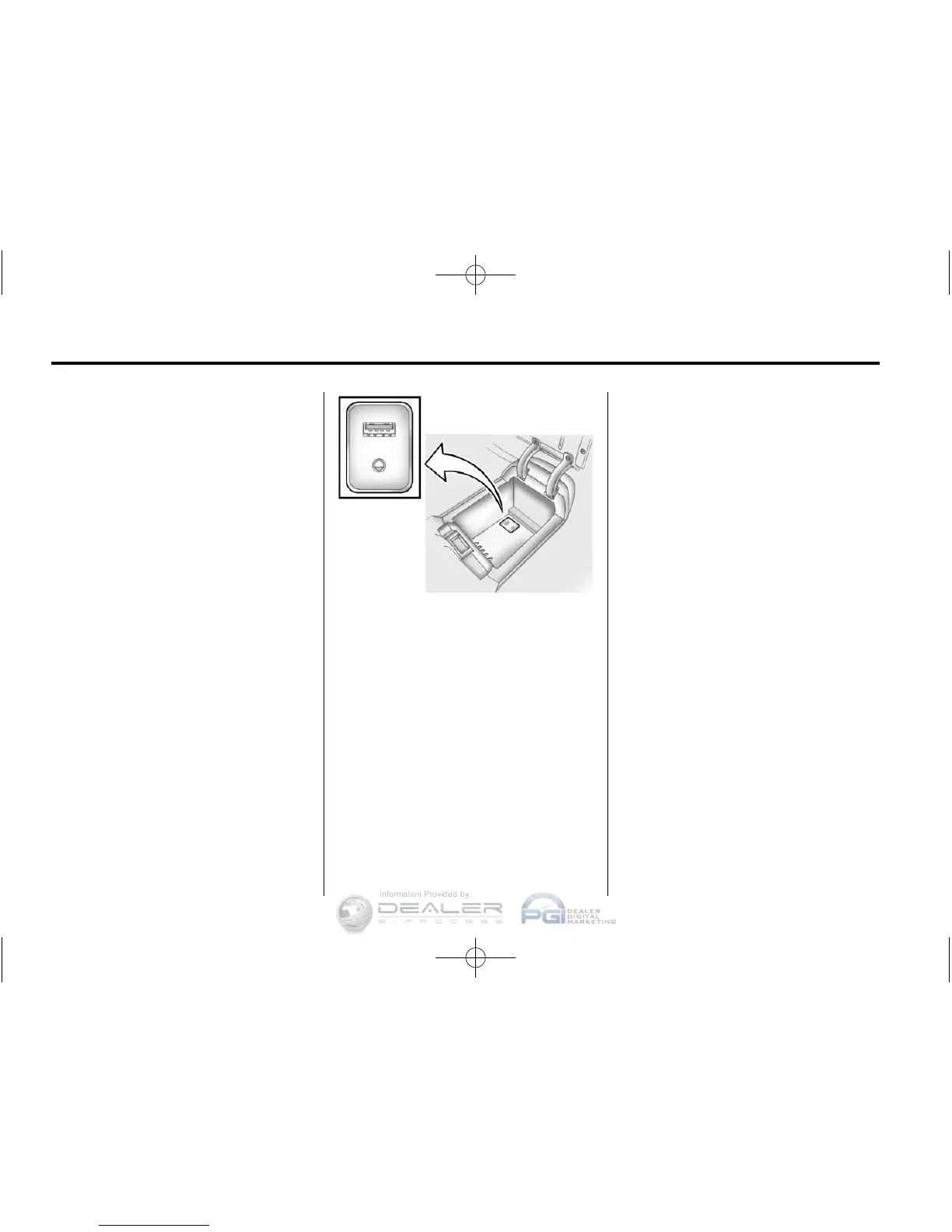
The optional AUX input allows
portable devices to connect to the
vehicle using the 3.5 mm (1/8 in)
input jack or the USB port.
Portable devices are controlled by
using the menu system described
in Overview (Radio with CD) on
page 7‑4 or Overview (Radio with
CD/DVD and MEM) on page 7‑6 or
Overview (Radio with CD and
Touchscreen) on page 7‑8.
This jack is not an audio output.
Do not plug headphones into the
auxiliary input jack. Drivers are
encouraged to set up any auxiliary
device while the vehicle is in
P (Park).
The AUX input is located in the
center console.
3.5 mm Jack
Connect a 3.5 mm (1/8 in) cable to
the auxiliary input jack to use a
portable audio player.
Playback of an audio device that is
connected to the 3.5 mm jack can
only be controlled using the controls
on the device.
If an auxiliary device has already
been connected, but a different
source is currently active, Press
SOURCE repeatedly to cycle
through all of the available audio
source screens, until the AUX
source screen is selected.
Adjusting the Volume
Turn the VOL/
O knob to adjust the
volume of the infotainment system
after the volume level has been set
on the portable audio device.













 To Next Page