In Brief 1-19
Steering Wheel Controls
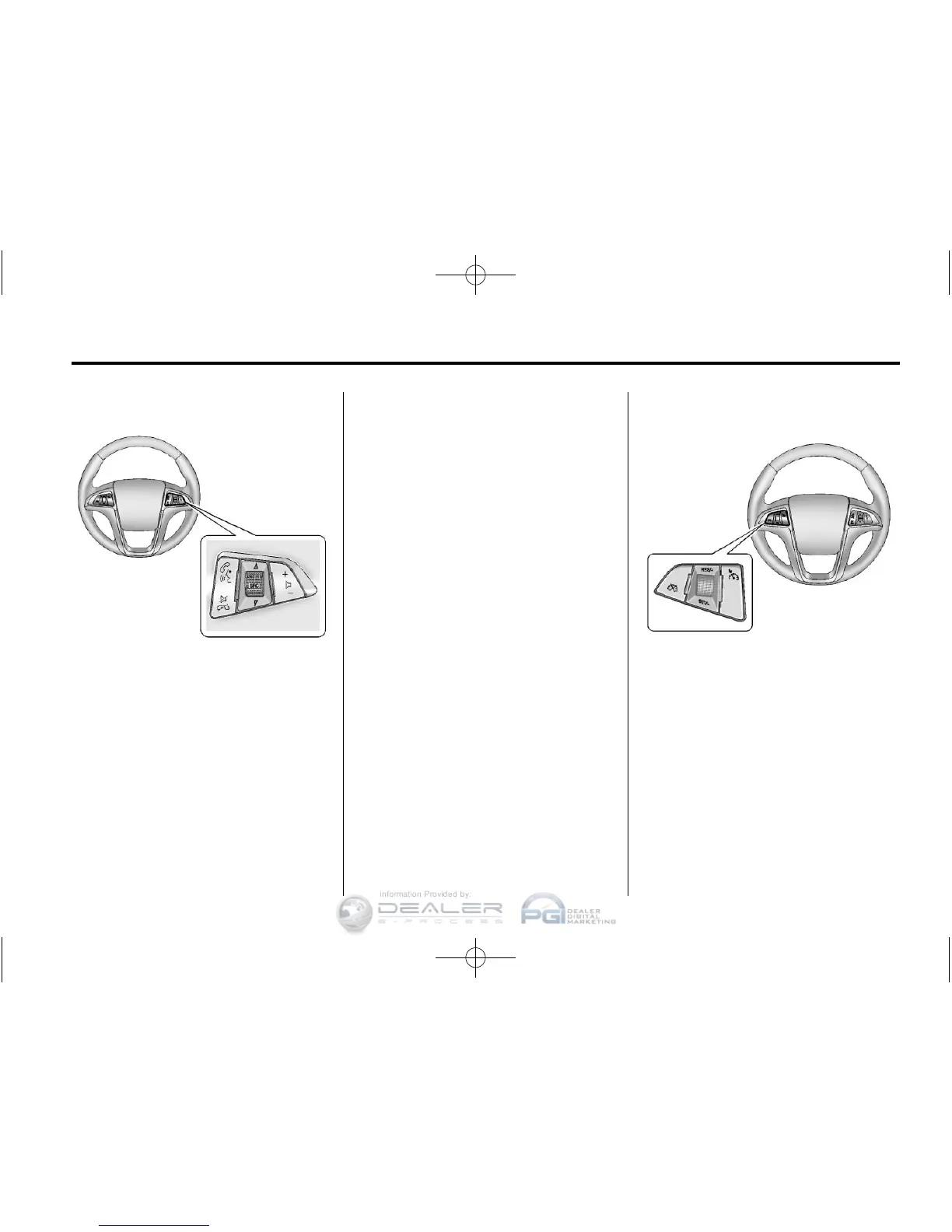
For vehicles with audio steering
wheel controls, some audio controls
can be adjusted at the steering
wheel.
b / g : Press to interact with the
available Bluetooth, OnStar,
or navigation system.
$ / i : Press to silence the
vehicle speakers only. Press again
to turn the sound on. For vehicles
with OnStar or Bluetooth systems,
press to reject an incoming call,
or to end a current call.
_ SRC ^ : Turn _ or ^ to select a
radio band or audio source.
Turn
_ or ^ to select the next or
previous favorite radio station, CD,
or MP3 track.
Press SRC to change between
radio and CD or DVD.
+
x −: Press + to increase or − to
decrease the volume.
For more information, see Steering
Wheel Controls on page 5‑2.
Cruise Control
5 : Press to turn the cruise control
system on and off.
* : Press to disengage cruise
control without erasing the set
speed from memory.











 To Next Page