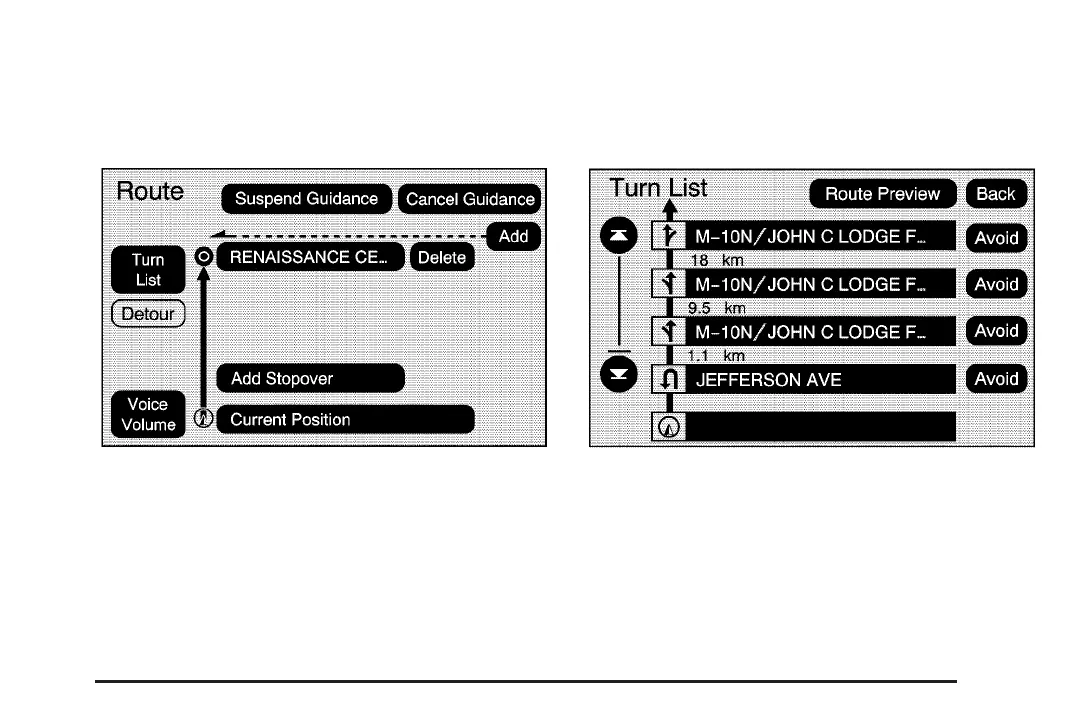
Getting Started on Your Route
Once you have entered a destination there are several
functions that can be performed. Press the DEST
hard key to access the Route screen.
Turn List
Turn List: Select this screen button to view the list of
turn maneuvers for the entire route and to avoid turns on
the route.
r / q (Scroll Arrows): Select the up and down
arrow screen buttons to scroll through the list of
maneuvers.
Avoid: Select this screen button, next to the adjacent
street name, to avoid the maneuver.
2-23














 To Next Page