
 Need help?
Do you have a question about the bumpboxx Sound Stik MATCO and is the answer not in the manual?
Step-by-step guide to wirelessly connect two Bumpboxx Sound Stik devices.
Guidelines for the first charge and concurrent usage during charging.
Information on the rechargeable battery, charging process, and LED indicator.
Steps for pairing the speaker with a mobile device via Bluetooth.
Description of each button and port on the speaker's control panel.
How to switch between AUX, TF card, and TWS connection modes.
Key technical details including drivers, power, connectivity, and dimensions.
List of items included in the package with the speaker.
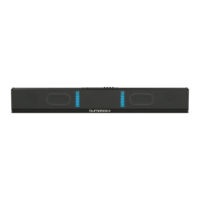
This document provides an operation manual for the Bumpboxx SoundStik, a portable speaker designed for a true wireless stereo experience. It covers TWS pairing instructions, general function descriptions, panel functions, and best care practices.
To set up a True Wireless Stereo (TWS) connection, first power on both Bumpboxx Sound Stik devices. They will automatically enter Bluetooth mode. Ensure that Bluetooth is turned off on all previously paired cell phones within range to avoid interference.
Next, hold the TWS (Pause/Play) button on your master unit (the one closest to your mobile device) for 5 seconds, then release. You should hear a chime within 10 seconds, indicating a successful TWS connection. If the connection is unsuccessful, power down both devices, ensure all previously paired cell phones and devices have Bluetooth turned off, and then restart the process, using the slave Sound Stik as the master if needed.
Once the TWS connection is established, find your Bumpboxx Sound Stik on your phone's Bluetooth list and pair with it. After pairing, you can crank up the volume and enjoy your music.
The speaker features a rechargeable battery. To charge it, use the included 4A charging cable. The LED indicator light will turn red during charging and turn off once fully charged. A full recharge cycle takes approximately 3 to 4 hours. Once fully charged, the battery can provide up to 12 hours of use. It is recommended to charge the battery for 3 to 4 hours before the first use.
When powered on, the speaker is ready for pairing with a mobile device. To connect, scan for the speaker's name "SoundStik" on your device's Bluetooth list and pair with it. Once paired, you can control the volume and tracks using either the speaker's control panel or your paired mobile device.
The SoundStik offers multiple input modes. To use the AUX mode, insert a 3.5mm AUX cable into the AUX input; the unit will automatically switch to AUX mode. For TF card playback, insert a Micro SD Card into the TF slot, and the unit will automatically switch to TF mode. In these modes, you can press the select previous or next track buttons, or press to play or pause.
For an enhanced audio experience, the TWS Mode allows you to link two SoundStik units together to create a True Wireless Stereo sound.
The speaker's control panel includes several buttons and indicators:
For optimal performance and longevity of your Bumpboxx SoundStik, follow these care instructions:
The device complies with Part 15 of the FCC Rules, meaning its operation is subject to two conditions: it may not cause harmful interference, and it must accept any interference received, including interference that may cause undesired operation. Any changes or modifications to the unit not expressly approved by the party responsible for compliance could void the user's authority to operate the equipment.
Warning: This product may expose you to chemicals, including lead and lead compounds, which are known to the state of California to cause birth defects or other reproductive harm. For more information, refer to www.p65warnings.ca.gov.
 General
| Type | Portable Bluetooth Speaker |
|---|---|
| Brand | bumpboxx |
| Model | Sound Stik MATCO |
| Category | Speaker System |
| Battery Life | 12 hours |
| Bluetooth | Yes |
| USB Input | Yes |
| Microphone Input | Yes |
| Connectivity | Bluetooth |
| Color | Black |

 To Next Page