EasyManua.ls Logo

Bunker Hill Security 61208 - User Manual

Bunker Hill Security 61208
12 pages
Print Icon
To Next Page IconTo Next Page
Loading...
Read this material before using this product.
Failure to do so can result in serious injury.
SAVE THIS MANUAL.
Copyright
©
2013 by Harbor Freight Tools
®
. All rights reserved.
No portion of this manual or any artwork contained herein may be reproduced in
any shape or form without the express written consent of Harbor Freight Tools.
Diagrams within this manual may not be drawn proportionally. Because of
continuing improvements, actual product may differ slightly from the product
described herein. Tools required for assembly and service may not be included.
When unpacking, make sure that the product is intact
and undamaged. If any parts are missing or broken,
please call 1-800-444-3353 as soon as possible.
Save This Manual Keep this manual for the safety warnings and precautions, assembly, operating,
inspection, maintenance and cleaning procedures. Write the product’s serial number in the back of the manual
near the assembly diagram (or month and year of purchase if product has no number).
Keep this manual and the receipt in a safe and dry place for future reference.
Owners Manual & Safety Instructions
Visit our website at: http://www.harborfreight.com
Email our technical support at: tech@harborfreight.com
ITEM 61208
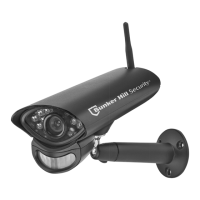
Weatherproof Color
Security Camera
with Night Vision

Questions and Answers

  • D
    David WilsonAug 12, 2025
    How to adjust the view on a Bunker Hill Security Camera?
    • J
      James GonzalezAug 12, 2025
      If you have an undesirable view with your Bunker Hill Security Camera, it may be out of adjustment. Loosen the Adjustment Screw, tilt the Camera as needed, then tighten the Adjustment Screw.
  • S
    Shelley CervantesAug 19, 2025
    How to troubleshoot a Bunker Hill Security Camera that does not work?
    • C
      colejennyAug 19, 2025
      If your Bunker Hill Security Camera isn't working, first, check the power at the outlet to ensure it's receiving electricity. Second, verify that all cables are securely connected to the camera.
  • R
    Robert WilliamsAug 27, 2025
    Why is the image quality poor on my Bunker Hill Security Camera?
    • N
      Nicholas RothAug 27, 2025
      If you're experiencing poor image quality with your Bunker Hill Security Camera, the camera lens might be dirty. Clean the camera lens to resolve this issue.
  • T
    Todd FloresSep 3, 2025
    What to do if the image on my Bunker Hill Security Camera is upside down or sideways?
    • B
      Becky LunaSep 3, 2025
      If the image on your Bunker Hill Security Camera is upside down or sideways, it could be due to incorrect mounting. To fix this, loosen the Adjustment Wheel, rotate the Camera as needed, and then tighten the Adjustment Wheel.

Bunker Hill Security 61208 Specifications

General IconGeneral
Indoor/OutdoorOutdoor
WeatherproofYes
BrandBunker Hill Security
Model61208
StorageSD Card
TypeWireless IP Camera

Related product manuals