CHILD TRAILER
8
ENG
Locking the Brake
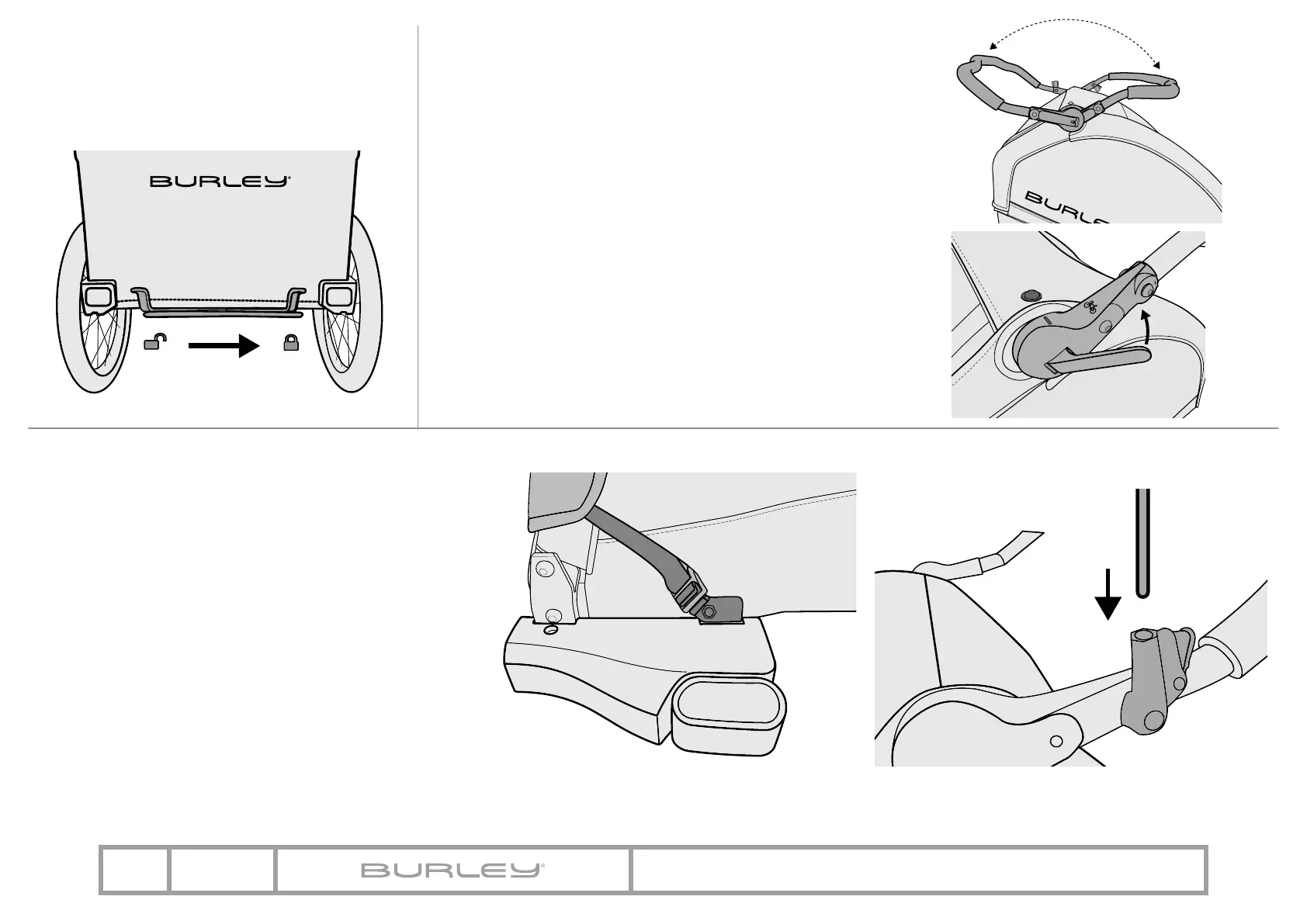
1. To lock the brake, slide the lever to the right
(Figure 19). To release the brake, slide the lever
to the left.
Adjusting the Handlebar
1. Tow mode: Always rotate the handlebar forward when trailer
is in towing mode (Figure 20A). The handlebar should be
horizontal and parallel to the ground, such that the mark on
the handlebar is aligned with the bolt that attaches the cover
(Figure 21).
2. Stroll / Jog mode: The handlebar may be rotated to serve as a
handlebar while trailer is in strolling or jogging mode (Figure
20B). Open lever to rotate (Figure 21) and close lever to lock in
place.
Note: Always use the jogging tether when used as a stroller. The
roll bar lever tension is optimally adjusted from the factory. If
the roll bar slips when lifting up or pushing down – or if it makes
excessive noise when rotating – the lever tension can be fine-
tuned by removing the handlebar cover on the opposite side of the
lever. Release the lever, squeeze the outer frame together and
turn the barrel nut in 180 degree increments. Tighten barrel nut
to desired tension. Then reinstall the handlebar cover.
Figure 20
Figure 21
Figure 19
A
B
Figure 22
Figure 23
Securing the Cover and Flag
1. Secure the buckle on the hook. The webbing can be
tightened by adjusting the Velcro on the strap (Figure 22).
2. Depress the yellow button and slide the flag pole into
hole on flag holder. To release, push button and lift flag
pole out (Figure 23).
Installing Additional Lights
Fabric loops are located on the back of the bag and should be
used to attach additional lights and/or reflectors (See page 4).


 To Next Page