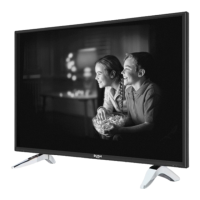
Model number
BUSH DVB-T DLED32165HDS
Contents
Safety Information 3
Preparation 3
Intended Use 3
Power source 3
Positioning the TV 3
Power cord and plug 3
Moisture and Water 4
Ventilation 4
Heat sources and Flames 4
Headphone Volume 4
Wall Mounting (optional) 4
Cleaning 4
Batteries 4
Replacement Parts 5
Servicing 5
Taking out of service and storing 5
Symbols in this Instruction Book 5
Support 6
Getting Started 7
Notications & Features & Accessories 7
Environmental Information 7
Standby Notications 7
Features 7
Accessories Included 7
Control Buttons on the TV 8
TV Control Switch & Operation 8
Inserting the Batteries into the Remote 8
Connect Power 8
Antenna Connection 8
Notication 9
Specication 9
Remote Control 10
Attaching the Stand 11
Connections 12
Switching On/Off 13
To Switch the TV On 13
To Switch the TV Off 13
First Time Installation 13
Aerial Installation 13
Media Playback via USB Input 13
Media Browser Menu 13
TV Menu Features and Functions 14
Picture Menu Contents 14
Advanced Settings 14
Sound Menu Contents 15
Settings Menu Contents 15
Other Settings: Displays other setting options of the
TV set: 15
Install and Retune Menu Contents 16
General TV Operation 17
Using the Channel List 17
Conguring Parental Settings 17
Electronic Programme Guide (EPG) 17
Software Upgrade 17
Software upgrade search via user interface 17
Background search and upgrade mode 17
3 AM search and upgrade mode 17
Manual Software Update 17
Troubleshooting & Tips 18
Tv will not turn on 18
Poor picture 18
No picture 18
No sound 18
Remote control - does not operate 18
Input sources - can not be selected 18
Recording unavailable 18
USB is too slow 18
Teletext 18
Digital Teletext (for UK only) 18
Other Information 19
PC Input Typical Display Modes 19
AV and HDMI Signal Compatibility 19
Supported File Formats for USB Mode 20
Other Information 21
Plug replacement - UK and Ireland only 21
DVD Mode 22
Notes on Discs 22
On handling discs 22
Licence Notication 22
How to Watch a DVD 22
DVD Control Panel Buttons 23
Overview of the Remote Control 23
General Operation 24
General Playback 25
Basic Play 25
Notes on Playback: 25
DVD Troubleshooting 25
The Argos Technical Helpline is here to help 26
Guarantee 27



 To Next Page