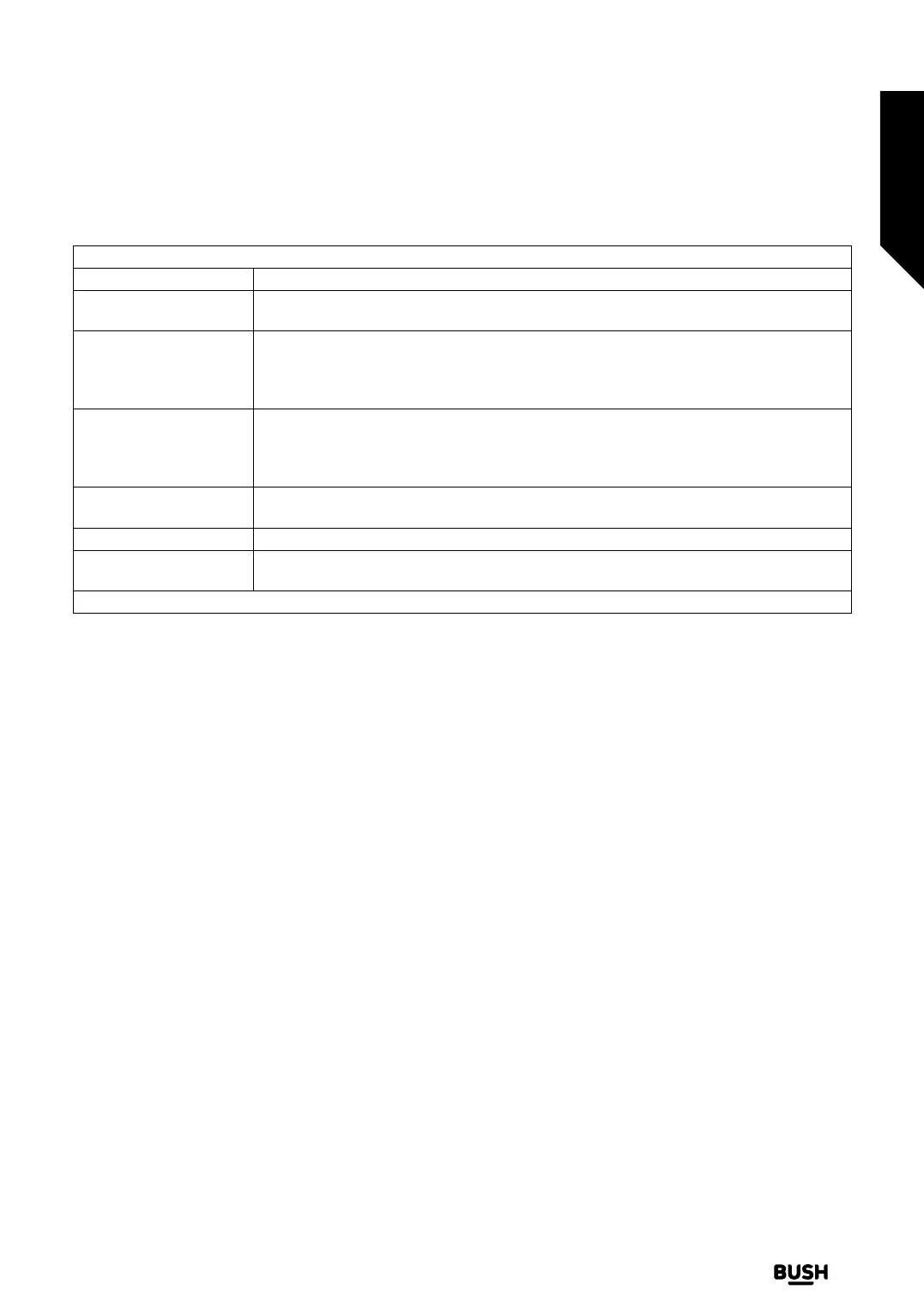
Network Menu Content
Network Type Disable the network connection or change the connection type.
Scan Wireless Networks
Start a search for wireless networks. This option will be available if the Network Type is
set as Wireless Device.
Disconnect
To disconnect from a wireless network and delete your saved wireless network profile
(if previously saved), highlight this option and press OK. This option will not be available
if you did not connect to a wireless network. Refer to Connectivity section for more
information.
Press WPS on your wifi
router
If your modem/router device has WPS, you can directly connect to it using this option.
Highlight this option and press OK. Go to your modem/router device and press the WPS
button on it to make the connection. This option will be available if the Network Type
is set as Wireless Device.
Internet Speed Test
Start a speed test to check your connection bandwidth. The result will be displayed on
the screen when finished.
Advanced Settings Change the IP and DNS configurations of your TV.
Networked Standby
Mode
Enable or disable this feature by setting it as On or O.
Note: For detailed information on the options of this menu refer to the Connectivity section.
Advanced features
Getting the most from your TV
Advanced features
33
If you require any technical guidance or find that your TV is not operating as intended, a simple solution can often be found in the Troubleshooting section of these instructions,
or online at www.bush-support.co.uk If you still require further assistance, call one of our experts on 0345 604 0105, a Bush enquiry line.














 To Next Page