EasyManua.ls Logo

Bush DVD142TV - User Manual

Bush DVD142TV
60 pages
Print Icon
To Next Page IconTo Next Page
Loading...
DVD142TV
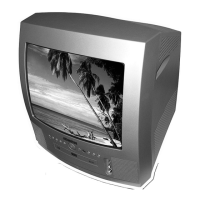
14" DVD/TV COMBI
WITH REMOTE CONTROL
Question and Answer IconNeed help?

Do you have a question about the Bush DVD142TV and is the answer not in the manual?

Summary

Bush DVD142 TV User Guide

Introduction

Welcomes the user and introduces the product.

Safety is Important

Highlights the importance of reading safety instructions before use.

Safety and Electrical Precautions

Safety Precautions

Details on safe operation, power, high voltage, and cleaning.

Laser Safety

Critical warnings and guidelines for safe laser operation.

Electrical Information and Wiring

Information on power supply, plug, and proper wiring.

Getting Started and Basic Setup

Getting Started

Unpacking and preparing the DVD/TV for first use.

Quick Setup and Connections

Step-by-step guide for initial connections and setup.

Switching On

Instructions for inserting batteries and powering on the device.

TV Operation and Tuning

Auto Store TV Channels

Process for automatically scanning and saving TV channels.

Setting Up the TV

Initial TV configuration and tuning process.

Menu Navigation Basics

How to navigate and interact with on-screen menus.

Device Controls and Features

Connecting External Equipment

Lists and explains connectors for various audio/video inputs.

Front Panel Controls

Identifies and describes buttons and indicators on the front of the unit.

Rear Panel Connections

Identifies and describes all ports and connectors on the back of the unit.

Using the TV Functions

Programme Selection and Volume Control

How to change channels and adjust audio volume.

Mute, Previous Programme, and Input Source

Functions for muting sound, recalling previous channels, and switching sources.

Teletext Operations

Instructions for accessing, navigating, and using teletext services.

On-Screen Menus and Settings

Sound Menu Settings

Adjusting audio preferences like volume and AVL.

Picture Menu Settings

Customizing visual aspects like brightness, contrast, and sharpness.

Feature Menu Options

Configuring sleep timer, child lock, and display language.

Installation and Program Management

Install Menu Overview

Accessing and understanding installation options.

Program Menu Functions

Naming, inserting, and deleting TV programmes.

DVD Player Operation

Playing Discs

Inserting and starting playback of DVDs, CDs, and Picture CDs.

Basic Playback Controls (Stop, Pause)

Operations for stopping, pausing, and resuming DVD playback.

Advanced Playback Features

Using fast forward, reverse, chapter navigation, and repeat functions.

DVD Disc Settings and Navigation

Repeat Play, Zoom, and A-B Repeat

Managing repeat modes, zooming, and repeating specific sections.

Subtitle, Audio, and Angle Selection

Choosing subtitle language, audio tracks, and camera angles.

DVD Search Functions

Locating specific chapters, titles, or playback times on a DVD.

DVD On-Screen Menus

Video Setup Menu

Adjusting video settings such as aspect ratio and TV type.

Language Setup Menu

Selecting On-screen display, audio, and subtitle languages.

Preference Setup Menu

Configuring angle marks, standby time, and parental controls.

Troubleshooting and Maintenance

TV and DVD Troubleshooting Guide

Common problems and their solutions for TV and DVD playback.

Care and Maintenance Procedures

Guidelines for cleaning the unit and handling discs properly.

Specifications and Guarantee

Technical Specifications

Detailed technical data for the DVD/TV unit.

Guarantee Information

Information regarding the product warranty period and terms.

Summary

Bush DVD142 TV User Guide

Introduction

Welcomes the user and introduces the product.

Safety is Important

Highlights the importance of reading safety instructions before use.

Safety and Electrical Precautions

Safety Precautions

Details on safe operation, power, high voltage, and cleaning.

Laser Safety

Critical warnings and guidelines for safe laser operation.

Electrical Information and Wiring

Information on power supply, plug, and proper wiring.

Getting Started and Basic Setup

Getting Started

Unpacking and preparing the DVD/TV for first use.

Quick Setup and Connections

Step-by-step guide for initial connections and setup.

Switching On

Instructions for inserting batteries and powering on the device.

TV Operation and Tuning

Auto Store TV Channels

Process for automatically scanning and saving TV channels.

Setting Up the TV

Initial TV configuration and tuning process.

Menu Navigation Basics

How to navigate and interact with on-screen menus.

Device Controls and Features

Connecting External Equipment

Lists and explains connectors for various audio/video inputs.

Front Panel Controls

Identifies and describes buttons and indicators on the front of the unit.

Rear Panel Connections

Identifies and describes all ports and connectors on the back of the unit.

Using the TV Functions

Programme Selection and Volume Control

How to change channels and adjust audio volume.

Mute, Previous Programme, and Input Source

Functions for muting sound, recalling previous channels, and switching sources.

Teletext Operations

Instructions for accessing, navigating, and using teletext services.

On-Screen Menus and Settings

Sound Menu Settings

Adjusting audio preferences like volume and AVL.

Picture Menu Settings

Customizing visual aspects like brightness, contrast, and sharpness.

Feature Menu Options

Configuring sleep timer, child lock, and display language.

Installation and Program Management

Install Menu Overview

Accessing and understanding installation options.

Program Menu Functions

Naming, inserting, and deleting TV programmes.

DVD Player Operation

Playing Discs

Inserting and starting playback of DVDs, CDs, and Picture CDs.

Basic Playback Controls (Stop, Pause)

Operations for stopping, pausing, and resuming DVD playback.

Advanced Playback Features

Using fast forward, reverse, chapter navigation, and repeat functions.

DVD Disc Settings and Navigation

Repeat Play, Zoom, and A-B Repeat

Managing repeat modes, zooming, and repeating specific sections.

Subtitle, Audio, and Angle Selection

Choosing subtitle language, audio tracks, and camera angles.

DVD Search Functions

Locating specific chapters, titles, or playback times on a DVD.

DVD On-Screen Menus

Video Setup Menu

Adjusting video settings such as aspect ratio and TV type.

Language Setup Menu

Selecting On-screen display, audio, and subtitle languages.

Preference Setup Menu

Configuring angle marks, standby time, and parental controls.

Troubleshooting and Maintenance

TV and DVD Troubleshooting Guide

Common problems and their solutions for TV and DVD playback.

Care and Maintenance Procedures

Guidelines for cleaning the unit and handling discs properly.

Specifications and Guarantee

Technical Specifications

Detailed technical data for the DVD/TV unit.

Guarantee Information

Information regarding the product warranty period and terms.

Bush DVD142TV Specifications

General IconGeneral
Screen Size14 inches
Resolution1366 x 768
DVD PlayerYes
HDMI Ports1
USB Port1
Weight3.5 kg
Display TypeLCD
TV TunerYes
Aspect Ratio16:9
InputsHDMI, USB, AV
OutputsHeadphone

Related product manuals