Need help?
Do you have a question about the Bush LED24127FHDDVDP and is the answer not in the manual?
Details on optimal placement, surface, and environmental conditions for the TV.
Specifies the TV's purpose and limitations for domestic use.
Information regarding voltage, frequency, and safe power outlet usage.
Guidelines for TV placement to ensure ventilation and stability.
Instructions for safe handling, connection, and maintenance of the power cord.
Precautions against liquid exposure to prevent electrical shock and damage.
Importance of keeping ventilation openings clear to prevent overheating.
Warnings about avoiding direct sunlight and heat-generating appliances.
Advice on safe headphone volume levels to prevent hearing damage.
Safety considerations for securely attaching the TV to a wall.
Instructions on how to safely clean the TV screen and casing.
Safety guidelines for battery installation, handling, and disposal.
Guidance on using manufacturer-specified replacement parts.
Prohibition of user servicing and instructions to contact qualified personnel.
Steps for safely disconnecting and storing the TV.
Explanation of warning, caution, and note symbols used in the manual.
Contact information and services offered by the technical helpline.
General information on TV features, notifications, and included accessories.
Tips for reducing energy consumption and saving the environment.
Explanation of TV behavior and messages displayed in standby mode.
A list of the TV's key functionalities and capabilities.
List of items provided with the television set.
Details on the physical control buttons located on the TV set.
Step-by-step guide for installing batteries in the remote control.
Instructions for safely connecting the TV to the main power supply.
Guidance on connecting the aerial or antenna to the TV.
Trademark information for HDMI and SRS TruSurround HD technologies.
Instructions for environmentally responsible disposal of the TV and batteries.
Technical specifications of the television, including dimensions and power.
Detailed explanation of all buttons on the remote control.
How to access and use the digital teletext service.
Instructions for securely attaching the TV stand to the unit.
Diagrams and descriptions of all available input and output connectors.
Methods for turning the TV on, off, or putting it into standby mode.
Guided setup process for initial TV configuration and channel scanning.
How to connect and play media files from USB devices.
Navigating and managing media files using the TV's browser.
Accessing frequently used settings via a dedicated menu.
Detailed options for adjusting picture quality and settings.
In-depth picture adjustments for enhanced viewing.
Options for adjusting volume, equalizer, and sound modes.
Configuration settings for language, parental controls, and timers.
Additional system settings including menu timeout and software upgrade.
Procedures for automatic and manual channel tuning.
Setting up parental controls, PIN codes, and child lock features.
Information on accessing and using the TV program guide.
Methods for updating the TV's firmware via aerial or internet.
Guidance on diagnosing and resolving common TV operational issues.
Specific steps to troubleshoot the TV failing to power on.
Solutions for common problems affecting picture quality.
Steps to resolve issues where the TV produces no audio output.
Supported display resolutions and frequencies for PC input.
Details on compatible video signals for AV and HDMI connections.
List of media file types compatible with the TV's USB port.
Instructions for safely replacing the power plug.
Important safety warnings specific to the DVD playback function.
Guidelines for handling, cleaning, and storing DVD discs.
Steps to insert a disc and begin DVD playback.
Identification and function of physical buttons on the DVD player.
Description of remote control buttons used for DVD operations.
Mapping of remote buttons to functions across different playback modes.
Special remote button sequences for advanced playback control.
Basic steps for playing content from discs or media.
Solutions for common problems encountered during DVD playback.
Troubleshooting steps for when no image is displayed during DVD playback.
Troubleshooting steps for when no audio is heard during DVD playback.
Details of the manufacturer's warranty and terms.
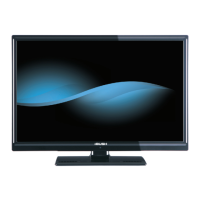
This document describes the Bush 24" Combination LED TV/DVD, model LED24127FHDDVDP. It provides detailed instructions for installation, operation, and maintenance, ensuring users can get the best experience from their television.
The Bush 24" Combination LED TV/DVD is designed to receive and display TV programmes, offering a fully integrated digital TV (DVB-T) experience. Its combination feature allows for direct DVD playback, making it a versatile entertainment hub. The device supports various external devices through multiple connection options, including HDMI, Scart, USB, and PC input, expanding its reception and display capabilities. It is suitable for dry interior use and intended solely for private domestic use.
General TV Operation: The TV is a remote-controlled colour LCD TV with an OSD menu system for easy navigation. It features automatic programming, manual tuning, and a channel list that can be edited to set favourites or active stations. The TV supports Teletext and an Electronic Programme Guide (EPG) to view current and next programmes, with options to filter, zoom, and search for specific genres. Parental settings allow for locking programmes, channels, and menus with a PIN number, and a Child Lock feature restricts control to the remote only.
Switching On/Off: To switch on, connect the power cord to a 220-240V AC, 50 Hz socket. From standby, press the power button, P+/P-, or any numeric button on the remote control, or use the side function switch. To switch off, press the power button on the remote or use the side function switch to enter standby mode. For complete power down, unplug the power cord from the mains socket. The standby LED may blink to indicate active features like Standby Search or Timer.
First Time Installation: Upon first power-on, a language selection screen appears. After selecting the language, the First Time Installation (FTI) screen guides users through setting preferences. An optional Store mode can be activated, which illustrates the TV's features on screen, but Home Mode is recommended for domestic use. Users can choose to start an automatic channel scan for digital terrestrial TV broadcasts.
Media Playback via USB Input: The TV supports media playback from USB disks (2.5" and 3.5" external hard drives with external power supply, or USB memory sticks). Users can play photo, music, and movie files. The Media Browser menu allows access to Picture, Sound, and Settings menu options. Loop and Shuffle modes are available for continuous playback.
Quick Menu: A Quick Settings menu provides fast access to options like Power Save Mode, Picture Mode, Equalizer Settings, Favourites, and Sleep Timer.
Picture and Sound Settings: The Picture Menu offers various modes (Cinema, Game, Dynamic, Natural) and adjustments for contrast, brightness, sharpness, colour, and backlight. Advanced settings include Dynamic Contrast, Colour Temp, Picture Zoom, HDMI True Black, Film Mode, Skin Tone, Colour Shift, and RGB Gain. For PC mode, specific settings like Autoposition, H/V Position, Dot Clock, and Phase are available. The Sound Menu allows adjustment of volume, equalizer, balance, headphone volume, and sound mode. It also includes AVL (Automatic Volume Limiting) and SRS TruSurround HD.
Other Settings: Additional settings include Menu Timeout, Scan Encrypted Channels (to locate encrypted channels), Blue Background (for weak/absent signals), Software Upgrade (to update firmware via aerial or Internet), Application Version display, Hard of Hearing features (for additional narration tracks), Auto TV Off (to set a timeout for standby), and Standby Search (to automatically search for new broadcasts in standby mode).
DVD Mode: The integrated DVD player supports disc playback. Discs are loaded with the labeled side facing front. Playback can be controlled via the remote or front panel buttons. The TV automatically pauses DVD playback if the source is switched and resumes manually when returning to DVD mode.
Safety Information: The manual emphasizes safety precautions, including avoiding humid or damp places, direct exposure to rain or water, and placing liquid-filled objects on the TV. Proper ventilation is crucial, with at least 10cm clear space around the TV. It should be kept away from heat sources and open flames. Headphone volume should be managed to prevent hearing loss.
Cleaning: Before cleaning, the TV should be unplugged from the wall socket. Only a soft, dry cloth should be used; liquid or aerosol cleaners are not recommended. For DVD discs, a cleaning cloth should be used to wipe from the center out, avoiding solvents like benzine or thinner.
Batteries: Incorrect installation of batteries can cause leakage and corrosion. Users should not mix old and new batteries or different types. Batteries should not be disposed of in fire or normal household waste but taken to a local recycling centre. If the device is not used for a long time, batteries should be removed and stored in a dry, dust-free place.
Servicing and Replacement Parts: Users are warned not to attempt to repair, service, or modify the TV themselves due to the risk of electric shock. Any servicing or replacement of parts should be done by qualified personnel using manufacturer-specified parts.
Taking Out of Service and Storing: When taking the TV out of service, it should be unplugged from the mains, packed in an appropriate cardboard box, and batteries removed from the remote control. The TV should be stored in a dry and dust-free room.
Troubleshooting & Tips: The manual provides troubleshooting steps for common issues such as the TV not turning on (check power cord, remote batteries), poor picture quality (check TV system, signal level, antenna connection, manual tuning), no picture (check input source, antenna connection), no sound (check mute, volume, balance), and distorted sound. For DVD-specific issues, it advises checking disc surface, loading, type, region code, and OSD language settings. If problems persist, users are advised to contact the Customer Helpline.
 General
| Screen Size | 24 inches |
|---|---|
| HDMI Ports | 2 |
| USB Ports | 1 |
| Built-in DVD Player | Yes |
| Display Technology | LED |
| Aspect Ratio | 16:9 |
| Refresh Rate | 50 Hz |
| Resolution | 1920 x 1080 pixels |

 To Next Page