Need help?
Do you have a question about the Bush LED24127FHD and is the answer not in the manual?
Guidelines for preparing the TV, ensuring a solid surface and adequate ventilation.
Details the TV's purpose and specifies the required voltage and frequency for operation.
Instructions for safe handling, connection, and precautions for the power cord and plug.
Advises against moisture, water, heat sources, and open flames near the TV.
Emphasizes ventilation and warns about potential hearing loss from headphone volume.
Instructions for optional wall mounting and safe cleaning methods for the TV.
Warnings and instructions for safe battery installation, handling, and disposal.
Ensures correct parts are used and directs users to qualified personnel for repairs.
Guidelines for storing the TV and explanation of symbols used in the manual.
Contact information and services offered by the technical helpline for assistance.
Information on energy saving and messages displayed during standby mode.
Lists key TV features and the items included in the package.
Describes TV control buttons and the process of inserting batteries into the remote.
Instructions on connecting the TV to power and the aerial input.
Details trademarks, disposal guidelines, and technical specifications of the TV.
Explanation of remote control buttons, digital teletext, and custom button programming.
Step-by-step guide for securely attaching the TV stand to the unit.
Illustrates various connectors and cables for linking external devices to the TV.
Instructions for switching the TV on/off and performing the first-time installation.
Guidance on playing media from USB and using the quick settings menu.
Detailed explanation of picture adjustment options available in the TV menu.
Configuration options for audio output, volume, and sound modes.
Covers language, parental controls, timers, and other system configurations.
Managing channels and setting up parental locks and PINs.
Accessing and navigating TV program schedules and detailed information.
Methods for software updates and solutions for common TV issues.
Programming SKY remotes and selecting input sources.
Details PC display modes and compatibility for AV, HDMI, and PC signals.
Lists supported video, audio, photo, and subtitle file formats for USB playback.
Instructions for replacing the power plug in the UK and Ireland, including wiring details.
This document provides the installation and operating instructions for a 24" Bush LED TV, model LED24127FHD. It covers safety information, preparation, intended use, features, accessories, control buttons, remote control, connections, first-time installation, menu functions, troubleshooting, and warranty details.
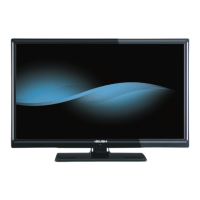
The Bush LED24127FHD is a 24-inch color LED television designed for receiving and displaying TV programs. It features a fully integrated digital TV (DVB-T) tuner, allowing users to access digital terrestrial broadcasts. The TV supports various external devices through its multiple connection options, including HDMI, SCART, USB, VGA, and YPbPr inputs, expanding its reception and display capabilities. It is equipped with SRS TruSurround HD for enhanced audio and Freeview for digital video broadcasting. The device is intended solely for private domestic use and should not be used for industrial or commercial purposes.
General Operation: The TV is controlled via a remote control or a control switch located on the device. The control switch allows for volume adjustment, channel changes, source selection, and switching the TV to standby mode. The remote control offers comprehensive control over all TV functions, including standby, play, rapid reverse, colored buttons for specific functions, numeric buttons for channel selection, navigation buttons for menu browsing, OK/Select, menu on/off, back/index page, media browser, Electronic Programme Guide (EPG), Teletext, volume up/down, mute, program up/down, screen mode, info/reveal, and custom "My button" functions.
First Time Installation: Upon initial power-on, the TV guides the user through a first-time installation process. This includes selecting the desired language, activating "Store mode" (optional, for retail display) or "Home mode" (recommended for domestic use), and initiating an automatic channel scan to search for digital terrestrial TV broadcasts.
Channel Management: The TV sorts stored stations in a Channel List, which can be edited to set favorites or active stations. The Electronic Programme Guide (EPG) allows users to view current and upcoming program information, filter programs by genre, and access detailed program descriptions. Parental settings can be configured with a PIN number to restrict viewing of certain programs, channels, or menus, and a child lock can be activated to limit control to the remote only.
Media Playback: The TV supports media playback via its USB input. Users can connect 2.5" or 3.5" external hard disk drives (with external power supply) or USB memory sticks to play photo, music, and movie files. The Media Browser menu allows navigation and selection of media files, with options for loop and shuffle playback modes.
Picture and Sound Settings: The TV offers various picture modes (Cinema, Game, Dynamic, Natural) and adjustable settings for contrast, brightness, sharpness, and color. Advanced settings include Dynamic Contrast, Colour Temp, Picture Zoom, HDMI True Black, and Film Mode. For audio, users can adjust volume, equalizer settings (with custom options in user mode), balance, headphone volume, and select sound modes. The AVL (Automatic Volume Limiting) feature helps maintain a consistent output level between programs. SRS TruSurround HD can be enabled for enhanced sound.
Other Settings: Additional settings include menu timeout duration, scanning for encrypted channels, blue background activation for weak signals, software upgrade options, application version display, hard of hearing features (audio description), and auto TV off. The Standby Search feature allows the TV to search for new or missing broadcasts while in standby mode and update the channel list accordingly.
Cleaning: Before cleaning, the TV should be unplugged from the wall socket. Only a soft, dry cloth should be used; liquid or aerosol cleaners are not recommended.
Batteries: Batteries in the remote control should be replaced when exhausted. It is important to install batteries with correct polarity and not mix old and new batteries or different types. Used batteries should be disposed of at a local recycling center, not in fire or normal household waste. If the device will not be used for a long time, batteries should be removed and stored in a dry, dust-free place.
Software Upgrade: The TV is capable of automatically finding and updating its software via the aerial signal or the internet. Users can manually check for new software upgrades through the "Other Settings" menu. An automatic search and upgrade mode is also available, where the TV wakes up at 03:00 (if automatic scanning is enabled) to search for and download new software.
Troubleshooting: The manual provides troubleshooting tips for common issues such as the TV not turning on (check power cord, remote batteries, power button), poor picture quality (check TV system, signal level, antenna connection, channel frequency, connected devices), no picture (check input source, antenna connection/cable, plugs), and no sound (check mute status, volume level, speaker balance).
Servicing: In case of electric shock risk, users are warned not to attempt to repair, service, or modify the TV themselves. Any servicing should be referred to qualified service personnel, the manufacturer, their approved service agent, or the Customer Helpline. When replacement parts are needed, only parts specified by the manufacturer or with equivalent specifications should be used to avoid hazards.
Taking out of service and storing: When taking the TV out of service, it should be unplugged from the mains, packed in an appropriate cardboard box, and the batteries removed from the remote control before packing it with the TV set. The TV should be stored in a dry and dust-free room.
 General
| Screen Size | 24 inches |
|---|---|
| Resolution | 1920 x 1080 |
| Display Type | LED |
| HDMI Ports | 2 |
| USB Ports | 1 |
| Refresh Rate | 50 Hz |
| Aspect Ratio | 16:9 |
| Built-in Freeview | Yes |
| Energy Efficiency Class | A |

 To Next Page