EasyManua.ls Logo

Bush LED19134HD - User Manual

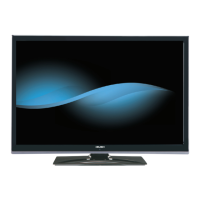
Bush LED19134HD
24 pages
Print Icon
To Next Page IconTo Next Page
Loading...
For any help concerning set up and use of your TV please call the Customer Helpline: 0845 604 0105
Issue 1 - 9/2/11
19” LED TV
Installation & Operating Instructions - Please keep for future reference
128/6294
IMPORTANT - Please read these instructions fully before installing or operating
These instructions contain important information which will help you get the best from your
television and ensure safe and correct installation and operation.
For any help concerning set up and use of your TV please call the
Customer Helpline: 0
845 604 0105
Lines open: 9am - 8pm Monday to Saturday and 10am - 4pm Sunday
LED19134HD

Table of Contents

Question and Answer IconNeed help?

Do you have a question about the Bush LED19134HD and is the answer not in the manual?

Summary

Safety Information

Installation and Operation Safety

Covers safe practices for installing and operating the TV, including preparation, intended use, positioning, power source, and cord handling.

Environmental and Handling Precautions

Details precautions against moisture, heat, ventilation blockage, headphone volume, wall mounting, LCD screen care, and cleaning.

Component Safety and Service Guidelines

Provides guidelines for safe battery use, replacement parts, servicing, storage, and understanding instruction book symbols.

Support Information

Technical Helpline Assistance

Details the services provided by the technical helpline for setup, connection, spare parts, and troubleshooting.

Getting Started

Environmental and Standby Notifications

Information on energy saving, environmental impact, and TV standby status notifications.

Features and Accessories

Overview of the TV's features and a list of included accessories.

TV Controls and Connections

Guide to control buttons on the TV, remote battery insertion, power connection, and antenna connection.

Initial Setup and Specifications

Covers product notifications, disposal information, and technical specifications of the TV.

Remote Control and Teletext

Detailed explanation of the remote control functions and digital teletext usage.

Stand Attachment and Cable Connections

Instructions for attaching the TV stand and a guide to various cable connection types.

Power On;Off and First Time Installation

Steps for switching the TV on/off and performing the initial setup and channel scan.

Media Playback and Quick Settings

Guide to playing media via USB and accessing quick settings for picture, sound, and timers.

TV Menu Features and Functions

Picture Menu Settings

Detailed options for adjusting picture mode, contrast, brightness, sharpness, colour, and advanced settings.

Sound Menu and System Settings

Configuration options for volume, equalizer, sound modes, language, parental controls, timers, and other system settings.

General Operation and EPG

Covers general TV operation, channel list management, parental controls, and electronic programme guide usage.

Software Upgrade and Troubleshooting

Software Update Procedures

Instructions for automatically updating the TV's software via aerial or internet.

Troubleshooting Common Issues

Solutions for common problems like TV not turning on, poor picture, no picture, no sound, and remote control issues.

Program SKY Remote

Step-by-step guide to programming a SKY remote control to operate the TV.

Connectivity and Media

PC Input Display Modes

Illustrates typical video display modes supported for PC input up to 1920x1080 resolution.

AV and HDMI Signal Compatibility

Table showing supported signals for different input sources like SCART, Side AV, PC/YPbPr, and HDMI.

USB File Format Support

Lists supported media file formats (video, audio, photo, subtitle) for playback via USB.

Other Information

Plug Replacement Guide (UK;Ireland)

Instructions for safely replacing the power plug wires for UK and Ireland.

Technical Helpline Contact

Contact details and operational hours for the technical helpline for support and assistance.

Guarantee Information

Product Guarantee Details

Explains the terms and conditions of the product guarantee, coverage, and contact information for claims.

Product Fiche

Summary of Product Specifications

A summary of key product details including model, screen size, power consumption, and resolution.

Summary

Safety Information

Installation and Operation Safety

Covers safe practices for installing and operating the TV, including preparation, intended use, positioning, power source, and cord handling.

Environmental and Handling Precautions

Details precautions against moisture, heat, ventilation blockage, headphone volume, wall mounting, LCD screen care, and cleaning.

Component Safety and Service Guidelines

Provides guidelines for safe battery use, replacement parts, servicing, storage, and understanding instruction book symbols.

Support Information

Technical Helpline Assistance

Details the services provided by the technical helpline for setup, connection, spare parts, and troubleshooting.

Getting Started

Environmental and Standby Notifications

Information on energy saving, environmental impact, and TV standby status notifications.

Features and Accessories

Overview of the TV's features and a list of included accessories.

TV Controls and Connections

Guide to control buttons on the TV, remote battery insertion, power connection, and antenna connection.

Initial Setup and Specifications

Covers product notifications, disposal information, and technical specifications of the TV.

Remote Control and Teletext

Detailed explanation of the remote control functions and digital teletext usage.

Stand Attachment and Cable Connections

Instructions for attaching the TV stand and a guide to various cable connection types.

Power On;Off and First Time Installation

Steps for switching the TV on/off and performing the initial setup and channel scan.

Media Playback and Quick Settings

Guide to playing media via USB and accessing quick settings for picture, sound, and timers.

TV Menu Features and Functions

Picture Menu Settings

Detailed options for adjusting picture mode, contrast, brightness, sharpness, colour, and advanced settings.

Sound Menu and System Settings

Configuration options for volume, equalizer, sound modes, language, parental controls, timers, and other system settings.

General Operation and EPG

Covers general TV operation, channel list management, parental controls, and electronic programme guide usage.

Software Upgrade and Troubleshooting

Software Update Procedures

Instructions for automatically updating the TV's software via aerial or internet.

Troubleshooting Common Issues

Solutions for common problems like TV not turning on, poor picture, no picture, no sound, and remote control issues.

Program SKY Remote

Step-by-step guide to programming a SKY remote control to operate the TV.

Connectivity and Media

PC Input Display Modes

Illustrates typical video display modes supported for PC input up to 1920x1080 resolution.

AV and HDMI Signal Compatibility

Table showing supported signals for different input sources like SCART, Side AV, PC/YPbPr, and HDMI.

USB File Format Support

Lists supported media file formats (video, audio, photo, subtitle) for playback via USB.

Other Information

Plug Replacement Guide (UK;Ireland)

Instructions for safely replacing the power plug wires for UK and Ireland.

Technical Helpline Contact

Contact details and operational hours for the technical helpline for support and assistance.

Guarantee Information

Product Guarantee Details

Explains the terms and conditions of the product guarantee, coverage, and contact information for claims.

Product Fiche

Summary of Product Specifications

A summary of key product details including model, screen size, power consumption, and resolution.

Overview

This document describes the Bush 19" LED TV (Model: LED19134HD), a remote-controlled color LCD television with integrated digital TV (DVB-T) capabilities. It is designed for private domestic use and is not intended for industrial or commercial purposes.

Function Description

The primary function of this device is to receive and display TV programmes. It supports various external devices through multiple connection options, expanding its reception and display sources. The TV features an On-Screen Display (OSD) menu system for easy navigation and configuration.

Important Technical Specifications

Model Information:

  • Model Number: LED19134HD
  • Product No.: 10084819
  • Commercial Brand: BUSH
  • Argos Product Code: 128/6294

Display:

  • Screen Size: 48 cm / 19 inches (16:9 display)
  • Display Resolution: 1366 x 768 pixels
  • Energy Efficiency Class: A

Power:

  • Operating Voltage: 220-240V AC, 50Hz
  • Power Consumption: 35 W
  • On Mode Average Power Consumption: 18 Watt
  • Annual Energy Consumption: 26 kWh/annum
  • Standby Power Consumption: 0.5 Watt
  • Off Mode Power Consumption: 0 Watt

Audio:

  • Audio Output Power (WRMS. 10% THD): 2 x 2.5 W
  • Audio System: Stereo sound system
  • Audio Technology: SRS TruSurround HD

TV Broadcasting:

  • Standards: PAL B/G D/K K I/I'
  • Receiving Channels: VHF (BAND I/III) - UHF (BAND U) - HYPERBAND
  • Number of Preset Channels: 1000
  • RF Aerial Input: 75 Ohm (unbalanced)

Physical:

  • Weight: 2.90 kg
  • TV Dimensions DxLxH (with foot): 134 x 451 x 331 mm
  • TV Dimensions DxLxH (without foot): 35 x 451 x 296 mm
  • VESA Mounting: 75 x 75 mm / M4

Operating Conditions:

  • Operation Temperature and Humidity: 5°C up to 45°C, 85% humidity max

Connectivity:

  • HDMI Inputs: Multiple HDMI inputs for connecting devices with HDMI sockets. Supports 480i/P, 576i/P, 720P, 1080i/P at various refresh rates (24Hz, 25Hz, 30Hz, 50Hz, 60Hz).
  • USB Input: For media playback (photo, music, movie files).
  • Scart Socket (EXT): For external devices (DVD Players, PVR, video games, etc.). Supports PAL 50/60, NTSC 60, RGB 50/60.
  • Side AV Connection: Supports PAL 50/60, NTSC 60.
  • VGA Connection: For PC input.
  • PC/YPbPr Audio Connection: For PC audio.
  • YPbPr Video Connection: For video input.
  • SPDIF Connection: For digital audio output.
  • Headphone Connection: For private listening.
  • CI (Common Interface) Slot: For conditional access modules.

Supported USB File Formats:

  • Movie:
    • .mpg, .mpeg: MPEG1, MPEG2 (Max resolution: 768x576 @30P for MPEG1, 1920x1080 @30P for MPEG2)
    • .vob: MPEG2 (Max resolution: 1920x1080 @30P)
    • .mkv: MPEG1, MPEG2 (Max resolution: 768x576 for MPEG1, 1920x1080 @30P for MPEG2)
    • .avi: MPEG2 (Max resolution: 1920x1080 @30P)
  • Music:
    • .mp3: MPEG 1 Layer 1/2 (MP3) (Bit rate: 32Kbps ~ 320Kbps; Sampling rate: 32K, 44.1k, 48k Hz, 16K, 22.05K, 24K Hz, 8K, 11.025K, 12K Hz)
  • Photo:
    • .jpg, .jpeg: Baseline JPEG (Max WxH = 17000x10000, 4147200bytes)
    • .bmp: (Max WxH = 4000x4000, 3840000bytes)
    • .sub, .srt: (Max WxH = 5760x4096, 3840000bytes)
  • Subtitle: .sub, .srt

Usage Features

Basic Operation:

  • Switching On/Off: Can be switched on from standby using the remote control (power button, P+/P- or numeric buttons) or the side function switch. To turn off, use the remote control power button or the side function switch to enter standby. For complete power down, unplug from the mains.
  • Control Buttons on TV: A single control button on the TV allows for volume adjustment (up/down), channel change (press middle, then up/down), source selection (press middle twice, then up/down), and entering standby (press and hold middle down).
  • Remote Control: A comprehensive remote control provides access to standby, play, language select, rapid reverse, colored buttons, numeric buttons, channel list, navigation buttons, OK/Select, menu on/off, back/index, media browser, EPG, teletext, volume up/down, mute, programme up/down, screen mode, info/reveal, custom "My buttons", exit, quick menu, channel swap, rapid advance, subtitle on/off, stop, pause, and AV/Source selection.
  • My Buttons: Two programmable "My buttons" on the remote can be assigned to a desired source, channel, or link by pressing and holding for five seconds.

Setup and Configuration:

  • First Time Installation (FTI): Guides the user through language selection, country, search type (Digital only, Digital Aerial & Analogue), teletext language, and encrypted channel scanning.
  • Automatic Programming System: Automatically searches and stores available channels (DVB and analogue).
  • Manual Tuning: Allows for direct broadcast entry and fine-tuning of analogue channels.
  • Electronic Programme Guide (EPG): Displays current and next programme information, with options to view previous/next day, zoom, filter, search by genre, and view detailed info.
  • Quick Menu: Provides quick access to Power Save Mode, Picture Mode, Equalizer Settings, Favourites, and Sleep Timer options.
  • Parental Settings: Allows locking of programmes, channels, and menus using a PIN number (default 0000). Child Lock can restrict TV control to only the remote.
  • Timers: Sets sleep timer and timers for selected programmes.
  • Date/Time: Configures date and time.
  • Source Selection: Enables or disables selected input source options.

Picture Features:

  • Picture Modes: Cinema, Game, Dynamic, Natural.
  • Adjustments: Contrast, Brightness, Sharpness, Colour.
  • Power Save Mode: Eco, Picture Off, Disabled.
  • Backlight (Optional): Controls backlight level (inactive in Eco, VGA, Media Browser, or Game modes).
  • Noise Reduction: Reduces noise in weak broadcast signals.
  • Advanced Settings: Dynamic Contrast, Colour Temp, Picture Zoom (Auto available in Scart mode), HDMI True Black (enhances blackness from HDMI sources), Film Mode (for smoother motion in films), Skin Tone, Colour Shift, RGB Gain.
  • PC Mode Settings: Autoposition, H Position, V Position, Dot Clock, Phase (adjustments for PC input to optimize display).

Sound Features:

  • Volume Control: Adjusts volume level.
  • Equalizer: Selects equalizer mode (custom settings available in user mode).
  • Balance: Emphasizes left or right speaker balance.
  • Headphone Volume: Sets headphone volume.
  • Sound Mode: Selects a sound mode (if supported by the channel).
  • AVL (Automatic Volume Limiting): Sets sound to a fixed output level between programmes.
  • SRS TruSurround HD: Enables/disables SRS TruSurround HD (some Sound menu features may be altered when active).
  • Digital Out: Sets digital out audio type.

Other Settings:

  • Menu Timeout: Changes duration for menu screens.
  • Scan Encrypted Channels: Locates encrypted channels during search.
  • Blue Background: Activates/deactivates blue background when signal is weak or absent.
  • Hard of Hearing: Enables special features sent from the broadcaster.
  • Audio Description: Provides an additional narration track for blind and visually impaired viewers (if supported by broadcaster). Not available in recording or time shifting mode.
  • Auto TV Off: Sets a timeout value after which the TV enters standby if not operated.
  • Standby Search (Optional): Searches for new/missing broadcasts in standby mode and updates the channel list if found.
  • Store Mode (Optional): Activates a display mode for retail environments (some menu items may be unavailable).
  • Power Up Mode: Configures the power up mode preference.

Media Playback via USB:

  • Connects 2.5" and 3.5" external hard disk drives (with external power supply) or USB memory sticks.
  • Supports playback of photo, music, and movie files.
  • Loop/Shuffle Mode: Options to play the next file and loop the list, play the same file in a loop (repeat), or play files in a shuffle.
  • Accesses Picture, Sound, and Settings menu options while in Media Browser mode.

SKY Remote Programming:

  • Instructions are provided to program a SKY remote control to operate basic TV functions (volume, programme up/down) using code 065.

Maintenance Features

General Care:

  • Cleaning: Unplug the TV from the wall socket before cleaning. Use a soft, dry cloth; do not use liquid or aerosol cleaners.
  • Storage: Store the TV in a dry and dust-free room. Remove batteries from the remote control before storing.

Software Upgrade:

  • Automatic Updates: The TV can find and update its software automatically via aerial signal or the internet.
  • User Interface Search: Allows manual checking for new software upgrades through the Settings menu.
  • 3 AM Search and Upgrade Mode: If enabled, the TV wakes up at 03:00 to search for new software upgrades via broadcast channels.

Troubleshooting & Tips:

  • "TV will not turn on": Check power cord connection, remote control batteries, and press the power button on the TV.
  • "Poor picture": Verify correct TV system, antenna connection, signal level, channel frequency (if manual tuning), and disconnect one device if two are connected simultaneously.
  • "No picture": Ensure correct input source is selected, antenna is connected properly, antenna cable is undamaged, and suitable plugs are used.
  • "No sound": Check if TV is muted or if balance is set to an extreme.
  • "Remote control - does not operate": Replace batteries.
  • "Input sources - can not be selected": Check if a device is connected and if AV cables/connections are secure.

Battery Handling:

  • Installation: Install two AAA batteries in the remote, observing correct polarity.
  • Safety: Do not mix old and new batteries or different types. Do not dispose of in fire. Take to a local recycling center. Do not recharge non-rechargeable batteries. Remove batteries if the device will not be used for a long time. Clean any leaked battery fluid with gloves and a dry cloth.

Power Cord and Plug:

  • Ensure the power cord plug is easily accessible.
  • Disconnect the power cord during storms, lightning, or extended periods of non-use.
  • Do not place the TV or furniture on the power cord.
  • Handle the power cord by the plug; do not unplug by pulling the cord.
  • Do not touch the power cord/plug with wet hands.
  • Do not knot the power cord or tie it with other cords.
  • Place power cords to avoid being stepped on or driven over.
  • A damaged power cord/plug must be replaced by qualified personnel.
  • Plug Replacement (UK and Ireland only): Instructions for wiring a replacement plug are provided, detailing connections for blue (neutral 'N'), brown (live 'L'), and green & yellow (earth 'E') wires.

Replacement Parts:

  • Ensure service technicians use manufacturer-specified or equivalent replacement parts to avoid fire, electrical shock, or other hazards.

Servicing:

  • Do not attempt to repair, service, or modify the TV yourself. Contact the manufacturer, an approved service agent, or the Customer Helpline.

Bush LED19134HD Specifications

General IconGeneral
BrandBush
ModelLED19134HD
CategoryLED TV
LanguageEnglish

Related product manuals