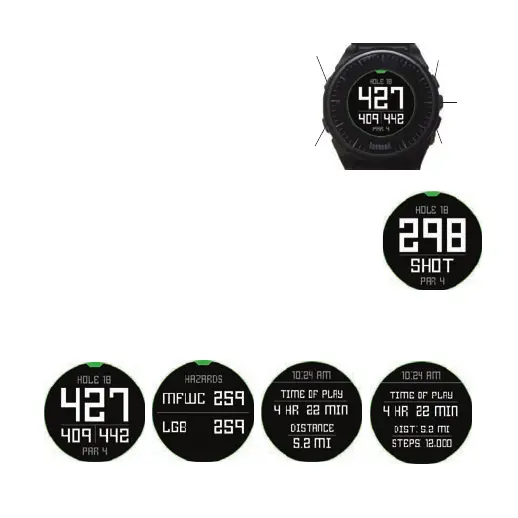
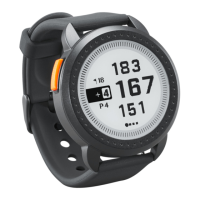
Button Functions in Play Golf Mode (Fig.7)
Shot
Next Hole
1
3
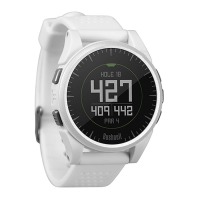
Track Shot Distance: This feature allows you to easily check the
distance between any two points and would normally be used to
Select
measure the length of your shot. Press the SHOT button (1) to set Point
4
A (where you are standing) to “0”. After walking to your ball (Point B),
the Excel Watch will display the distance between Point A and Point B
in a straight line (Fig. 8).
2
5
Menu
Previous
View Golf Menu Options: Press the MENU button (2) to view the Golf
Fig. 7
Hole
Menu options (SWING PRO, CHANGE COURSE, BATTERY, or EXIT ROUND).
Press MENU again to return to your game.
Manual Hole Advance: Press NEXT HOLE (3) to manually advance to the next hole, or
press PREVIOUS HOLE (5) to manually go back to the previous hole. *Note: the Excel does
feature auto-advance; this one button advance feature is very useful for shotgun starts.
View Hazards/Round Information: Pressing the SELECT Button (4) will toggle between
1 or 2 Hazards screens, Round Info, and the FCB (Front, Center, Back) pages (Fig. 8a). Hazard
Fig. 8
and Round Info screens will automatically return to FCB after 7 seconds if no other button is pushed. See the list on page
8 for a complete glossary of Hazard de nitions. Round Info is a Golf Odometer that tracks total round time and distance
travelled.
Fig. 8a
8


 To Next Page