Need help?
Do you have a question about the Bushnell GOLF EXCEL and is the answer not in the manual?
Steps for optimal operation, including charging and syncing the device for best results.
Guidelines for prolonging battery life and proper charging practices.
Identifies each button and its primary function on the watch.
Detailed explanation of each button's operation and multi-functionality.
Precautions for protecting the watch from damage and environmental factors.
Instructions on how to charge the watch and battery level indicators.
Lists all items included in the product package.
Specifies necessary computer hardware and OS for connectivity.
Guidance on checking and installing the latest software.
Method for automatically setting the watch time using GPS.
Procedure for manually adjusting the watch's time and date.
Steps to enter and begin a round of golf using the device.
How to measure the distance of a golf shot using the watch.
Functionality for manually advancing to the next or previous hole.
Accessing hazard data, round details, and odometer information.
Scheduling and managing tee times via the watch and app.
Monitoring swing speed and tempo for golf analysis.
Setting measurement units (Yards/Meters) for golf mode.
Configuring automatic exit from Play Golf mode to save battery.
Enabling and configuring the step tracking feature.
Using GPS to track distance, time, and speed.
Viewing temperature and pressure readings.
Accessing alarm, stopwatch, and timer features.
Checking the current battery charge status.
Changing the user interface language.
Step-by-step guide to pairing the watch with a smartphone.
Receiving and configuring alerts from the connected mobile device.
Definitions of abbreviations used for golf course hazards.
Critical safety precautions regarding battery and device handling.
Statement on liability for product use and misuse.
Background on GPS technology and its impact on the device.
Resources for support, FAQs, and course data.
Details on what the warranty covers and for how long.
Steps for returning the product for warranty service, including required items.
Importance of serial numbers for authenticity and warranty.
Guidelines for proper disposal of electronic equipment in the EU.
Statements regarding FCC rules, interference, and radiation exposure.
Statements regarding Industry Canada rules and radiation exposure.
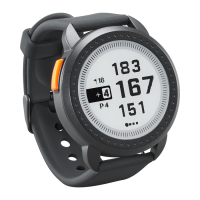
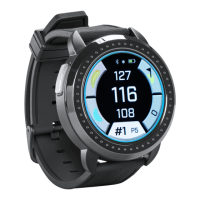
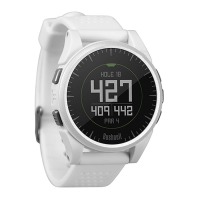
The Bushnell Excel GPS Rangefinder Watch is a multi-functional device designed for golfers, offering GPS-based rangefinding, fitness tracking, and smart watch capabilities. It aims to enhance the golfing experience by providing accurate distances, swing analysis, and convenient notifications.
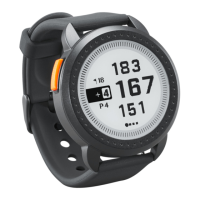
The primary function of the Bushnell Excel is to provide GPS-based rangefinding for golf courses. When in "Play Golf" mode, the watch displays distances to the front, center, and back of the green (FCB). It automatically advances to the next hole, but also offers manual hole advance for situations like shotgun starts. Beyond basic distances, the watch provides detailed hazard information, displaying up to four hazard callouts per hole with abbreviations defined in the iGolf Hazard Glossary. This allows golfers to plan their shots more effectively by knowing distances to various obstacles like bunkers and water hazards.
A key feature for golfers is the "Track Shot Distance" function, which allows users to measure the length of their shots. By pressing the SHOT button at the starting point and then walking to their ball, the watch calculates and displays the straight-line distance between the two points.
The "Tee Time" function enables users to schedule and store multiple tee times directly on the device or through the companion mobile app. When a tee time is approaching, the watch provides notifications and automatically begins searching for satellites to prepare for the round. If the tee time was set via the app, it will also automatically select the chosen golf course upon GPS fix.
For swing improvement, the "Swing Pro" feature monitors swing speed and tempo. Users select their club, and the watch continuously displays the last swing measurement. When connected to the mobile app, this data is uploaded and stored, allowing for detailed analysis and tracking of progress.
Beyond golf-specific functions, the Bushnell Excel also incorporates fitness tracking. It includes a pedometer that uses an internal accelerometer to count steps taken, with a customizable step goal. An odometer function, utilizing GPS, tracks distance traveled, time elapsed, and speed, making it useful for general fitness activities.
The watch also offers a "Weather Mode" which provides temperature and pressure readings. While not a precision weather instrument, it offers a quick glance at current conditions.
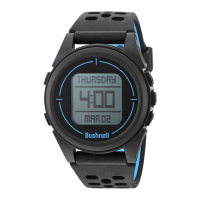
Standard watch functions are also present, including alarm, stopwatch, and timer. The device can display the time in various formats and allows for manual time setting or automatic synchronization via GPS, which is particularly convenient for travelers as it updates based on longitude.
The Bushnell Excel features a user-friendly interface with five distinct buttons: Golf Menu, Menu, Up, Select, and Down/Power.
The watch offers customizable settings, including units of measurement (yards or meters) for golf mode, and the ability to configure the pedometer goal. An "Auto-Off" feature can be set to automatically exit "Play Golf" mode after a preset duration (1.5 to 9 hours) to conserve battery life, or it can be disabled.
Language settings are available in English, German, French, Spanish, and Italian, allowing users to choose their preferred interface language.
Bluetooth connectivity is a significant usage feature, allowing the Excel Golf Watch to pair with a smartphone app (available on Apple App Store and Google Play Store). Once paired, the watch can receive various alert messages such as text, email, phone, and calendar notifications, which can be configured through the app. The app also serves as a platform to configure watch settings, display fitness data, and analyze swing pro data.
The Bushnell Excel is designed to be durable and waterproof. To ensure reliable operation and longevity, several maintenance guidelines are recommended.
Battery charging is crucial for performance. The rechargeable battery provides up to 3 rounds of golf or one year of use as a time-only watch. It is recommended to charge the device using a computer USB port, a powered USB hub, or a smartphone AC charger only. The watch should be disconnected from the charger once fully charged. To check the remaining battery life, users can access the "BATTERY" option from the main menu. The device displays battery levels in increments (100%, 75%, 50%, 25%, Low Battery).
Regular cleaning of the watch is advised, using a soft, damp cloth. Importantly, the clip contacts at the bottom of the watch, which are used for charging and data transfer, should be brushed regularly with a soft-bristled brush (included) to prevent dirt build-up that could affect performance. Hard bristles or wire brushes should be avoided to prevent scratches.
To protect the device, users should avoid exposing it to extreme environmental conditions, severe impacts, strong chemicals (like gasoline and alcohol), and high moisture surroundings. Storing the watch in extremely hot environments, such as a vehicle on warm days, should also be avoided. For long-term storage, it is recommended to discharge the battery to 50% capacity and store the unit in a dry, low-temperature place, with recharging every 3 months.
Firmware and software updates are periodically released to improve performance and add new features. Users are encouraged to check the Bushnell Golf website (www.bushnellgolf.com or www.bushnellgolf.eu) for the latest updates. Registering the Excel Watch on www.bushnell.igolf.com is not required but ensures access to the latest updated GPS course data.
The device contains a rechargeable lithium-ion battery. Users are warned not to attempt to open, disassemble, or service the internal battery, as it must be replaced by a qualified technician. Proper recycling or disposal of the device is also emphasized, with instructions to not dispose of it in fire or water. For EU and other European countries with separate collection systems, the device should be disposed of at designated recycling points.
 General
| Water Resistance | Yes |
|---|---|
| Bluetooth | Yes |
| Smartphone Notifications | Yes |
| Hazard Distances | Yes |
| Shot Distance Calculator | Yes |
| Scorekeeping | Yes |
| Odometer | Yes |
| Auto Course Recognition | Yes |
| Auto Hole Advance | Yes |
| Measurements Displayed | Yards/Meters |
| Display | Color |
| Preloaded Courses | 38, 000+ |
| Type | GPS Watch |
| Distances | Front/Center/Back |

 To Next Page