5
Click to Return to the Table of Contents
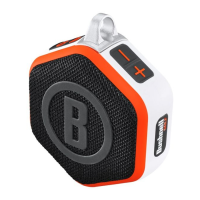
WINGMAN MINI BUSHNELL BUTTON FUNCTIONS - GOLF MODE
• Download the Bushnell Golf Mobile App from the App Store (Apple) or Google Play (Android), sign up for an account,
or log in. To start a round and get distances, refer to Play Now - Round Setup on page 7.
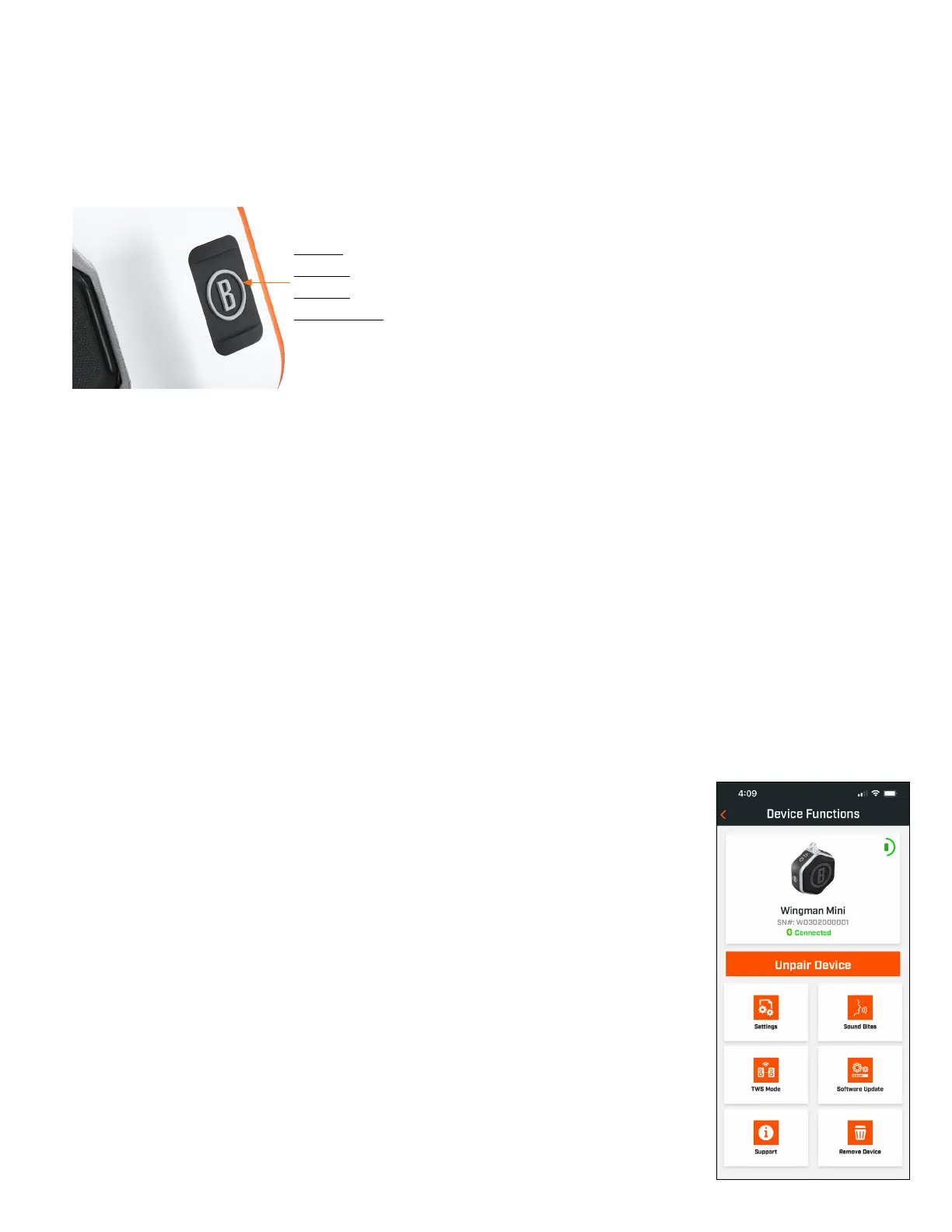
• Use the Bushnell Button to control functions on the speaker for Play Golf Mode. Click the Bushnell Button once to
announce GPS yardage to the next hole. Double-click the Bushnell Button to play the first custom message. Triple-click
the Bushnell Button to play the second custom message. Press and Hold the Bushnell Button to enter Bluetooth pairing
mode. *Instructions for creating Custom Messages or Sound Bites can be found on page 6.
TWS CONNECTION (STEREO) OPERATION
The Wingman Mini’s TWS technology enables you to play two Wingman Mini speakers with the same audio simultaneously.
To activate TWS operation and listen to audio with two Wingman Mini units:
Power on both speakers. Double-click the Power button on the “main” speaker connected to the device playing
the audio. The “secondary” speaker needs to be unpaired from any Bluetooth device. The second speaker will
automatically pair when the speaker connected to the audio is placed in TWS mode.
To disconnect the TWS connection, double-click the Power button to exit TWS or power off either speaker.
Note: When two speakers are tethered in TWS mode and in a round of golf, the main speaker will be the only speaker that can be used to give you
distances. The audio will come from both speakers, but the main speaker’s “Bushnell Button” will be the only one active.
BUSHNELL GOLF MOBILE APP FUNCTIONS
DEVICE FUNCTIONS
• Unpair Device: Tap to unpair the device from the Bluetooth connection on your phone.
• Settings: See full explanation on page 6.
• Sound Bites: See full explanation on page 6.
• TWS Mode: TWS can be toggled On/Off in the app or by double-clicking the speaker’s
Power button. See above for instructions.
• Software Update: Check for firmware updates for the speaker.
• Support:
— Contact Bushnell Golf product support
— About your speaker
— Product user manual
— Terms and Conditions
• Remove Device: This button lets you remove the device from the Bushnell Golf Mobile
App account. You will also need to remove the device from your phone’s list of available
devices in the Bluetooth Settings.
1 CLICK: AUDIBLE GPS YARDAGE
2 CLICKS: 1ST CUSTOM SOUND BITE
3 CLICKS: 2ND CUSTOM SOUND BITE
PRESS & HOLD: BLUETOOTH PAIRING MODE
Android and Google Play are registered trademarks of
Google Inc. in the United States and other countries.
iPhone and Apple Store are trademarks of Apple Inc.,
registered in the U.S. and other countries. Other names
may be trademarks of their respective owners.


 To Next Page