EasyManua.ls Logo

Bushnell 119600 - User Manual

Bushnell 119600
10 pages
Print Icon
To Next Page IconTo Next Page
Loading...
FAQ
All my pictures are coming out black at night.
This is a common problem if the setting of the camera are not set up correctly. We will
need to make sure the Time, Date, Day Time setting are correct. To do this you will need
to turn the unit on and log into the camera. Then select the Menu option, the first
selection will be set Time. If this is not done you will need to hit Enter, then enter the
correct time. Once the time is entered we will need to hit the down button to the next
entry.
Battery life short on Trophy Cam.
Expected battery life depends on temperature and number of images. Bushnell expects
the camera to take several thousand images before the batteries would die. If your battery
life is shorter, check the following:
Make sure you have used new alkaline or lithium batteries. Bushnell recommends 8
Energizer Lithium AA batteries in all Trophy Cams.
Make sure that the power switch is turned to the “On” position and that the camera
was not left in “Setup” mode while in the field.
Make sure that you are using a good quality SD card in your camera. Bushnell
recommends San Disk Brand SD Cards. Unfortunately, poor quality SD cards can make
your camera have a much shorter battery life.
Camera takes continuous images of no subject
A camera has what is known as a “false trigger” if the PIR sensor thinks that there is
motion and heat in front of the camera lens when there is no subject in the image. These
“False Triggers” are the result of placing the camera in an environment where there is
motion associated with tree branches creating motion in front of the camera or an area
where there is high heat in the foreground and any motion from wind could set off the
camera. Setting a camera up over water is also a potential cause for this issue.
To remedy this situation try moving the camera to an area that does not have any of these
issues or try changing the sensor level on the menu settings.
If the camera continues to take images when there is no subject in them, try placing the
camera in an inside environment and aiming at a location where there is no motion. If the
camera continue to show issues, then there is probably an electronic component issue. If
this is the case, please contact our customer service to send the camera back for repair.
Can I change the resolution on any of the units?

Question and Answer IconNeed help?

Do you have a question about the Bushnell 119600 and is the answer not in the manual?

Overview

This document provides a comprehensive FAQ and troubleshooting guide for Bushnell Trophy Cam trail cameras, addressing common issues and offering solutions.

Function Description:

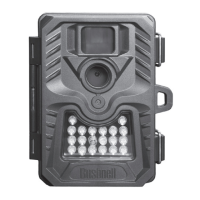
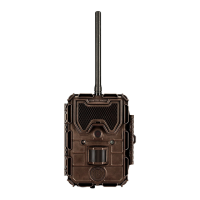
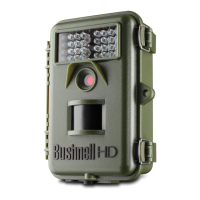
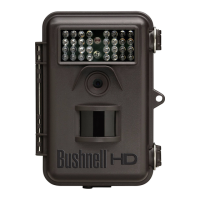
Bushnell Trophy Cams are designed to capture images and videos of wildlife or other subjects in various environments, often used for scouting or security. They utilize a Passive Infrared (PIR) sensor to detect motion and heat, triggering the camera to record. The cameras are capable of operating day and night, with specific settings for different lighting conditions. Some models offer features like Field Scan (time lapse) and geotagging.

Important Technical Specifications:

  • Battery Type: Bushnell recommends 8 Energizer Lithium AA batteries for all Trophy Cams.
  • Battery Life: Expected battery life varies based on temperature and number of images. Under normal scouting conditions (40 degrees F and above), batteries should last over 30 days. A Trail Scout/Sentry model can last 30 days or 300 photos. A Trophy Cam can last 6 months or 700 photos with 4 AAs, or 12 months or 1400 photos with 8 AAs.
  • SD Card Compatibility: Bushnell recommends San Disk Brand SD Cards, specifically SDHC SD cards. The document states that cards up to 512MB have been tested, but larger cards have not.
  • Video Resolution (Trophy Cam): High Quality: 640x480; Low Quality: 320x240.
  • Resolution Settings: The resolution cannot be changed on any of the trail cameras.
  • Operating Voltage: Bushnell Trail Cameras are designed to operate at 6V, using a minimum of 4-AA batteries. Rechargeable batteries (typically 1.2V) are not recommended due to voltage differences.

Usage Features:

  • Setting Time and Date: To ensure proper night imaging, users must turn on the unit, log into the camera, select the Menu option, and set the correct time.
  • Field Scan (Time Lapse): This feature allows for time-lapse photography. Users must ensure that the start and stop times for Field Scan "A" and "B" do not overlap. In video mode, the smallest interval is 5 minutes to prevent overheating; in still photo mode, a 1-minute interval can be set.
  • Day/Night Mode Setting: Military time is used to set start and stop times for day or night. This is only applicable if the imaging switch is set to "Day" or "Night" mode. In 24-hour mode, the camera does not need these settings.
  • Camera Name Input (Trophy Cam HD): Users can input a custom camera name by navigating to the Camera Name parameter, pressing OK, deleting the previous name (if any) using the RIGHT key and backspace symbol, and then selecting alphanumeric characters with LEFT/RIGHT keys and OK. Press MENU to save.
  • Coordinate Input (Geotagging on Trophy Cam HD): Users can set geotagging by selecting the Coordinate Input parameter, pressing UP or DOWN to select "On," and pressing OK. Latitude and longitude can be obtained from websites like http://itouchmap.com/latlong.html.
  • Viewing Images: Images on the SD card can be viewed by removing the card and inserting it into a PC (an SD card reader may be needed) or a compatible digital camera/Palm/Pocket PC.
  • Night Vision Mode (Model 11-9900): For still pictures or movie clips in night vision mode, the filter should be removed, resulting in black and white images. If the filter is on, night pictures will be in color.
  • PIR Sensor LED: In "Setup" mode, a special LED on the front of the camera flashes when motion is sensed, aiding in camera aiming. During normal use, the LED does not flash to keep the camera hidden.
  • Day Time Setting: This setting informs the trail camera of daylight hours in the area. On some models, it determines when LEDs are used for light or when a filter is in place for night vision photos.

Maintenance Features:

  • Troubleshooting Black Night Images: Ensure time, date, and day time settings are correct.
  • Troubleshooting Short Battery Life: Use new alkaline or lithium batteries (8 Energizer Lithium AA recommended). Ensure the power switch is in the "On" position and not left in "Setup" mode. Use good quality SD cards (San Disk Brand recommended).
  • Troubleshooting Continuous Images of No Subject ("False Triggers"): This occurs when the PIR sensor detects motion/heat without a subject. Causes include tree branches, high heat in the foreground, wind, or placement over water. Solutions include moving the camera to an area without these issues or changing the sensor level in menu settings. If the problem persists in an indoor, motion-free environment, it may indicate an electronic component issue requiring repair.
  • Troubleshooting Overexposed Images: Often caused by the camera being in an enclosed area with the target too close. Reposition the camera to a more open area or move it higher up and angle it down.
  • Troubleshooting Dark Night Images/Videos: Check if battery power is full (flash stops near end of battery life). Ensure the camera is aimed at the target area within 45' (14m). In multi-shot mode or with short intervals, images may be darker due to rapid retriggering.
  • Troubleshooting Bright Night Images/Videos: Subjects closer than 10' (3m) may appear too bright.
  • Troubleshooting Dark Daytime Images/Videos: Ensure the camera is not aimed at the sun or other light sources.
  • Troubleshooting Bright Daytime Images/Videos: Ensure the camera is not aimed at the sun or other light sources.
  • Troubleshooting Red/Green Images: Under certain lighting conditions, the sensor can get confused. If consistent, the sensor may need servicing.
  • Troubleshooting Short Video Clips: Check if the SD card is full or if batteries are low (camera may record shorter clips to conserve power).
  • Troubleshooting Unit Not Writing Images to SD Card: Ensure an SDHC SD card is used. If the problem persists, send the unit for repair.
  • Troubleshooting Inability to Delete Images from SD Card: Check the small white slide button on the SD card; it may be in the locked position. Slide it to the unlocked position.
  • Troubleshooting Locked Camera/Forgotten Password: Contact Bushnell Technical Support at 1-800-423-3537 (option 2), providing the unit's serial number for password recovery.
  • Troubleshooting Camera Not Capturing Subject of Interest:
    1. Adjust "Sensor Level" (PIR sensitivity): "High" for warm conditions, "Low" for cold.
    2. Avoid placing the camera near heat sources in its line of sight.
    3. Avoid placing the camera near water; try aiming over ground.
    4. Avoid small trees prone to wind movement.
    5. Remove limbs directly in front of the lens.
  • Troubleshooting LCD Screen Issues:
    • No Text: Ensure the switch is in a positive "Off," "Setup," or "On" position. When moving from "On" to "Setup," first move to "Off."
    • Faint Black Line: A faint black line may appear briefly when switching from "Setup" to "On" and will fade. This is normal.
    • Screen Powers On and Off: Ensure the SD card is installed correctly.
  • Troubleshooting Camera Stops/Won't Take Images:
    1. Check if the SD card is full.
    2. Check for new alkaline or lithium AA batteries.
    3. Ensure the power switch is in the "On" position, not "Off" or "Setup."
    4. Use a good quality SD card (San Disk recommended).
  • Troubleshooting Camera Takes Images Without Subject: (Same as "False Triggers" above)
  • Troubleshooting Camera Won't Power Up:
    1. Ensure at least 4 batteries are installed correctly and stacked at the top of the compartment.
    2. Bushnell recommends 8 Energizer Lithium AA batteries.
  • Troubleshooting Camera Won't Retain Settings: Ensure changes made during menu setup are saved. If not saved, the camera reverts to default settings.
  • Troubleshooting Out-of-Focus Pictures: Contact customer service and be prepared to email a sample picture. The unit may need repair.
  • Troubleshooting Unit Locks Up/Display Won't Change: Remove one battery to break the connection, then reinsert and turn the unit back on.
  • Troubleshooting Streaked Subject in Photos: In low light or with fast-moving subjects, 5MP or 8MP resolution settings may not perform as well as 3MP. Try the 3MP setting.
  • Troubleshooting Date/Time Stamp Not Appearing: Ensure the "Time Stamp" setting is set to "On" in the Menu.

Bushnell 119600 Specifications

General IconGeneral
BrandBushnell
Model119600
CategoryScouting Camera
LanguageEnglish

Related product manuals