Carefully read all instructions before use and save for future reference.
CHARGING THE BATTERY
Your
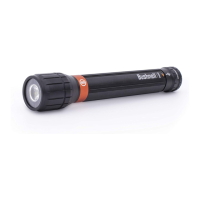
Bushnell® 2000 Rechargeable Flashlight
contains a lithium-ion battery and comes with a USB cord
for recharging.
NOTE: The USB cable is for charging only/power only.
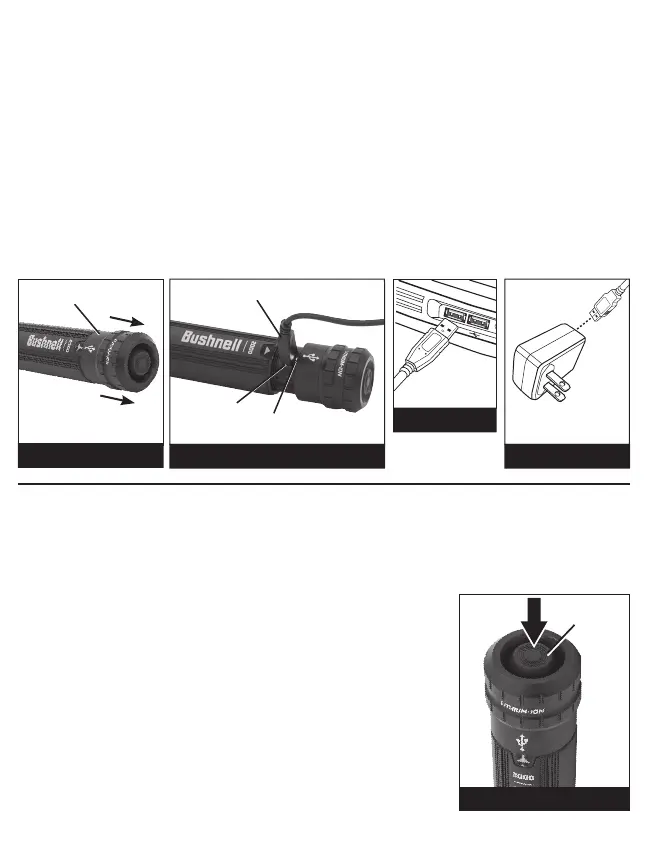
1. Push up on moveable collar to allow access to the input port as shown. (Fig. 1 & 2)
2. Insert micro-USB plug into input port on flashlight. (Fig. 2)
3. Plug USB cord into any USB outlet on computer, wall adapter (not included), etc.. (Fig. 3 & 4)
NOTE: Charging while using a USB wall adapter will be faster than a computer USB port. (Fig. 2)
4. When properly charged, the indicator light next to the input port will change from red to green.
NOTE: Recharge the battery immediately when light output is low.
NOTE: Normal recharging time for
the
Bushnell® 2000L Rechargeable Flashlight is 8 hours.
(continued on back panel)
Your Bushnell® 2000 Rechargeable Flashlight provides easy access to the lighting modes with a Button Switch
(Fig. 5): High for flooding an area with an intense bright light and Low for a non-glaring soft light for close-up
illumination. The Button Switch gives you the options of Momentary-On or Constant-On operation.
OPERATION
To access Momentary-On settings:
HIGH: Depress button half-way once and hold. Release to turn off.
LOW: Quickly depress button half-way twice and hold. Release to turn off.
NOTE: The button always defaults to High mode unless it is cycled quickly to
the other settings.
To access Constant-On settings:
HIGH: Depress button fully once to “click” on. Depress fully a second time to
“click” off.
LOW: Depress button fully a third time to “click” on. Depress fully a fourth time
to “click” off.
FIG. 5
Button
FIG. 4
USB Wall Adapter
(not included)
FIG. 3
Computer
USB Outlet
FIG. 2
Micro-USB Plug
FIG. 1
Moveable Collar
Input Port
Indicator Light


 To Previous Page