EasyManua.ls Logo

Bushnell ONIX 400 - User Manual

Bushnell ONIX 400
24 pages
Print Icon
To Next Page IconTo Next Page
Loading...
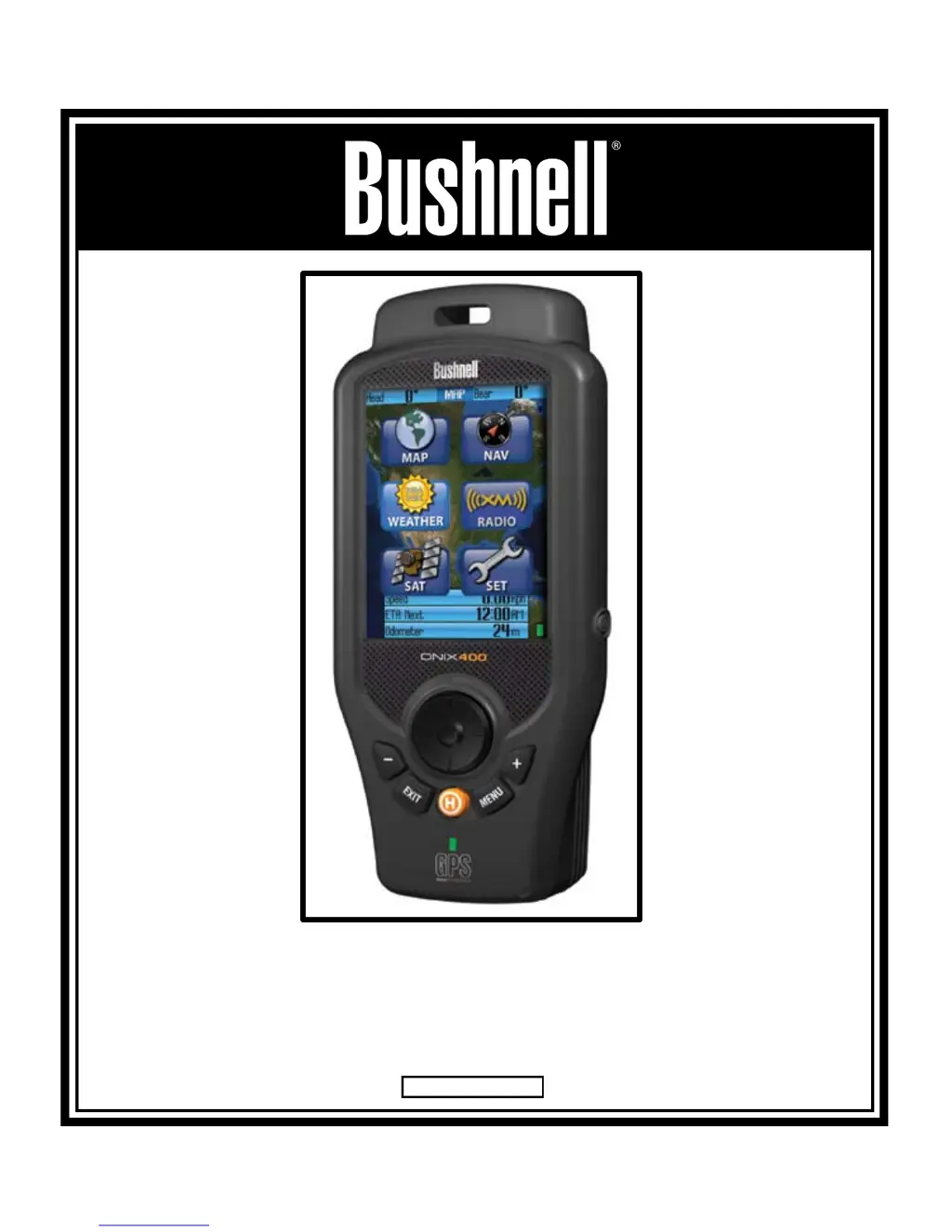
ONIX 400
GPS/XM RADIO RECEIVER
Quick Start Guide
Model # 364000 Lit # 98-0973/05-07
English

Questions and Answers

  • D
    Deborah SmithJul 27, 2025
    What to do if my Bushnell Receiver unit freezes?
    • B
      Barbara GarciaJul 28, 2025
      If your Bushnell Receiver freezes and holding the power button for 2 seconds has no effect, reset the unit by removing the battery pack (and power cord if attached), then reattach it.
  • J
    Joel GreenAug 4, 2025
    Why my Bushnell Receiver does not detect GPS satellites?
    • B
      Brett RiveraAug 4, 2025
      There are several reasons why your Bushnell Receiver might not be detecting GPS satellites. First, ensure that GPS is turned ON in the SET Page. The center circle of the SAT page should be circling. If not, turn GPS ON in the SET page. After the unit has been off for an extended time it may take longer for it to acquire GPS satellites. Check the SAT page for progress. For fastest acquisition times make sure the unit has a clear view of the sky. Avoid areas of heavy brush and areas next to large buildings or cliffs. Keep unit out of backpacks and concealed areas in order to maintain consistent GPS signals. Try holding the unit further away from your body.
  • J
    joshua46Aug 11, 2025
    What to do if downloaded photos or maps are not found in Bushnell Receiver?
    • C
      Christopher SchneiderAug 11, 2025
      If downloaded photos or maps are not found or cannot be used on your Bushnell Receiver, it may be because the USB cable was disconnected or power was shut off before download was completed. When downloading information from the PC program or Web, please wait until the download has been completed. Disconnecting the unit prior to completion of download will result in incomplete data download and loss of data. After a download, the unit must be powered off and then powered back on for it to recognize the data.
  • C
    Christopher FernandezAug 18, 2025
    How to fix Bushnell Receiver when it has no power on?
    • A
      Adrian AlvarezAug 19, 2025
      If your Bushnell Receiver doesn't power on, it may be due to a low battery charge. Be sure the battery has been fully charged before use and avoid excessive use of the backlight, which may shorten battery life. Also, ensure that you press the power button for 1-2 seconds until the LCD comes on.

Summary

Warnings and Notices

GPS System & Map Data Accuracy

Discusses GPS system operation and map data accuracy, including sources.

Controls and Ports Identification

ONIX400 Page Overviews

Getting Started

MAP Page Overview

MAP Page Layering Options

Setting Up Info Boxes

NAV Page and Info Box Configuration

SET Page: GPS, Compass, and Display Settings

SET Page: Sound and XM Radio Options

Setting Waypoints

Using the HOT Button and Find;GoTo

Managing Trails, Routes, and Photos

SafeTrack Battery Conservation

Text and Icon Editing

Troubleshooting Common Issues

Bushnell ONIX 400 Specifications

General IconGeneral
TypeHandheld GPS Receiver
Display TypeColor LCD
Screen Size2.2 inches
GPS Accuracy3-5 meters
Battery LifeUp to 14 hours
WaterproofIPX7
ConnectivityUSB
Memory32 MB internal
SensorsBarometric altimeter
MapsPre-loaded Topographic Maps