EasyManua.ls Logo

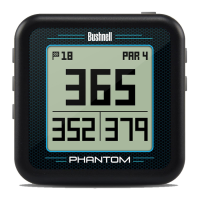
Bushnell Phantom Quick Start Guide

Bushnell Phantom
4 pages
To Next Page IconTo Next Page
Page #1 background imageLoading...
Page #1 background image
BUTTONS / FUNCTIONS
1. SHOT DISTANCE Button: Press at starting point, walk to ball position to find length of shot.
2. MENU Button: View Menu options/items.
3. UP Button: Scrolls up through Menu.
4. SELECT
Button: Selects highlighted Menu item.
5. DOWN Button: Scrolls down through Menu.
6. PWR Button: Press & hold (1.5 sec.) to power on/o.
7. USB Port: Connect to PC or smartphone charger with supplied cable to charge.
1
2
3
5
4
6
7
Quick Start
Guide
www.bushnellgolf.com

Other manuals for Bushnell Phantom

Question and Answer IconNeed help?

Do you have a question about the Bushnell Phantom and is the answer not in the manual?

Bushnell Phantom Specifications

General IconGeneral
TypeGolf GPS
BluetoothYes
MagnificationNot applicable
Objective Lens DiameterNot applicable
Battery TypeRechargeable Lithium-Ion
Mountingmagnetic
Distance ReadoutsFront, center, back
DisplayLCD

Related product manuals