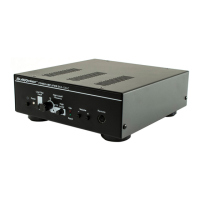
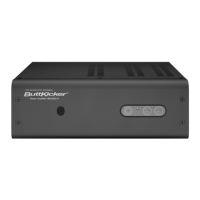
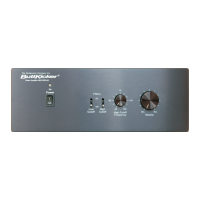
Amplifier Operation - Front Panel
(From Left to Right)
POWER BUTTON
The Power Button engages and disengages amplifier circuits. Check all amplifier
connections and verify the AC line power source before engaging the Power Button.
If in Standby mode, the amplifier will be brought into full On mode automatically
when an input signal is reapplied, or manually by pressing the Power Button twice
to turn the amplifier off, and then back on.
POWER STATUS INDICATOR (Orange/Green LED)
Orange indicates two possible modes. (1) the amplifier is in Off mode, or (2) the
amplifier was on, but reverted to Standby mode after 20 minutes of not receiving
input signal. If the amplifier is in Standby mode (Orange), and an input signal is
reapplied, the amplifier circuits will automatically energize and the indicator light
will turn green. Green indicates that all amplifier circuits are energized and ready
to function. After 20 minutes of no input signal, the amplifier will revert back
to the low power Standby mode.
LOW FILTER CUTOFF PUSH SWITCH
Pushing this switch to the in position engages the filter circuit which reduces all
frequencies below 25Hz (-3dB) at a rolloff rate of 12dB per octave.
HIGH CUTOFF FREQUENCY CONTROL
Effective only when the High Cutoff Switch is pushed in. This determines the
frequency above which frequencies are rolled off.
HIGH CUTOFF FILTER PUSH SWITCH
Engages the circuit (including the High Cutoff Frequency Control to its left) that
rolls off the higher frequencies (rolloff rate of 12dB per octave).
CLIP INDICATOR LIGHT (Red LED)
Illuminates when maximum output is approached.
SIGNAL INDICATOR LIGHT (Green LED)
Illuminates when a signal passes through the circuits to the amplifiers output
terminal.
VOLUME (-) (+)
Short push to step transducer intensity down or up respectively. Hold for multiple
steps up and down. NOTE: This feature is labeled Intensity on the Remote
Control.
REMOTE CONTROL
Connect the wired remote here. Please note connectors correct side up.


 To Next Page
 Loading...