Learning Remote Feature
Learning methods please see as below:
1. Long Press the "TV Power" + “Source" keys on the RCU at the same time
for 3 seconds until the Blue LED turns solid Blue.
The RCU has now entered learning mode.
2. Press the key on the RCU to be programmed, for example "TV Power" Key,
the Blue LED will start blinking.
3. Aim the TV RCU that you want to learn from towards the front of the RCU
(Distance less than 3cm).
Press the button on the TV RCU that you want the BT-100 RCU remote to learn
from. If the BT100 RCU is programmed correctly the Blue LED on the BT-100 \
RCU will blink 3 times then turn solid Blue.
This will indicate that you have programmed it properly.
4. Repeat Steps 2-3 for the "Source" button.
5. Short press "TV Power" key + "Source" key at the same time on the BT-100 RCU to
exit learning remote.
7
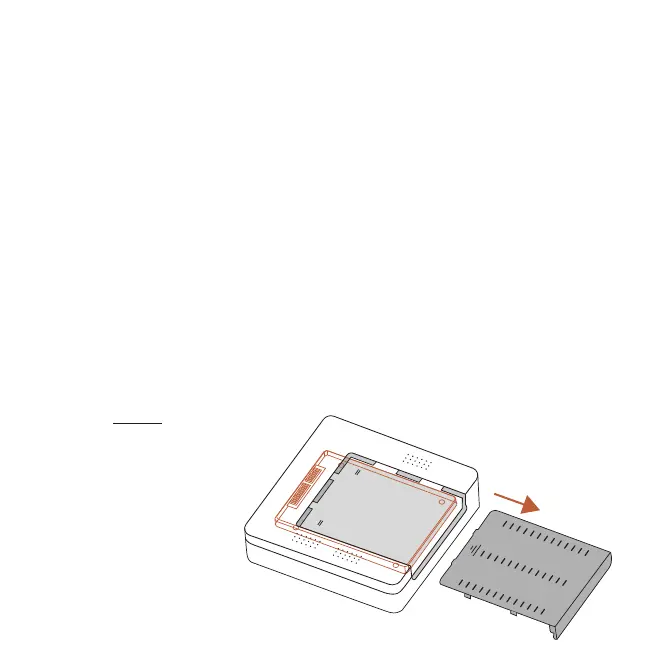
SATA DRIVE (Op onal)
Installing Sata Drive:
1. Remove bottom plate (A)
2. Orientate the 2.5 Sata
connectors (B) to the
corresponding connector
on the XRS4900 and attach
3. Replace bottom plate
A
B


 To Next Page