7
LIGHTS & INDICATORS
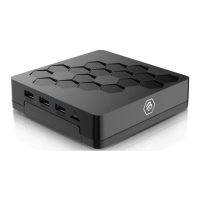
Lighting on Front of XRS4900
indicates the following:
Blue light - Unit is on
Red light - Unit is o
8
PAIRING RCU (REMOTE) AND XRS4900
9
WARRANTY INFORMATION
For warranty information and registration, please visit:
www.buzztv.com/register
www.buzztv.com/support
cs
@buzztv.com
How to put RCU into Pairing Mode for BT
Press “OK” + “VOL - ” for 3 seconds until Red LED “breathing on”. RCU enters
pairing mode. Device name is BuzzTV BT-100. You will need to have the STB
searching for BT in order to fully pair the remote.
How to turn the Back lit Feature On/O
Long press the blue button on the bottom right of the remote for 5+ seconds. This
will turn the back lit feature on/o (illuminates for approximately 5 seconds when on).


 To Previous Page