MicroDock II
Quick Reference Guide
8
The base station pushbuttons are not labelled. The base station
is operated by pressing the C pushbutton that is located
directly below the option that displays on the LCD.
Activating the Station
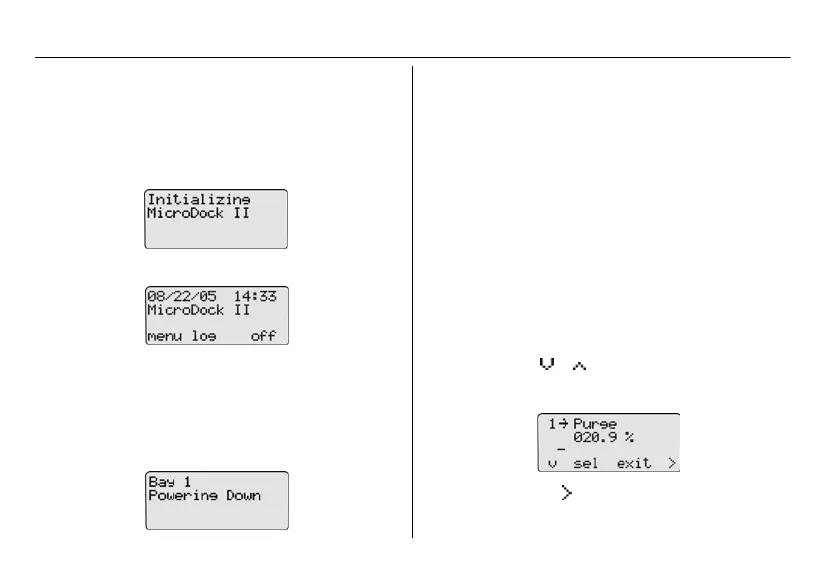
1. To activate the station, press and hold C (the left-
most button) until the following screen displays.
The normal operation screen then displays.
Deactivating the Station
To deactivate the station, complete the following:
1. Access the normal operation screen (the station can
only deactivate from the normal operation screen).
2. Press C off.
Confirm Inlet Setup
For initial station activation, ensure the inlets are installed cor-
rectly.
• Inlet 1—default connection for ambient air.
• Inlet 2—default connection for four-gas mix (unless oth-
erwise specified when purchased).
• Inlets 3-5—designed connection for additional gases.
However, unless specified at purchase, inlets 3-5 will be
configured for ambient air.
a
Warning
Failed bump tests and calibrations can result if the inlets
are not setup correctly.
To confirm that the inlets are set correctly, complete the follow-
ing:
1. Press C menu to access the user options menu.
2. Press C or to scroll to InletSetup.
3. Press C sel to access the inlet 1 screen.
4. Press the C
to scroll to the inlet 2, 3, 4, and 5
screens.


 To Next Page