
 Need help?
Do you have a question about the BWOO BW06 and is the answer not in the manual?
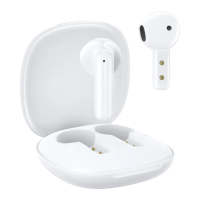
The BWOO BW06 are true wireless stereo earphones designed for a seamless audio experience. These ultra-thin Bluetooth earphones offer a range of features for music playback, call management, and voice assistant activation, all controlled through intuitive touch operations.
The BWOO BW06 earphones are designed to provide high-quality true wireless stereo sound. They automatically power on and enter pairing mode when removed from their charging case, simplifying the connection process. Once paired with a mobile device, users can control music playback, manage calls, and activate their device's voice assistant using touch gestures on the earbuds. The earphones automatically shut down and enter charging mode when placed back into their charging case and the lid is closed. If no connection is established within 3 minutes, the earphones will automatically turn off to conserve battery.
While specific technical specifications like battery capacity, driver size, or Bluetooth version are not detailed in the provided manual, the device is identified as "TRUE WIRELESS STEREO" and "Ultra-thin Bt Earphone," indicating its core functionality and form factor. The charging method is via a standard charger wire, with a note to avoid fast charging to prevent damage and prolong the headset's service life.
The manual provides a visual guide for correctly inserting the earphones into the ear for optimal fit and sound.
The BW06 earphones feature touch-sensitive controls on both the left (L) and right (R) earbuds for various music functions:
Call management is also handled through touch gestures:
The manual includes an overview of the product packaging, showing the earphones, charging case, and charging cable, indicating what is included in the box. This helps users identify all components and ensures they have the necessary accessories for proper use and maintenance.
 General
| Brand | BWOO |
|---|---|
| Model | BW06 |
| Category | Wireless Headphones |
| Language | English |

 To Next Page